DashForge
← All work

Homeowners

A home maintenance schedule that remembers which part you used last time

Upkeep is for the homeowner who knows the boiler needs a service and can't remember when it last had one.

CloudPremade

/house
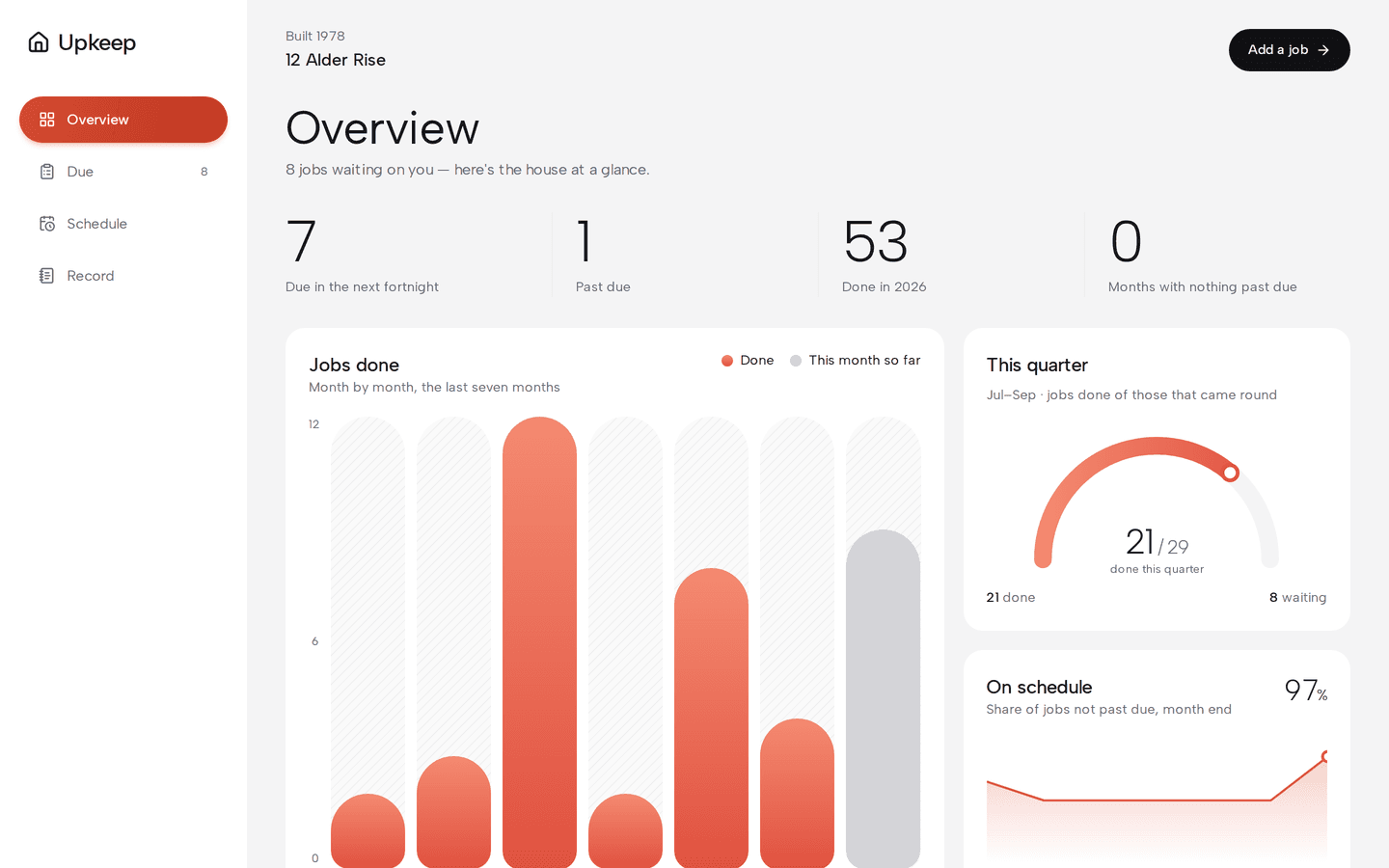
Upkeep on a desktop: The house at a glance
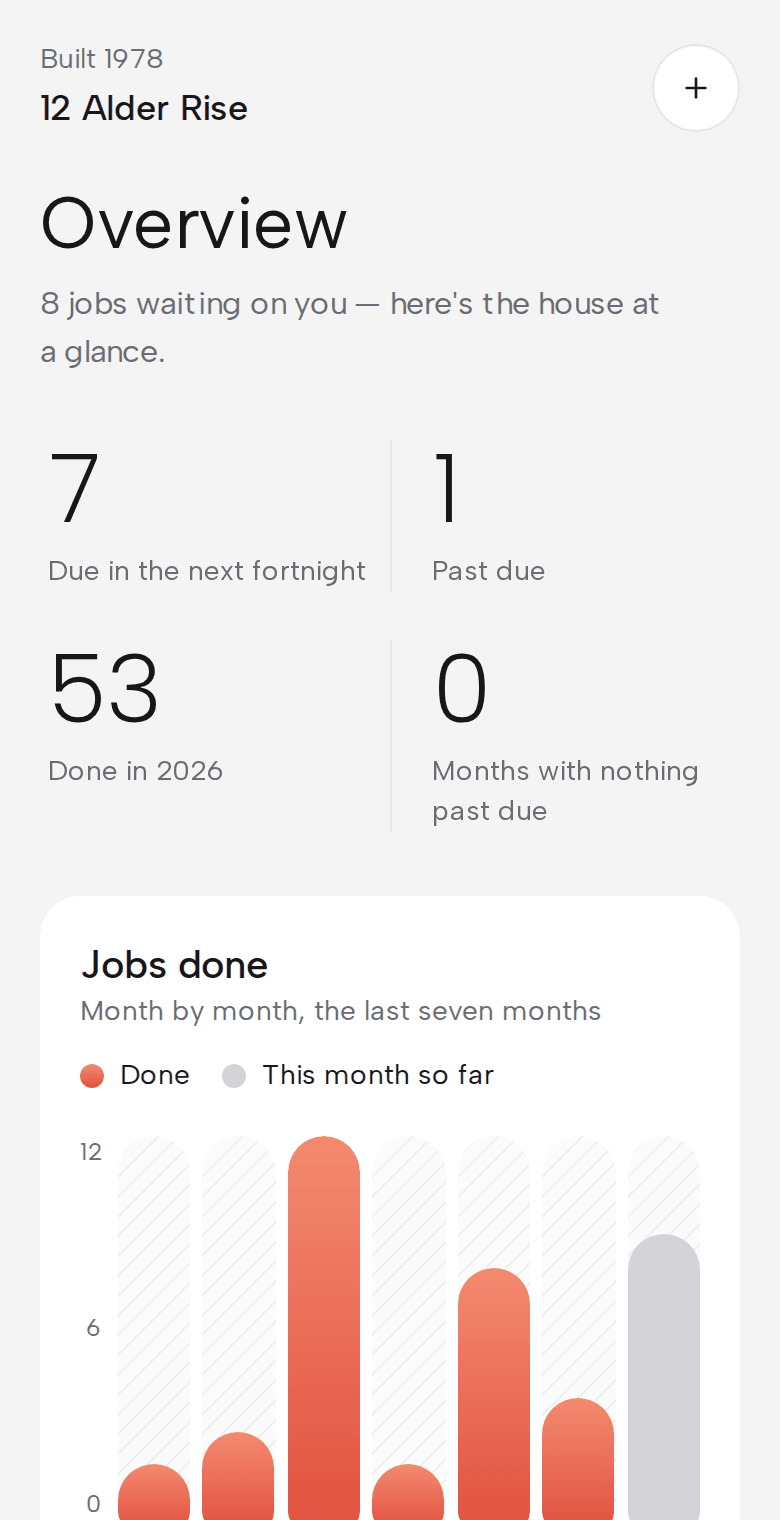
Upkeep on a phone: The house at a glance
About Upkeep

Upkeep is for the homeowner who knows the boiler needs a service and can't remember when it last had one. A house has a dozen jobs that come round every few months or years, and the reminder, when there is one, never says which filter to buy. Upkeep starts from a proposed schedule for your type of house and records the date, the part and a photo each time a job is done. The next reminder names that part, and the whole history prints as a PDF for a buyer or a surveyor.

Getting started
A ready schedule

proposed from the house type

Every reminder
Names the part

from last time

Overdue jobs
Stay listed

until they're done

What it does

What does Upkeep do?

  • A schedule to start from

    Pick your type of house and Upkeep proposes the jobs and how often to do them. Untick whatever doesn't apply.

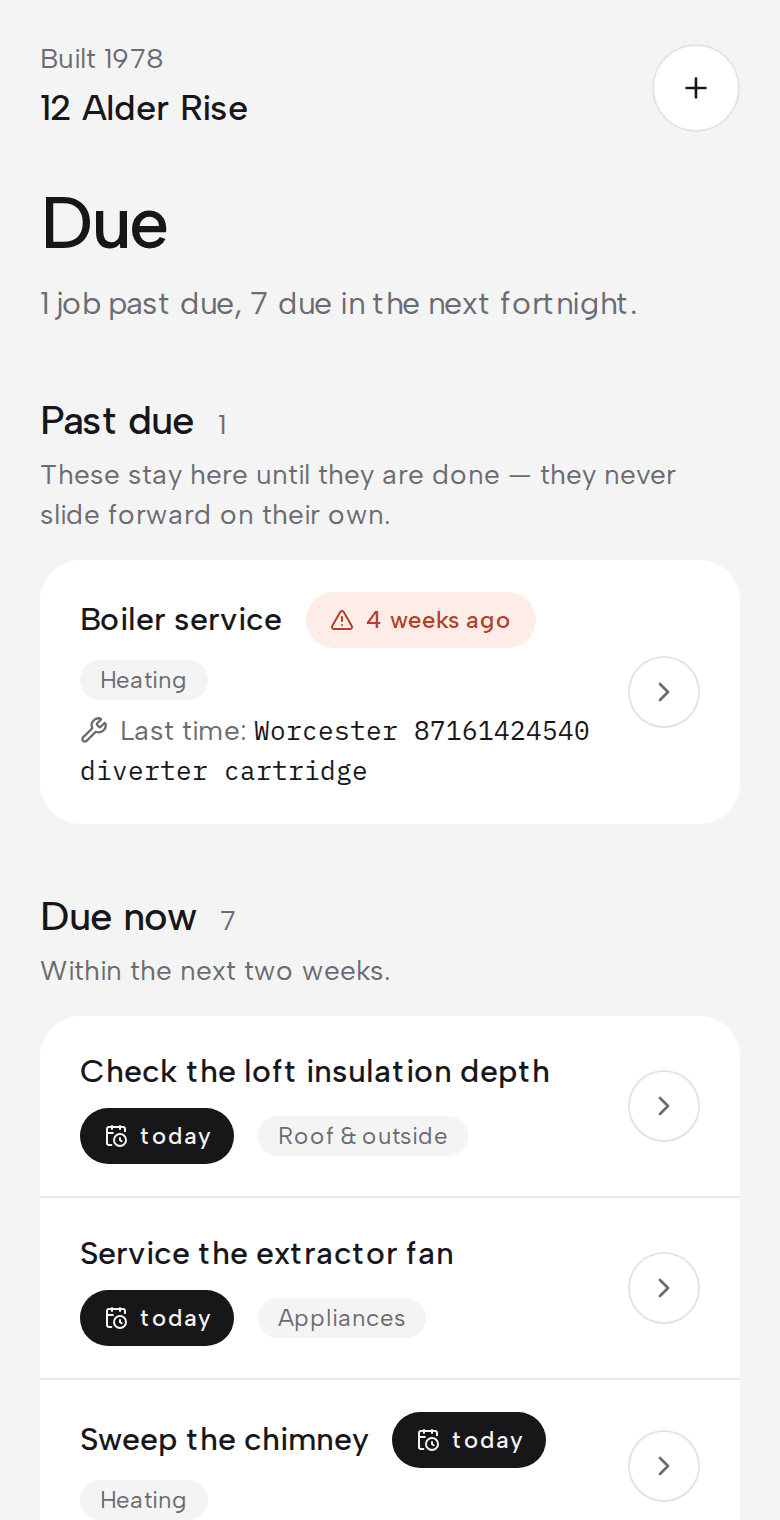
    /house/due
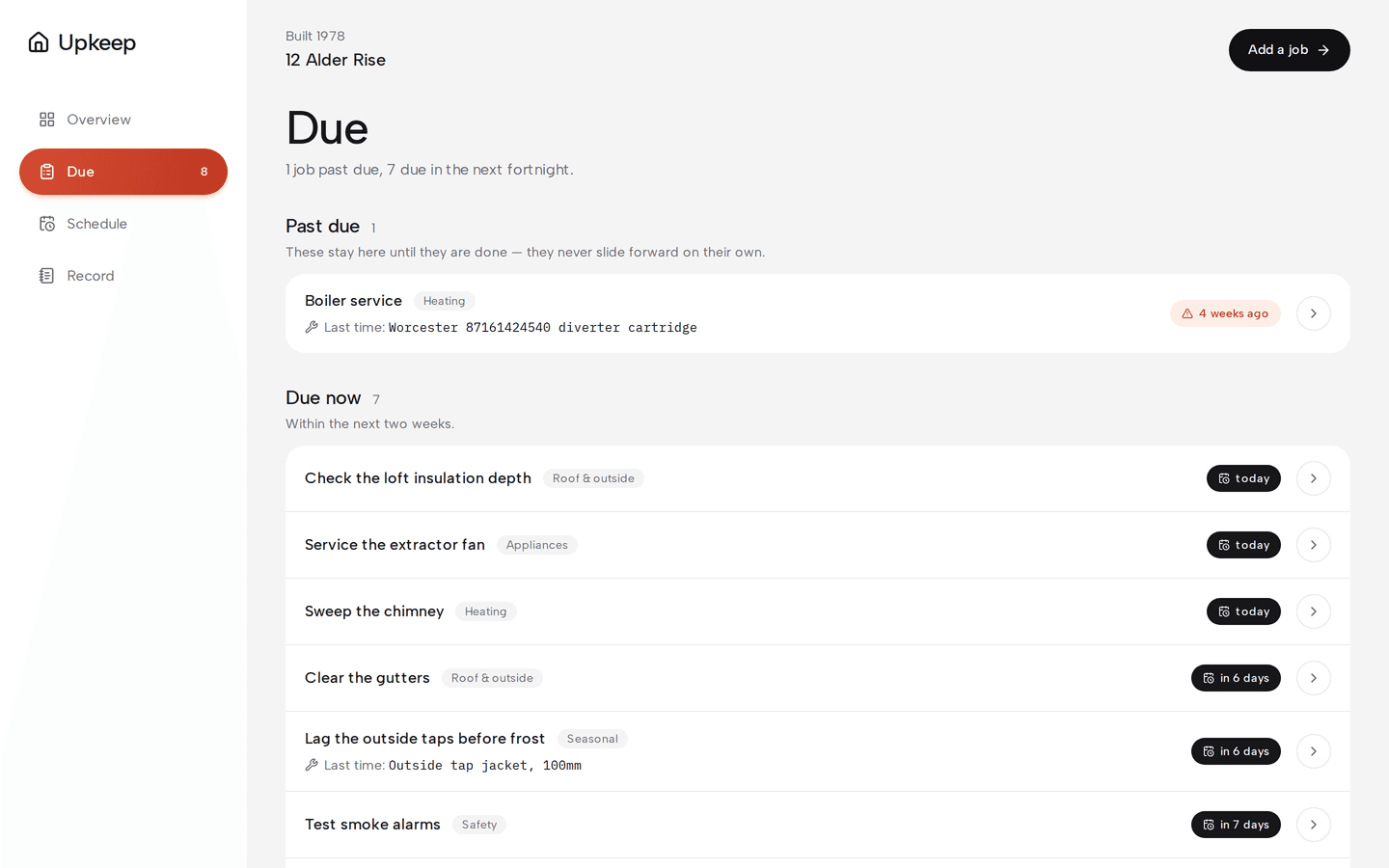
    Upkeep: What's due
  • Reminders with the part number

    Each reminder names the filter or part you used last time, so you can buy it on the way home.

    /house/t/[id]
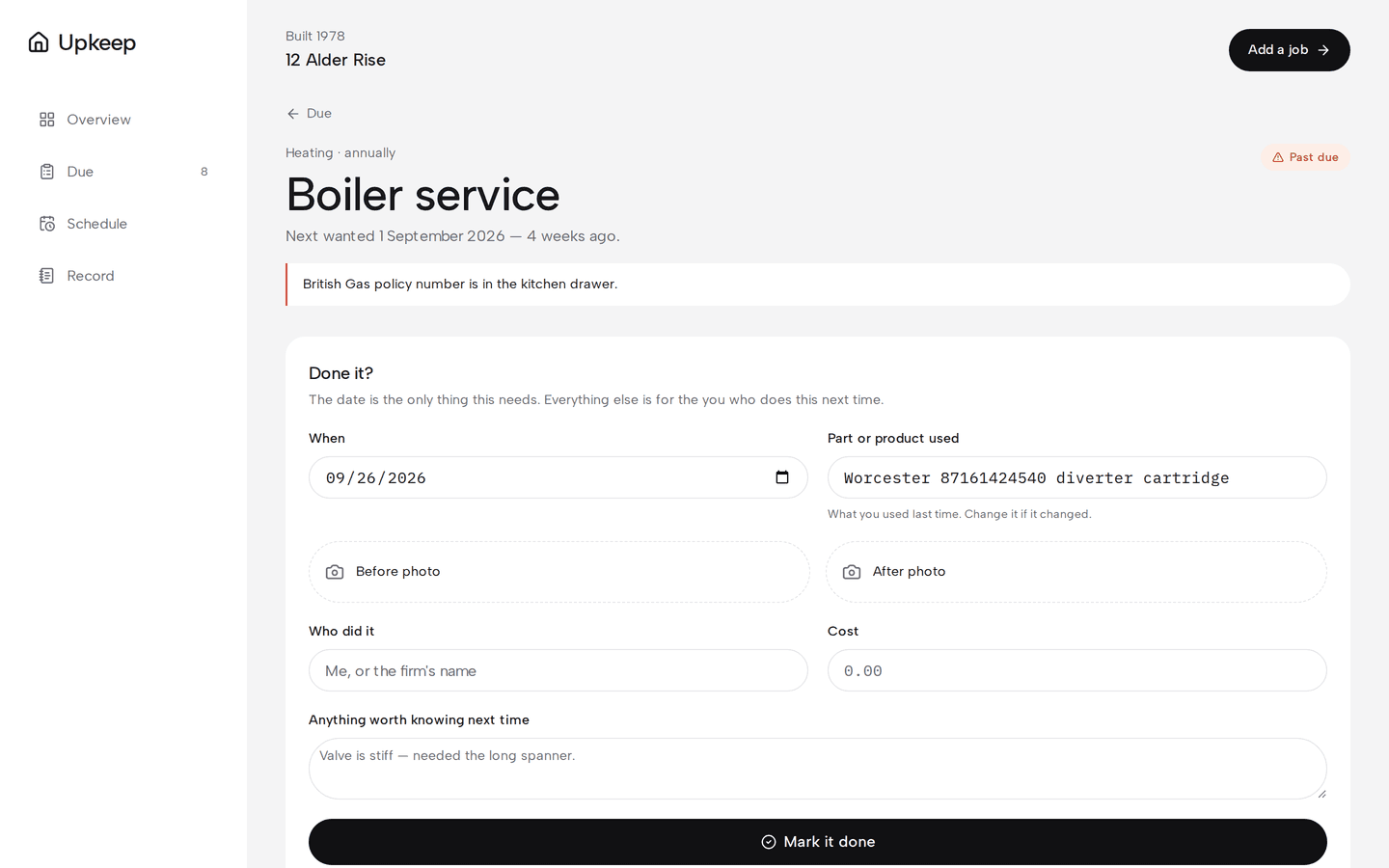
    Upkeep: One job
  • Seasonal jobs

    Jobs like "before the first frost" are tied to a month and remind you early in it.

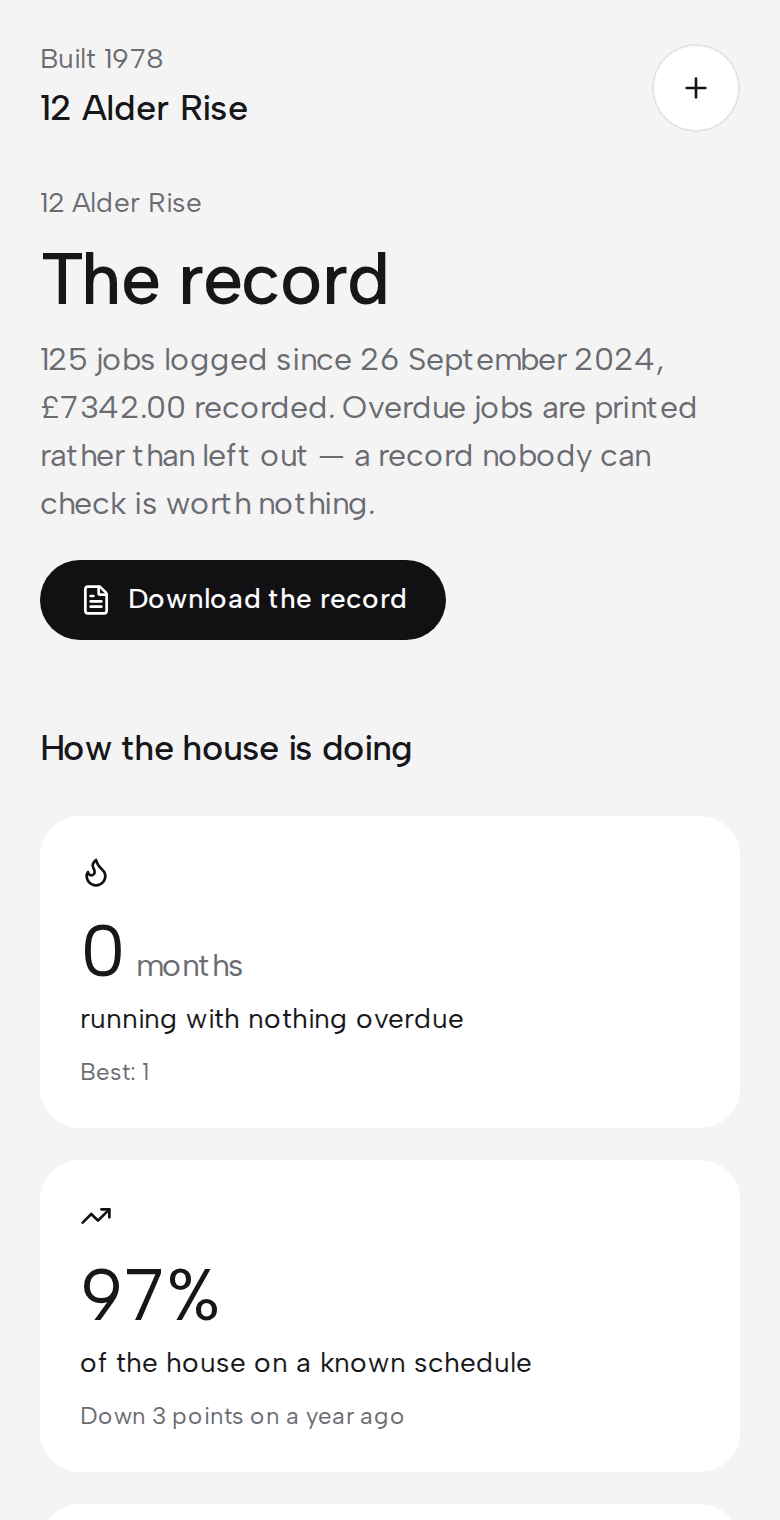
    /house/record
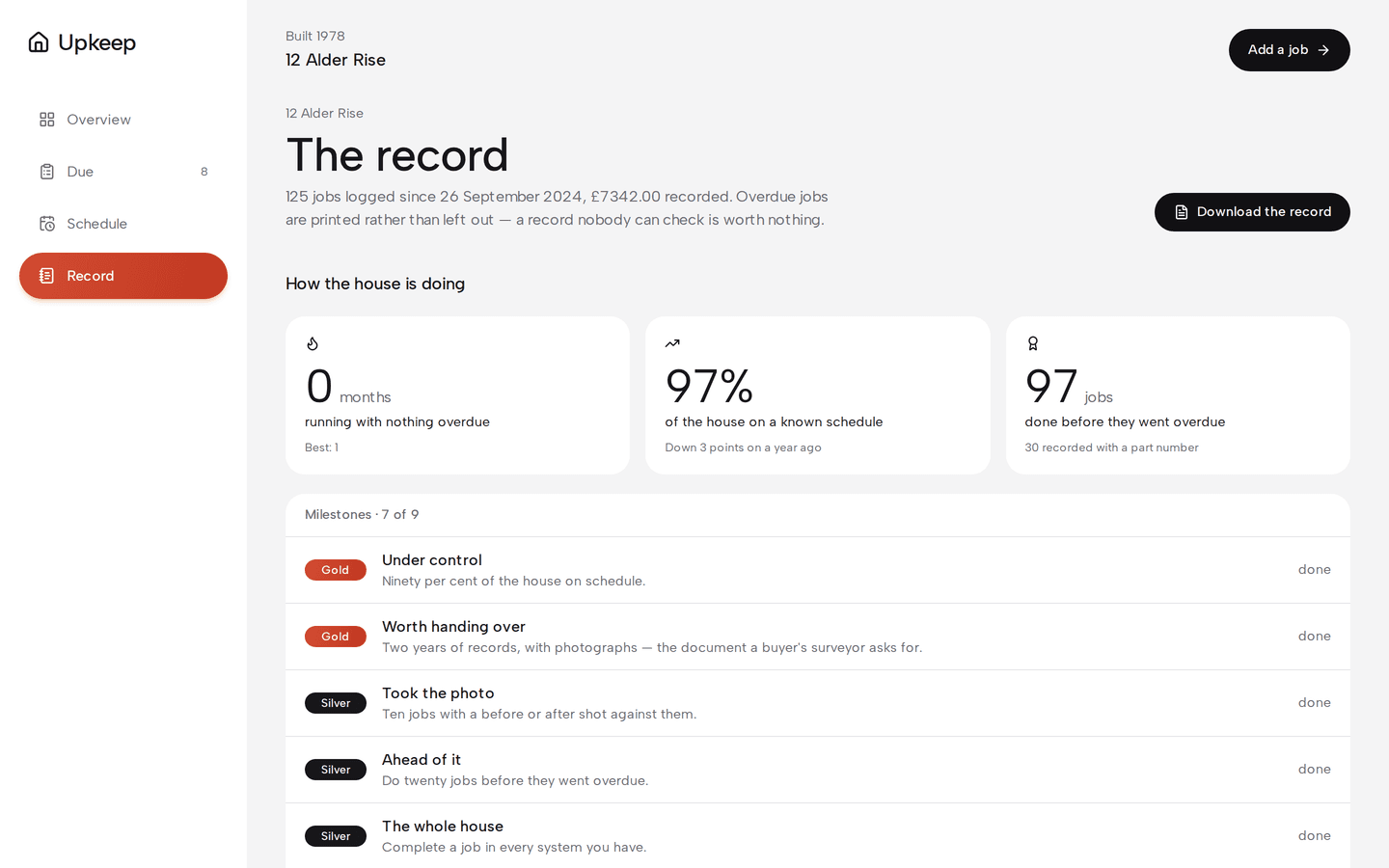
    Upkeep: The record
The problem

What problem does it solve?

A house has a dozen jobs that come round every few months or years: the boiler, the smoke alarms, the filter under the sink. Few people write them down. When a reminder does arrive it doesn't say which part to buy, so the job waits for another weekend.

How the demo handles it

Upkeep proposes a schedule from your type of house, so nobody starts with a blank list. Marking a job done takes a date, and the part number from last time is already filled in. Each record feeds the next reminder and adds to the house's history. Overdue jobs stay on the list, without a daily email about them.

  • Quick to mark done

    Only the date is required, and last time's part number is already filled in.

  • Before and after photos

    Photos are shrunk on the phone before upload, which also strips their location data.

  • The history as a PDF

    Every job, date, part and photo in one document, ready for a buyer or a surveyor.
Try it yourself
/house/due
Upkeep: What's due, on a desktop
Upkeep: What's due, on a phone
/house/record
Upkeep: The record, on a desktop
Upkeep: The record, on a phone
Design choices

Why is it built this way?

  • Overdue stays overdue

    A missed job keeps its due date and stays on the list until it's done. It never quietly slides to later.

  • The next date counts from when you did it

    A boiler serviced two months late is next due a full year after that service.

  • You can't mark a job as fine yourself

    A job's status is worked out from its history by a nightly job, and the database won't let a user change it.

  • One reminder per job

    Each due date sends one email. An overdue job doesn't email you again every morning.

Screens

What does it look like on a computer and a phone?

Jobs due and overdue, jobs done this year month by month, and progress for this quarter.

/house
Upkeep: The house at a glance, on a desktop
Upkeep: The house at a glance, on a phone

What is it built with?

Common, well-documented tools, so any developer you hire later can pick it up and keep working on it. Hover over or tap any of them to see what it does.

Who uses it

Who would use Upkeep, and when?

  • Picks the house type, gets a schedule and finds out which jobs are already overdue.

    Someone who just got the keysScenario

  • Marks the filter change done from their phone, with the part number already filled in.

    Kneeling under the sinkScenario

  • Prints the PDF of everything that was done, with dates and photos, and hands it to the buyer.

    Selling the houseScenario

FAQ

What do people ask about Upkeep?

  1. 01Can I try Upkeep before talking to anyone?

    Yes. The demo is a working app with sample data. Ask for access and we'll email you a sign-in link. Nothing you change there affects anyone.

  2. 02Is it cloud or local?

    Cloud. Your team signs in from anywhere, on a phone, a laptop or the shop computer.

  3. 03Is it premade, adapted or custom?

    Premade. It works as it is, and we set it up with your name, your people and your data.

  4. 04What does it run on?

    Next.js 16, TypeScript, Supabase, PostgreSQL, Row-level security, Private file storage, Resend, Scheduled jobs, React PDF, Magic-link sign-in.

  5. 05What problem is it solving?

    A house has a dozen jobs that come round every few months or years: the boiler, the smoke alarms, the filter under the sink. Few people write them down. When a reminder does arrive it doesn't say which part to buy, so the job waits for another weekend.

Want to try Upkeep?

It's a working app with sample data. Ask for access and we'll email you a sign-in link, usually within a business day.

Request the demo