DashForge
← All work

Bands and their managers

Social media planning for bands, shared between the members

Backline is for a band whose social accounts are run by whichever member remembers, which usually means the same one, until they stop.

CloudAdapted

/band
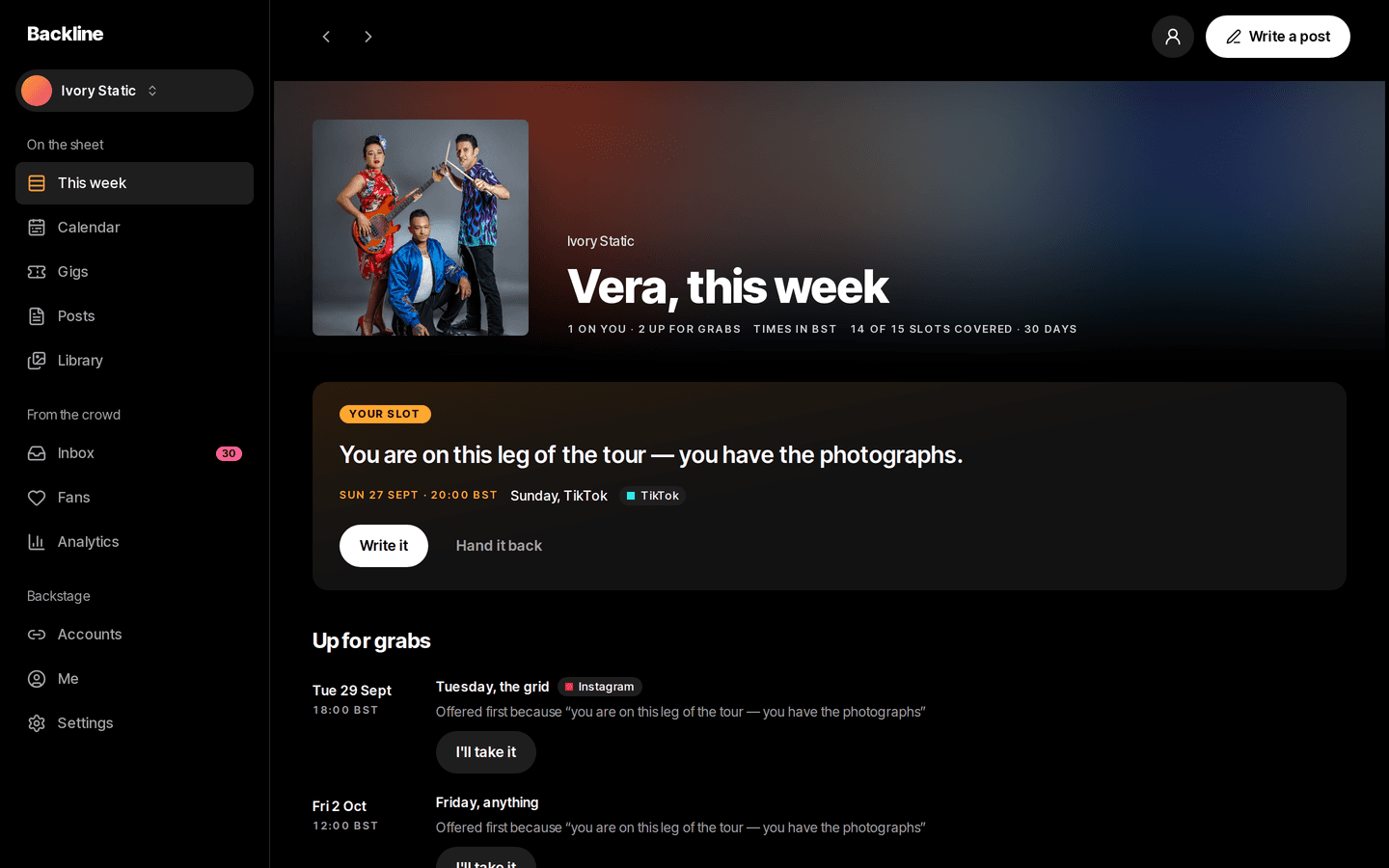
Backline on a desktop: This week
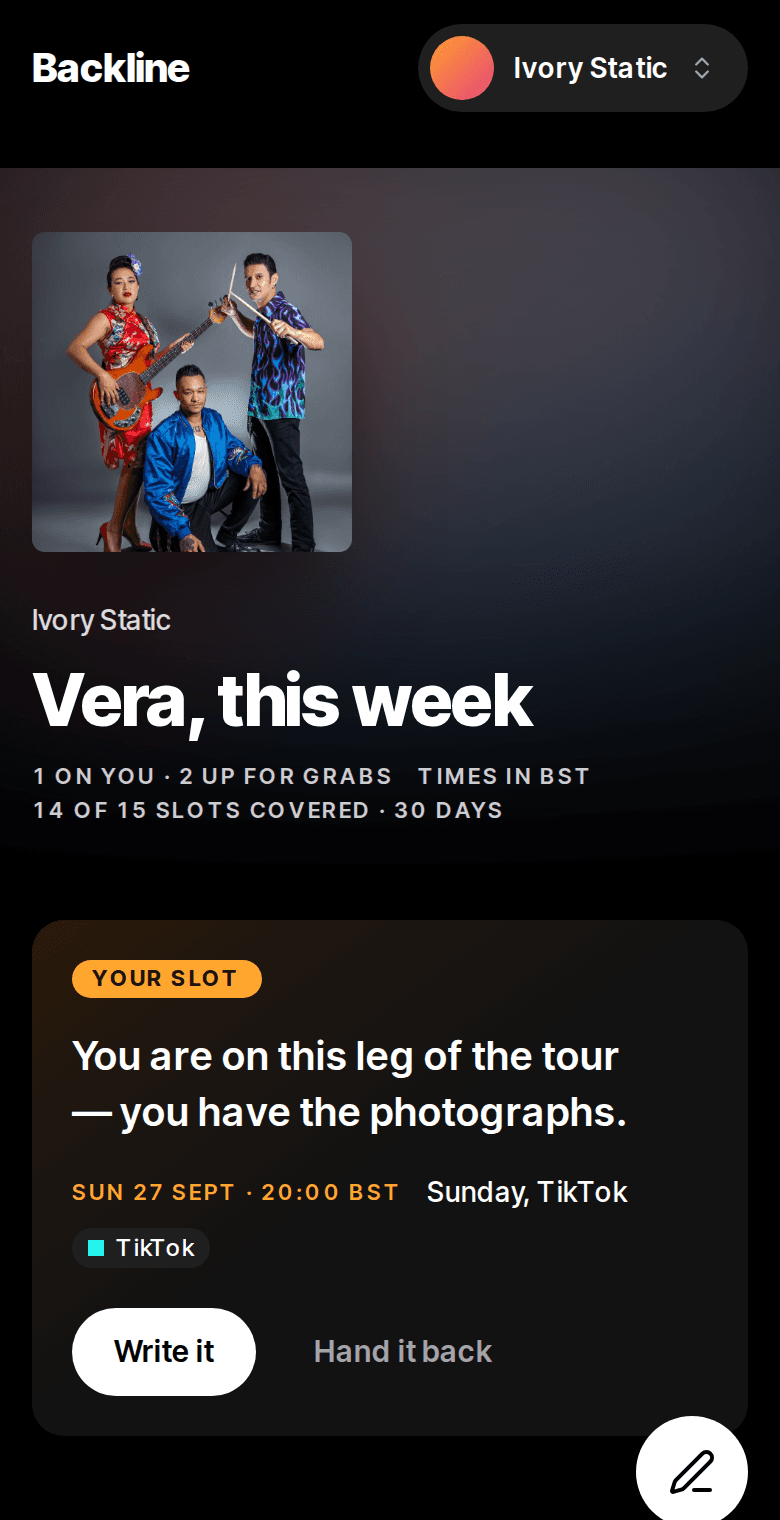
Backline on a phone: This week
About Backline

Backline is for a band whose social accounts are run by whichever member remembers, which usually means the same one, until they stop. Gig dates, photos and fan messages sit in different places, and a regular at every show looks the same as someone who liked one post. Backline builds a posting calendar from the gig dates and gives each slot to a member with the reason written on it. A post is written once for six platforms, messages land in one inbox, and the fans who keep turning up are ranked on a board they never see.

Whose turn
On the slot

with the reason written down

Publishing
Simulated

with a manual export on every post

The board
Fans only

members compared with themselves

What it does

What does Backline do?

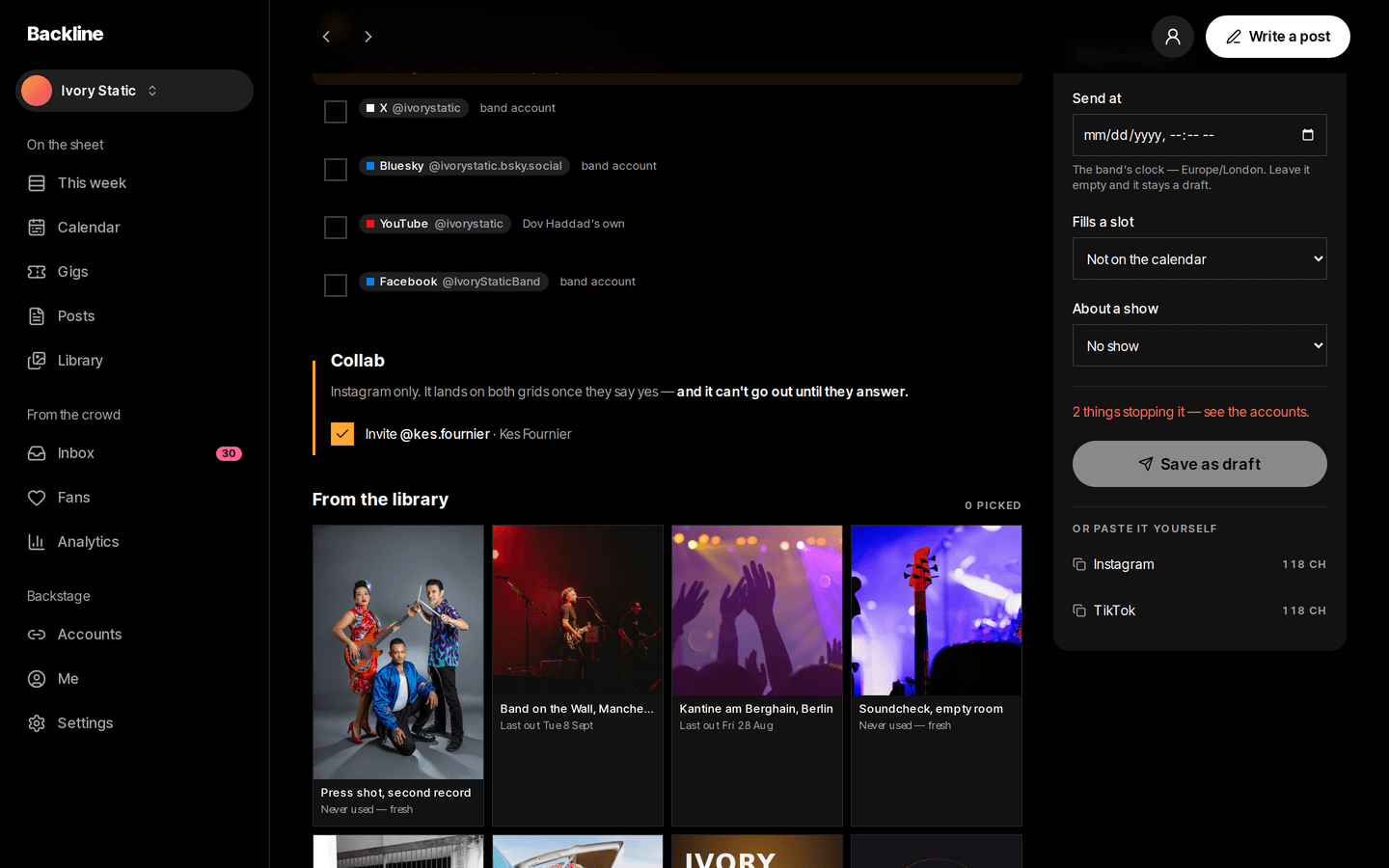
  • One post, six platforms

    Write a caption once and pick the accounts. Every platform's character limit is counted side by side as you type.

    /band/calendar
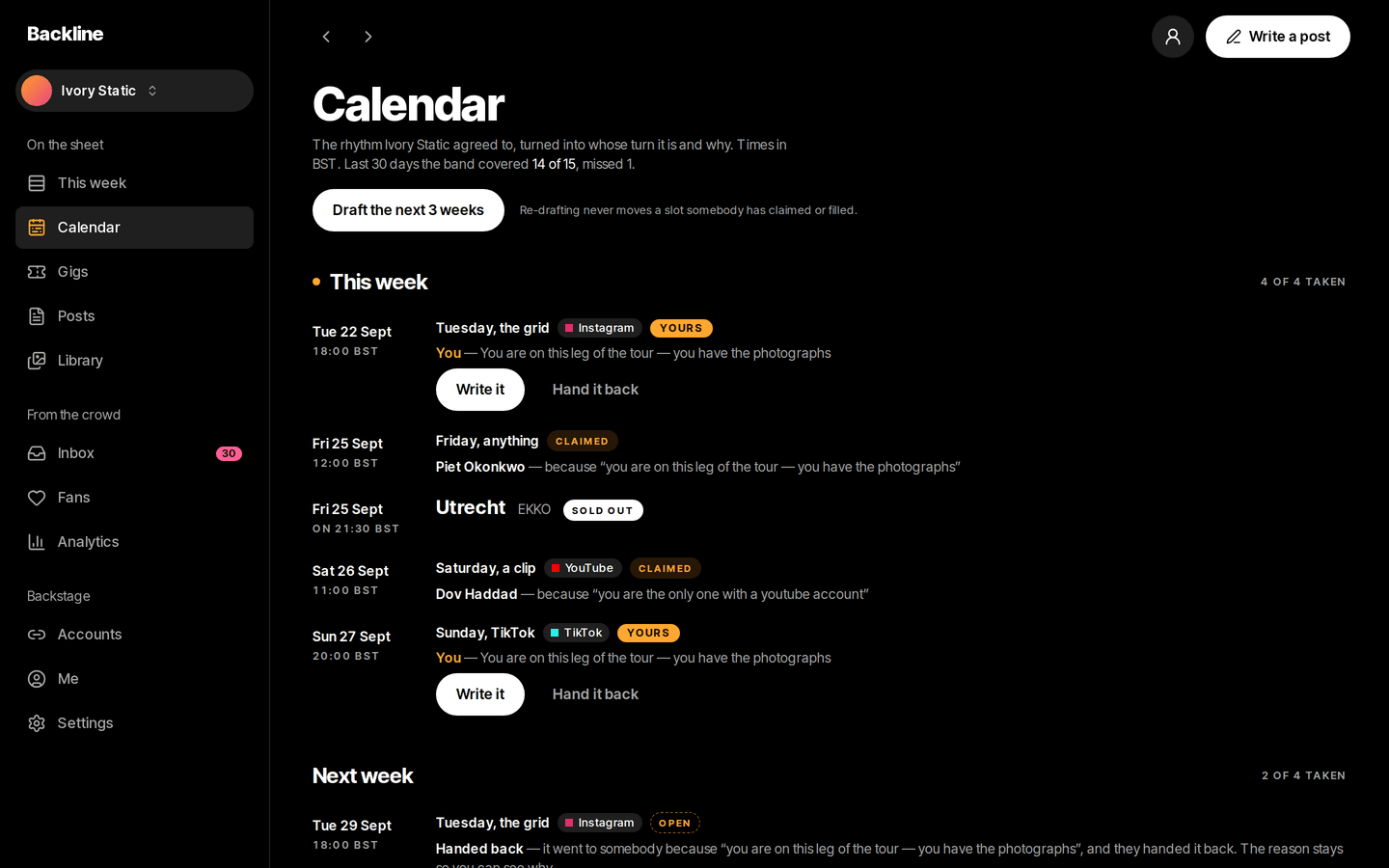
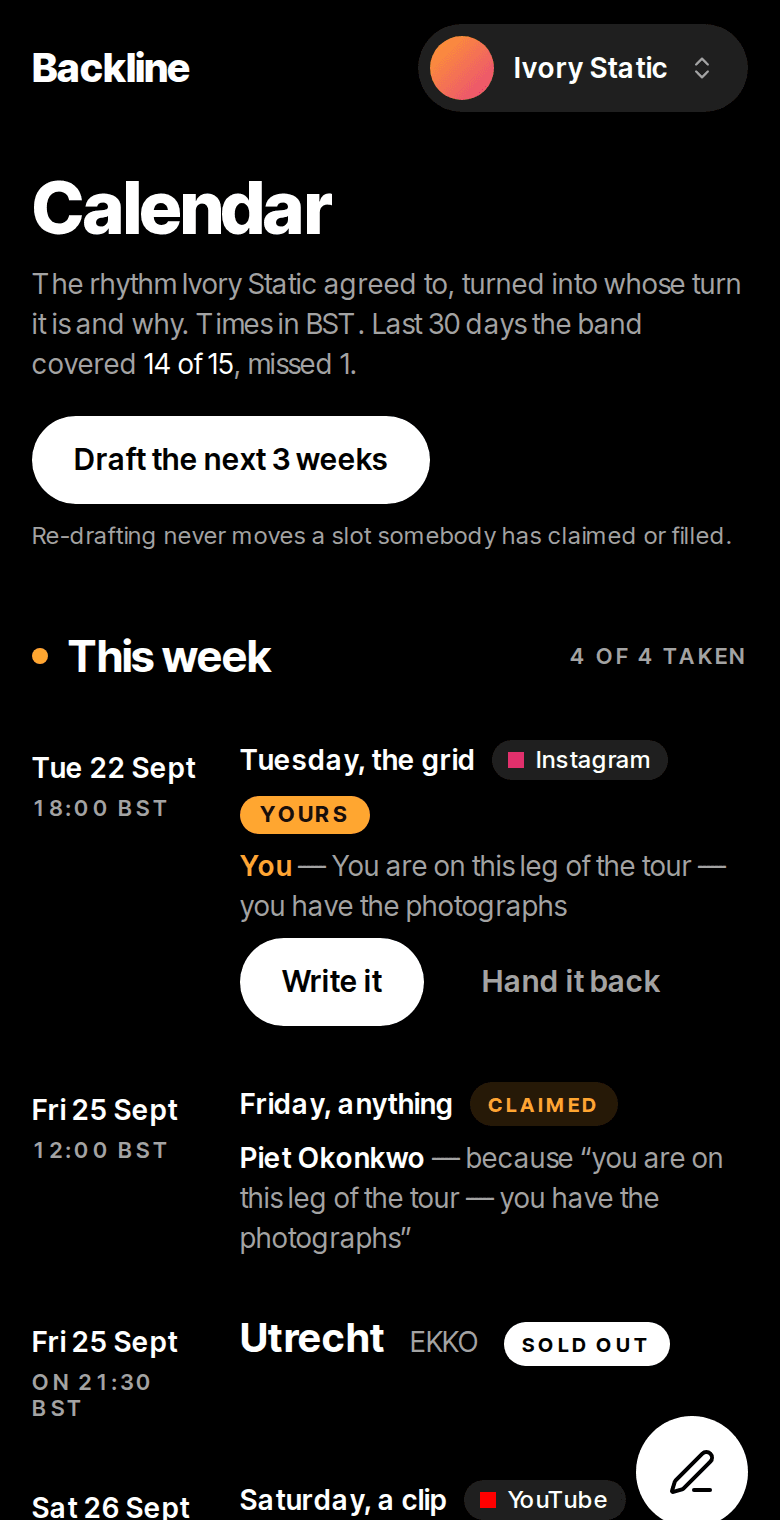
    Backline: The calendar
  • A calendar that assigns itself

    Set how often the band posts and each slot goes to a member, with the reason written on it.

    /band/compose
    Backline: Writing a post
  • Instagram co-authors

    An Instagram post with an unanswered co-author invite can't go out. The option only appears on Instagram, the one platform that has it.

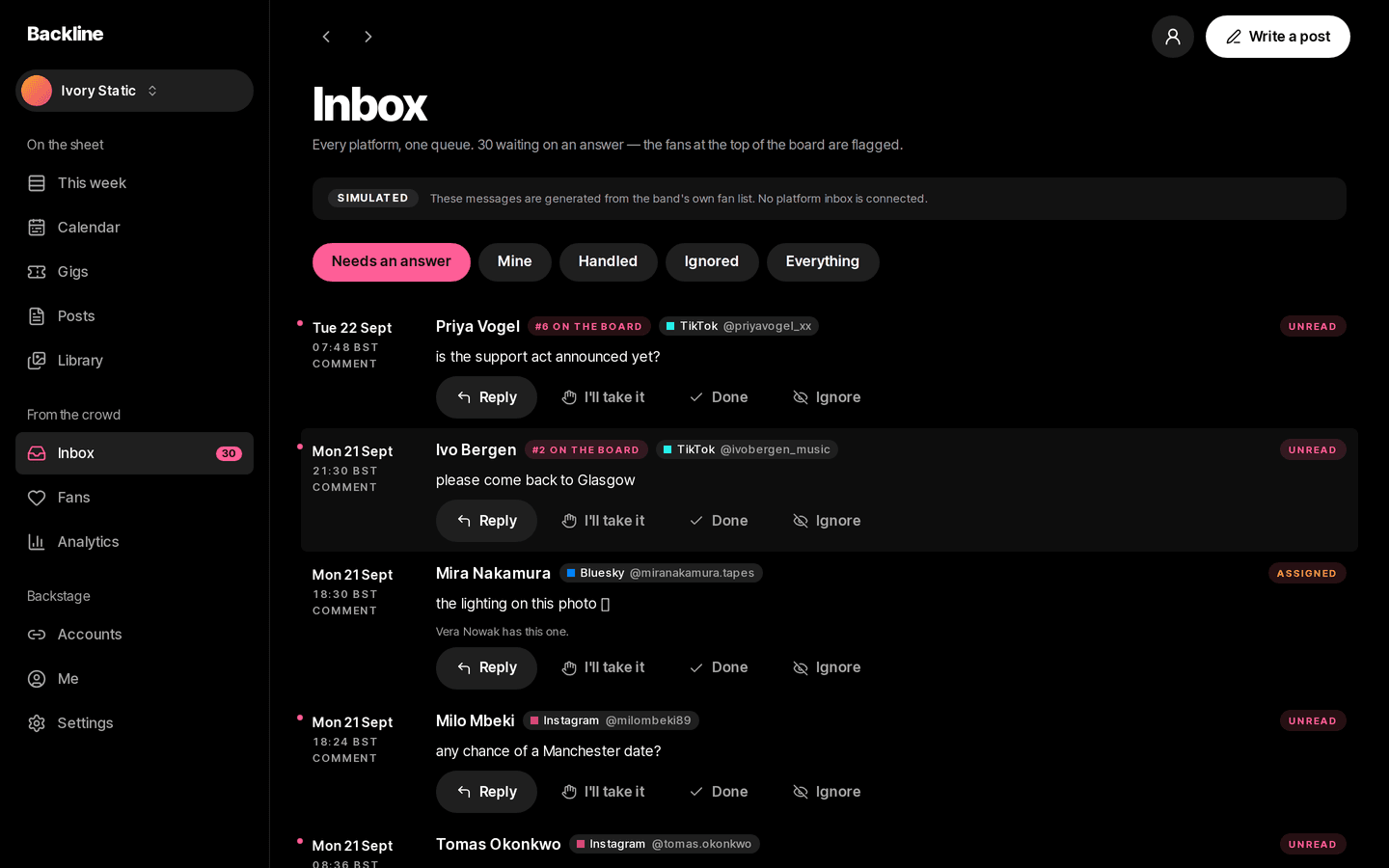
    /band/inbox
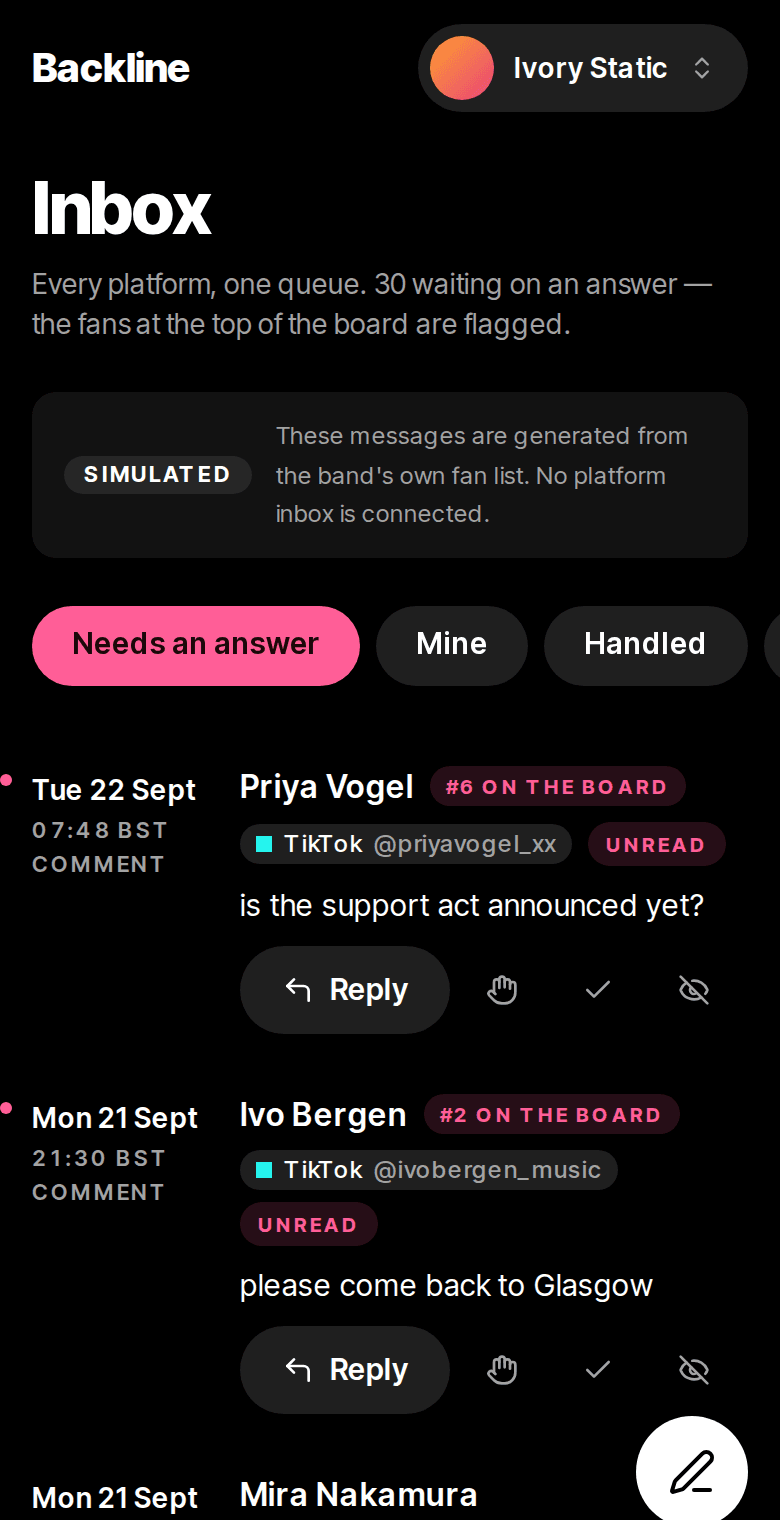
    Backline: One inbox
The problem

What problem does it solve?

Somebody in the band offered to do the socials, and they're still doing it on their own. Tour dates live in one chat, photos on four phones and messages across six platforms. The fan who has been at every show gets the same reply as a stranger.

How the demo handles it

Backline turns the band's posting rhythm into a calendar that hands each slot to a member and says why, and a member who can't do it hands it back in one tap. A post is written once and trimmed to each platform's rules. Messages from all six platforms arrive in one inbox, with each fan matched across their handles and ranked by how often they show up. The demo simulates posting and says so wherever it matters.

  • Optional approvals

    Off by default. Turn it on and a post needs a nod from another member before it goes out.

  • One fan across platforms

    A fan with the same handle on two platforms is merged automatically. Weaker matches are shown as suggestions, and any merge can be undone.

  • A board for the fans

    The people who comment, reply and come to shows are ranked. Band members are only compared with their own past record.
Try it yourself
/band/calendar
Backline: The calendar, on a desktop
Backline: The calendar, on a phone
/band/inbox
Backline: One inbox, on a desktop
Backline: One inbox, on a phone
Design choices

Why is it built this way?

  • Fans are ranked, members aren't

    Ranking band members by likes would put one of them at the bottom in front of the others. Fans have no login and never see the board, so ranking them costs nothing.

  • Posting is simulated, and labelled

    The demo connects to no real accounts. Every screen that could suggest otherwise says so, and each post can be exported with its caption trimmed per platform to post by hand.

  • Fan merges need a matching handle

    Two fans wrongly merged into one is hard to spot later. Only an identical handle merges automatically, and everything else waits for a person to confirm.

  • Reasons that are worth reading

    Tour weeks change who gets a slot. The reason on the slot mentions the tour only when it actually changed the result.

Screens

What does it look like on a computer and a phone?

The week's slots, the inbox count and the next show, with the reason each of your slots was given to you.

/band
Backline: This week, on a desktop
Backline: This week, on a phone

What is it built with?

Common, well-documented tools, so any developer you hire later can pick it up and keep working on it. Hover over or tap any of them to see what it does.

Who uses it

Who would use Backline, and when?

  • Checks the phone between soundcheck and doors, sees the Friday slot is theirs and why, and hands it back in one tap if the night gets away from them.

    A member on tourScenario

  • Switches between bands from the header, with each band's calendar and inbox kept apart.

    A manager with several bandsScenario

  • Answers messages from six platforms in one list, with the regulars marked at the top so they get a proper reply.

    Whoever has the inbox this weekScenario

FAQ

What do people ask about Backline?

  1. 01Can I try Backline before talking to anyone?

    Yes. The demo is a working app with sample data. Ask for access and we'll email you a sign-in link. Nothing you change there affects anyone.

  2. 02Is it cloud or local?

    Cloud. Your team signs in from anywhere, on a phone, a laptop or the shop computer.

  3. 03Is it premade, adapted or custom?

    Adapted. The core stays, and we change the screens and rules to fit how your team works.

  4. 04What does it run on?

    Next.js 16, TypeScript, Supabase, PostgreSQL, Row-level security, Private file storage, Scheduled jobs, Realtime, Magic-link sign-in.

  5. 05What problem is it solving?

    Somebody in the band offered to do the socials, and they're still doing it on their own. Tour dates live in one chat, photos on four phones and messages across six platforms. The fan who has been at every show gets the same reply as a stranger.

Want to try Backline?

It's a working app with sample data. Ask for access and we'll email you a sign-in link, usually within a business day.

Request the demo