DashForge
← All work

Roofing

Estimate requests and priced proposals for a roofing company

Roofer is for the office of a roofing company, where estimate requests arrive by phone, text and email and proposals go out as spreadsheet exports.

CloudCustom

/dashboard
Roofer on a desktop: The morning board
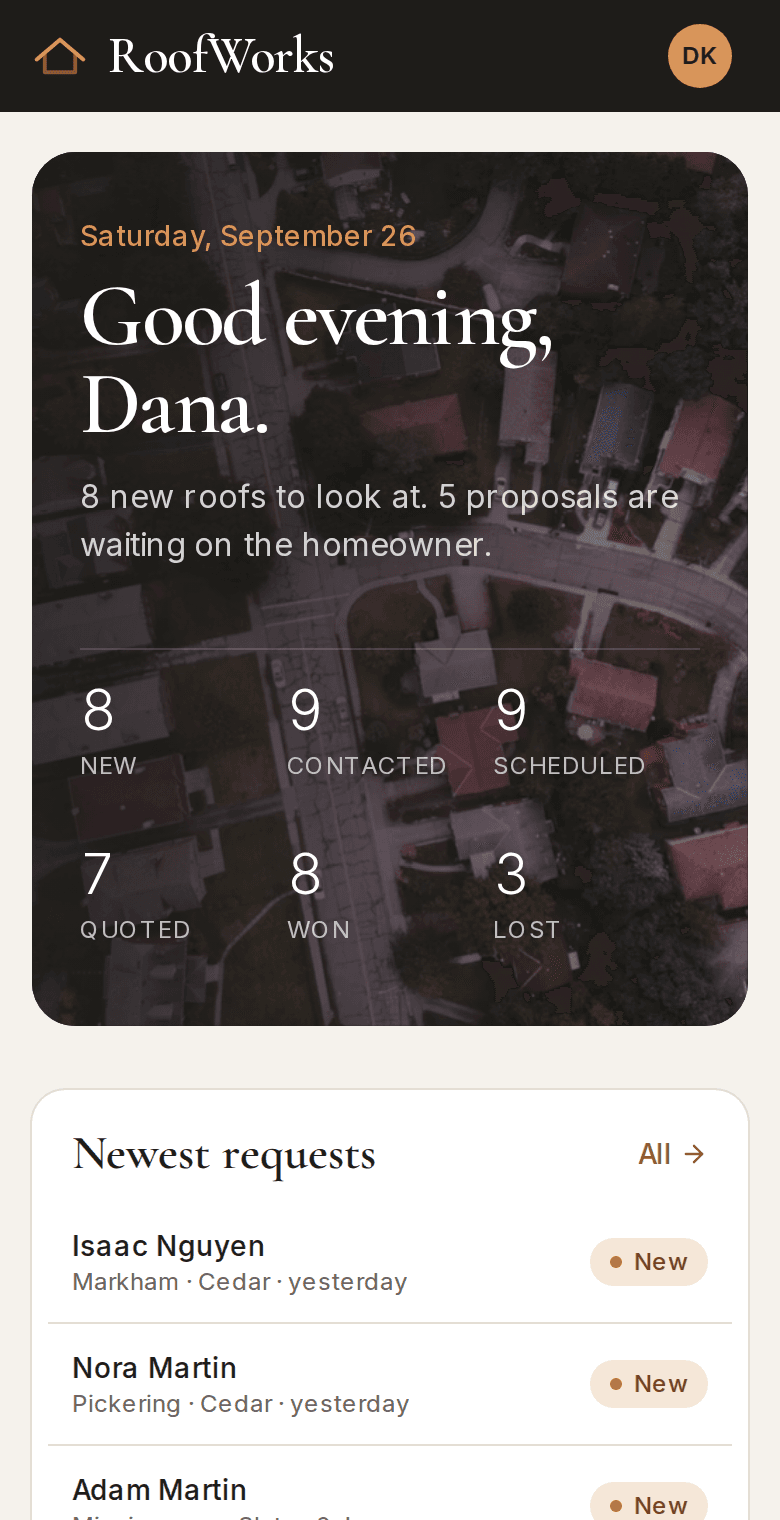
Roofer on a phone: The morning board
About Roofer

Roofer is for the office of a roofing company, where estimate requests arrive by phone, text and email and proposals go out as spreadsheet exports. It's easy to lose track of which homeowner got a reply, and a slow proposal quietly goes cold. In the demo, homeowners request an estimate on the website with photos of the house, and every request lands on one board with a status and a person responsible. The office builds a priced proposal and sends it as a PDF and a link the homeowner can accept from their phone.

Request to proposal
One app

nothing retyped between tools

Proposal delivery
PDF and link

accepted online, with the time

Access control
In the database

office and crew see different jobs

What it does

What does Roofer do?

  • Estimate request form

    The homeowner enters the address, roof details and photos on the website. It all lands in the app with nothing typed twice.

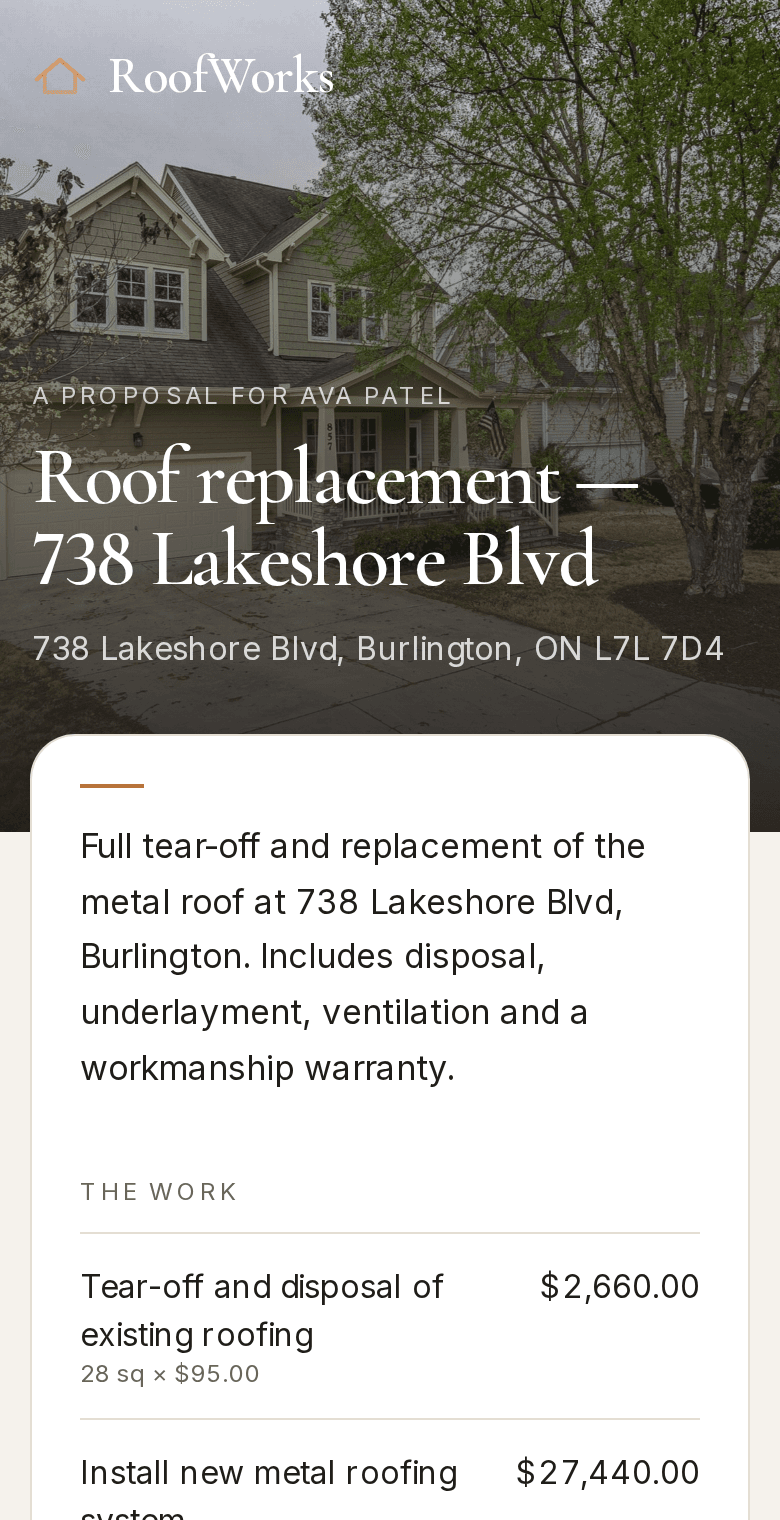
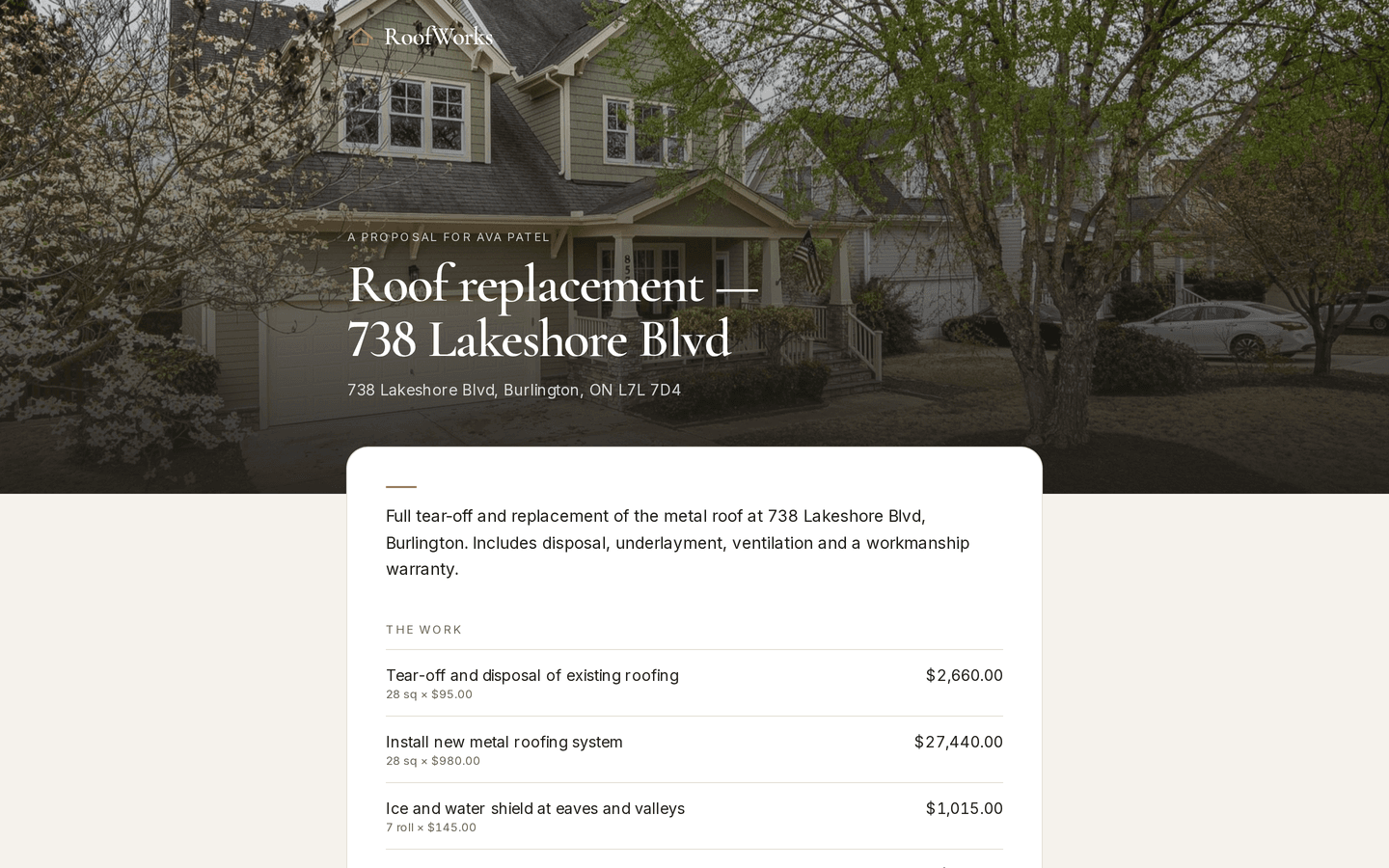
    /proposal/[token]
    Roofer: The proposal the homeowner opens
  • Request board

    Every request has a status and a person responsible, so the board shows what is waiting on whom.

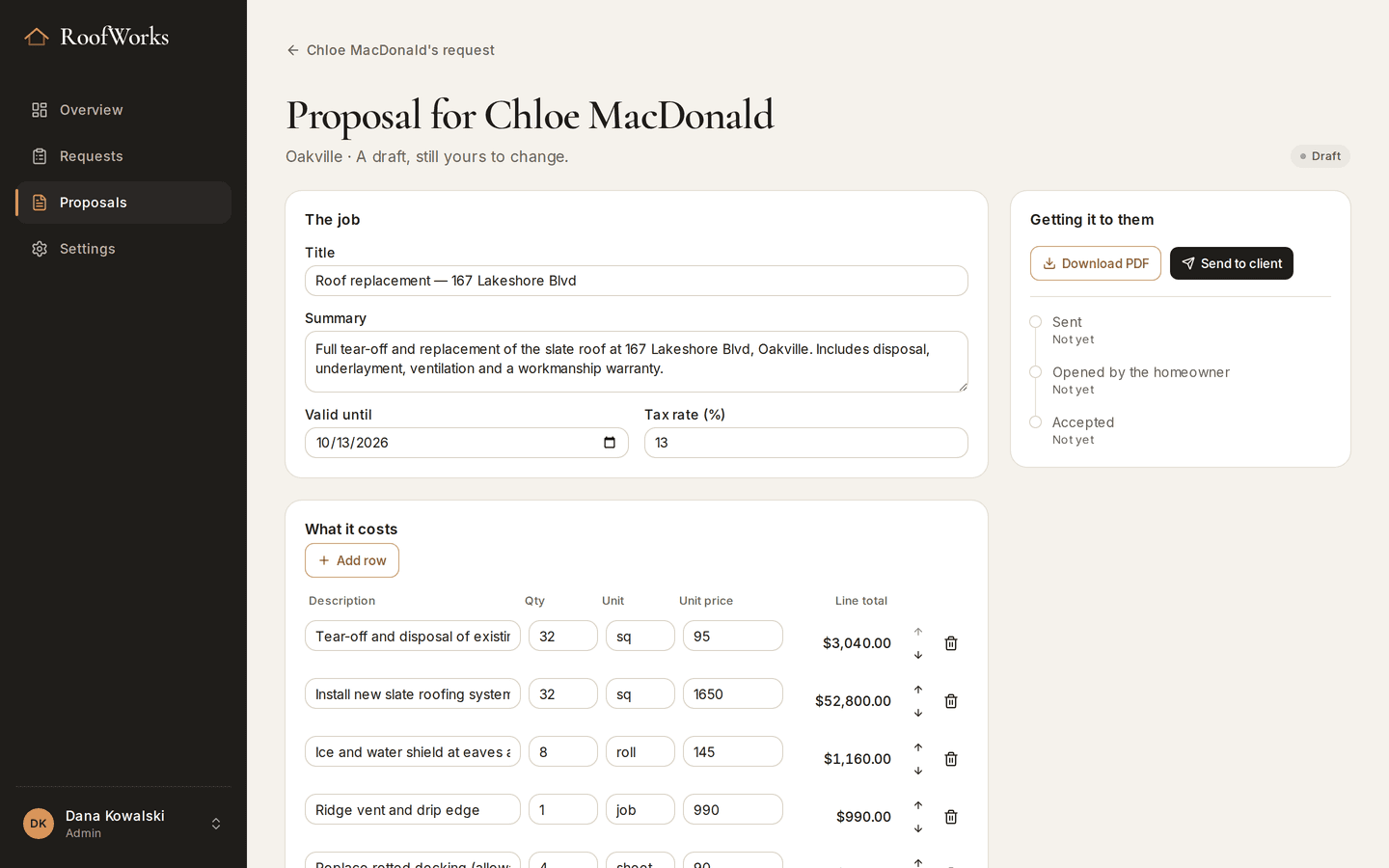
    /dashboard/proposals/[id]
    Roofer: The proposal builder
  • Admin and crew logins

    Admins see every request. Crew see only the jobs assigned to them.

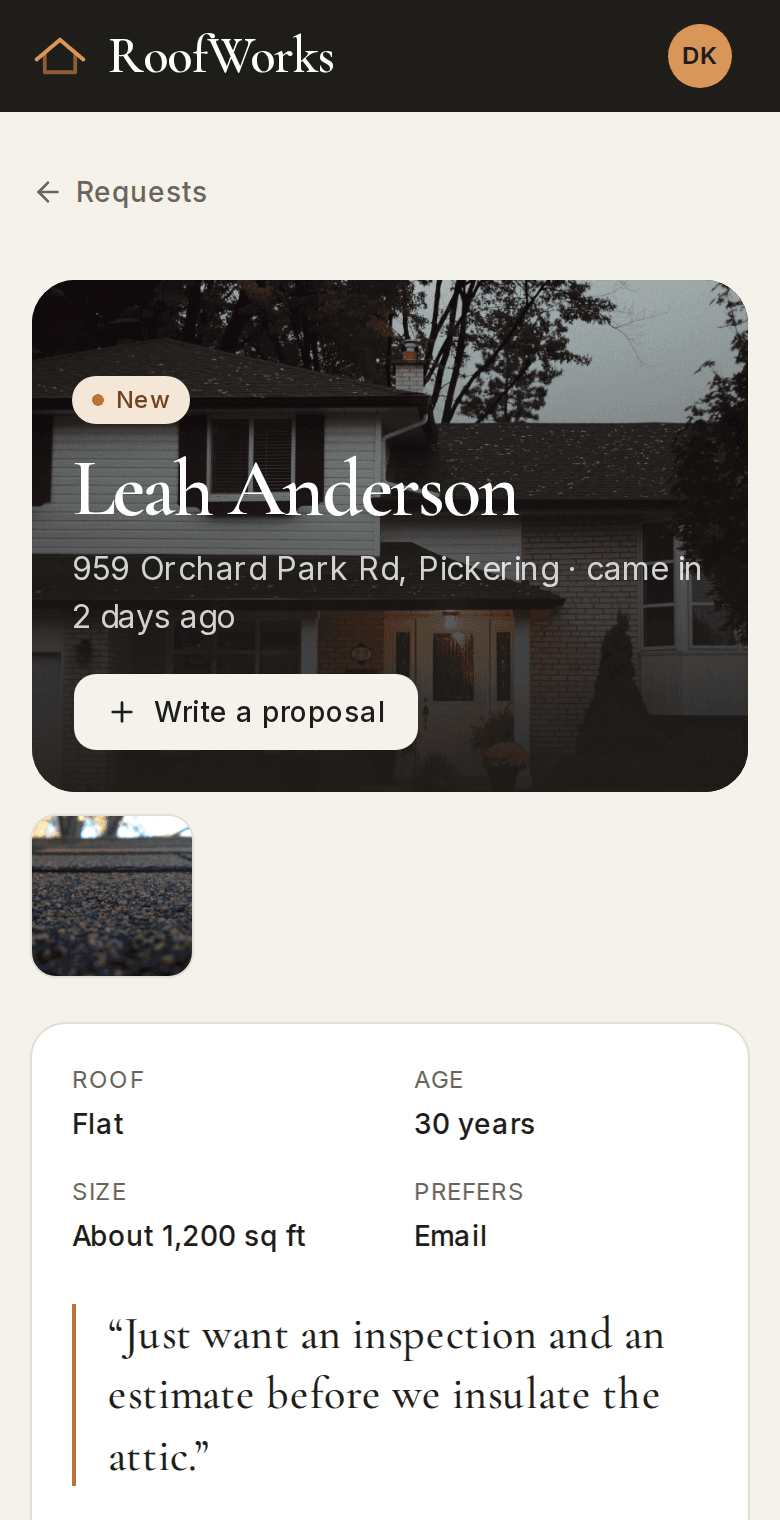
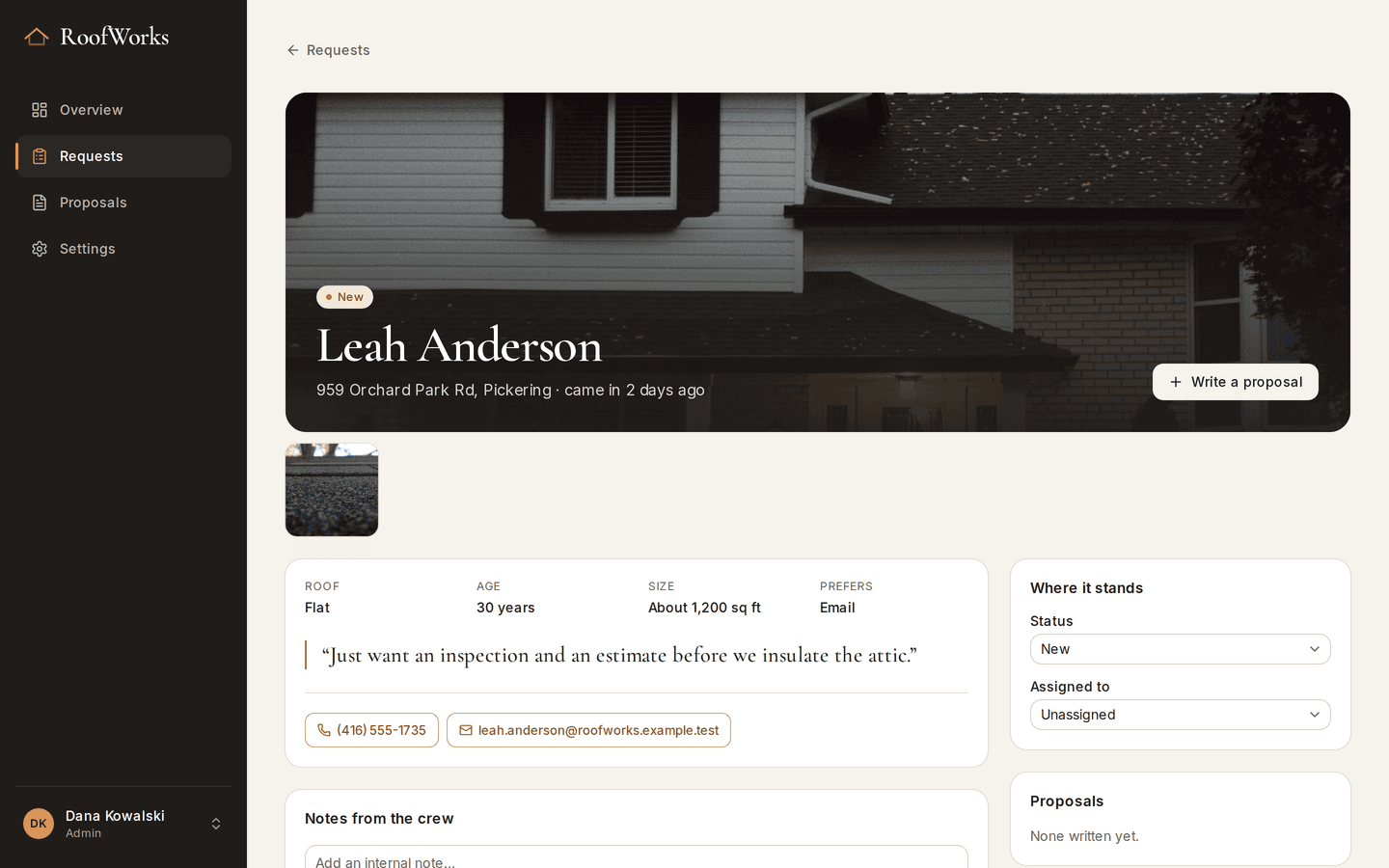
    /dashboard/requests/[id]
    Roofer: One request
The problem

What problem does it solve?

A call comes in from a job site, a text arrives about a leak, and an email asks for a quote on a new roof. By Friday nobody is sure which of them got a reply. Proposals are built in a spreadsheet, exported by hand and chased by phone, and the slow ones are forgotten.

How the demo handles it

In the demo, the website form writes each request straight into the app with its photos, and every request has a status and an owner. Proposals are built from priced line items and sent two ways at once, as a PDF and as a link the homeowner can accept. The database decides who sees what, so the office and each crew get the view that fits their job.

  • Proposal builder

    Priced line items, with HST and the total worked out as you type.

  • PDF proposals

    Made on the server from the same line items, with the company's branding and a photo of the house.

  • Accept online

    The homeowner opens a link and accepts by typing their name. The time is recorded.
Try it yourself
/proposal/[token]
Roofer: The proposal the homeowner opens, on a desktop
Roofer: The proposal the homeowner opens, on a phone
/dashboard/requests/[id]
Roofer: One request, on a desktop
Roofer: One request, on a phone
Design choices

Why is it built this way?

  • Access rules in the database

    The database itself decides who can read which request, so a crew member can't see another crew's jobs even if a screen has a bug.

  • One set of prices

    The PDF and the accept page are built from the same line items, so the two can never show different totals.

  • Photos come with the request

    The website form uploads the homeowner's photos with the request, so the first look at the roof doesn't need a phone call.

Screens

What does it look like on a computer and a phone?

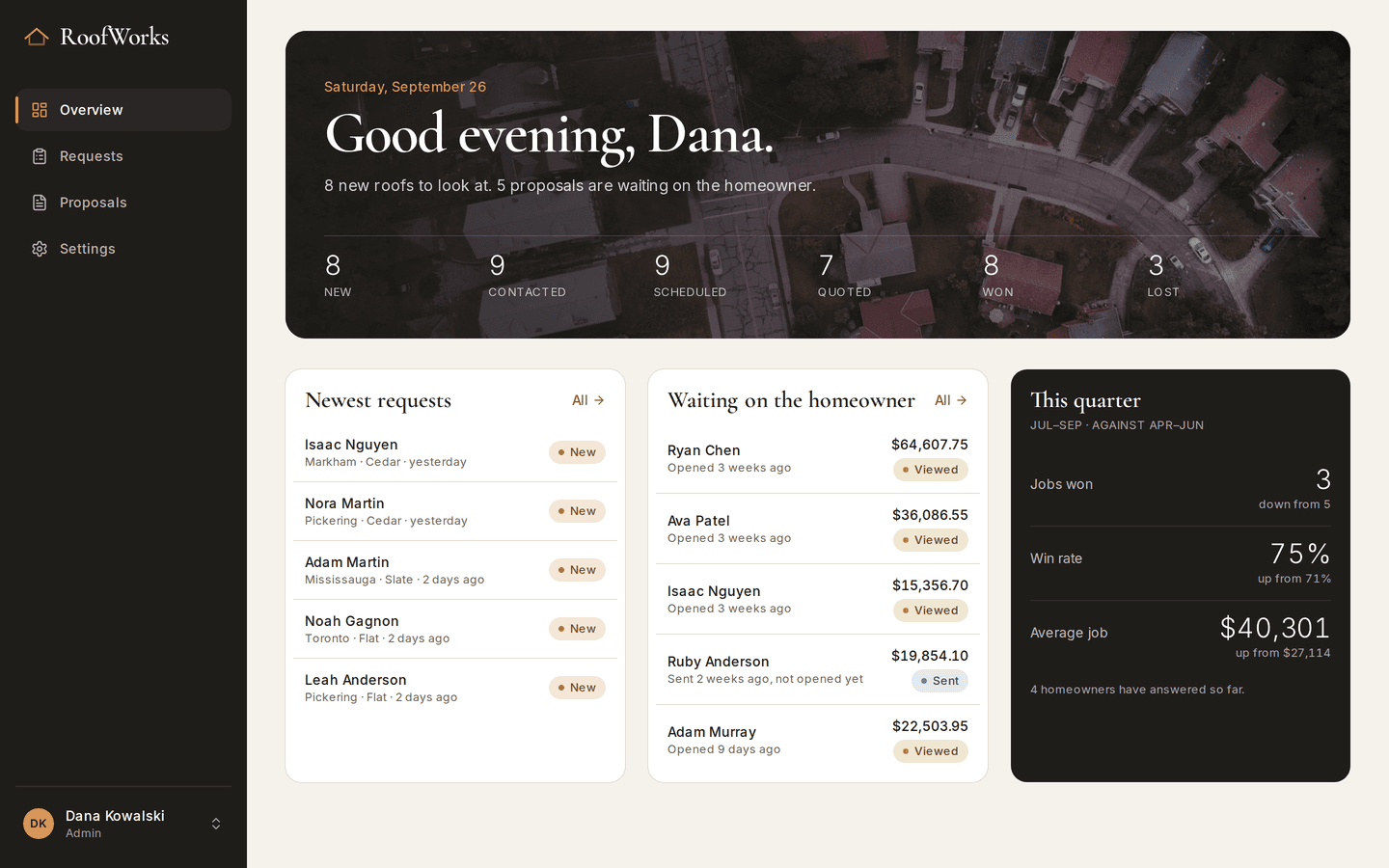
The day's counts: new requests, proposals waiting on a homeowner, and this quarter's win rate against the last.

/dashboard
Roofer: The morning board, on a desktop
Roofer: The morning board, on a phone

What is it built with?

Common, well-documented tools, so any developer you hire later can pick it up and keep working on it. Hover over or tap any of them to see what it does.

Who uses it

Who would use Roofer, and when?

  • Opens the board and sees which requests have no reply yet and which proposals haven't been opened.

    The office first thingScenario

  • Pulls up the job on a phone, with the homeowner's photos and the measurements from the estimate.

    A crew lead in the drivewayScenario

  • Reads the proposal on their phone, keeps the PDF and accepts from the link, with nothing to print or scan.

    A homeowner at the kitchen tableScenario

FAQ

What do people ask about Roofer?

  1. 01Can I try Roofer before talking to anyone?

    Yes. The demo is a working app with sample data. Ask for access and we'll email you a sign-in link. Nothing you change there affects anyone.

  2. 02Is it cloud or local?

    Cloud. Your team signs in from anywhere, on a phone, a laptop or the shop computer.

  3. 03Is it premade, adapted or custom?

    Custom. We'd build yours from scratch, using this demo as the starting point for the conversation.

  4. 04What does it run on?

    Next.js 16, TypeScript, Supabase, PostgreSQL, Row-level security, Private file storage, React PDF, Resend.

  5. 05What problem is it solving?

    A call comes in from a job site, a text arrives about a leak, and an email asks for a quote on a new roof. By Friday nobody is sure which of them got a reply. Proposals are built in a spreadsheet, exported by hand and chased by phone, and the slow ones are forgotten.

Want to try Roofer?

It's a working app with sample data. Ask for access and we'll email you a sign-in link, usually within a business day.

Request the demo