DashForge
← All work

Esports organisations

Scrim scheduling and VOD review for a team that never shares a time zone

Replay is for the manager of an esports team whose players are spread across several time zones and never agree on what eight o'clock means.

CloudCustom

/team
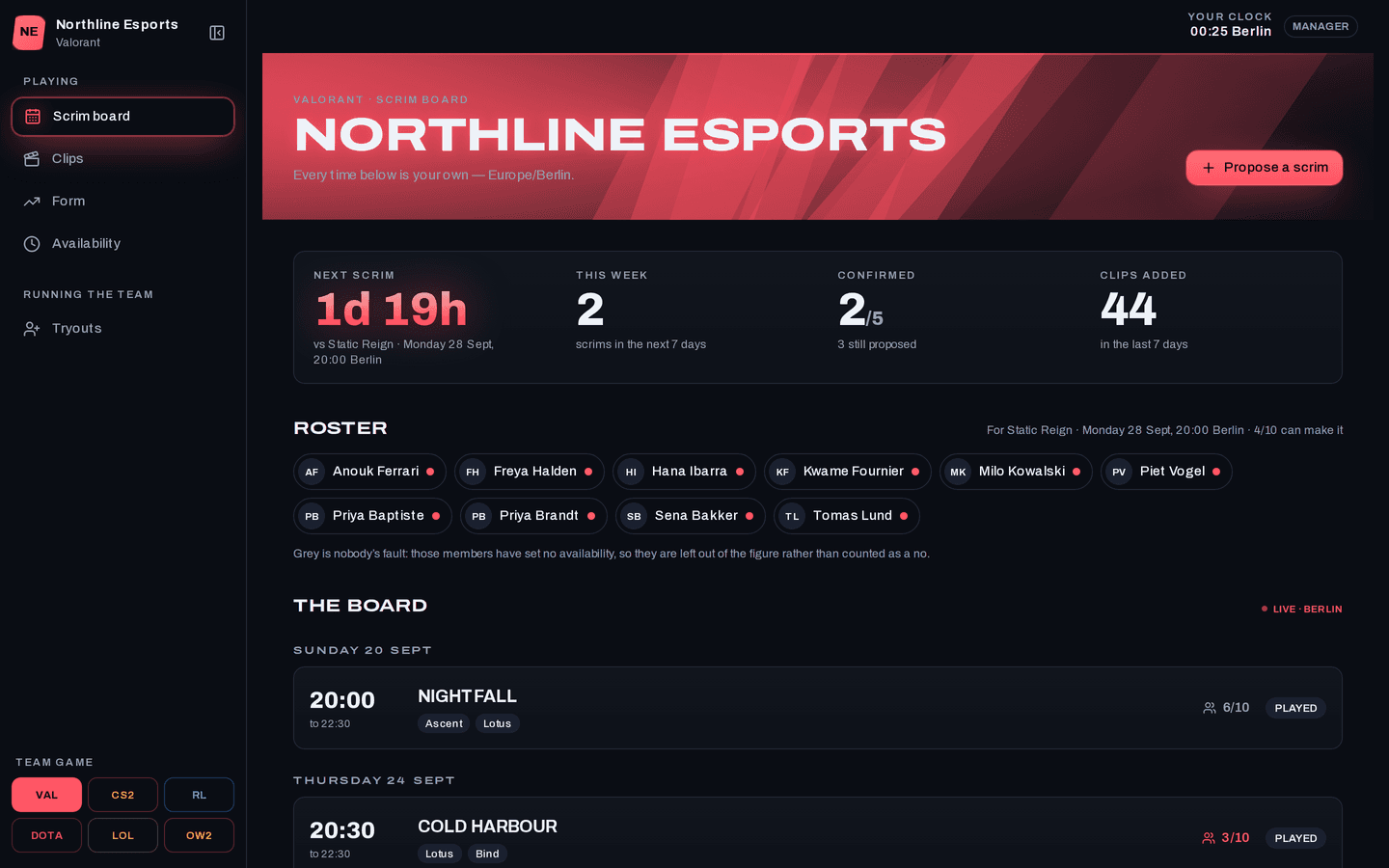
Replay on a desktop: The scrim board
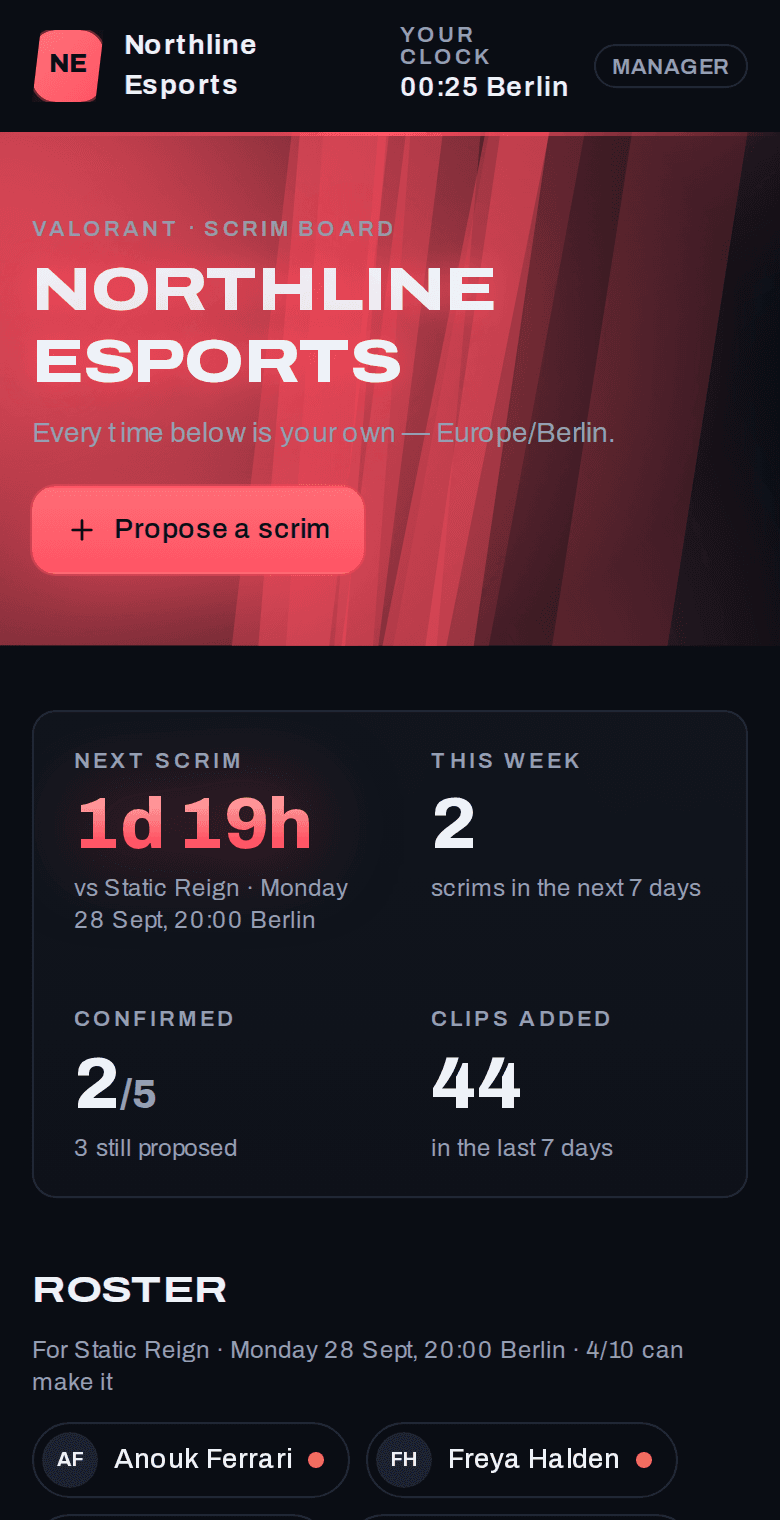
Replay on a phone: The scrim board
About Replay

Replay is for the manager of an esports team whose players are spread across several time zones and never agree on what eight o'clock means. Booking a scrim in a chat thread means converting times by hand, and it goes wrong every time the clocks change. Each player enters their free evenings in their own local time, and before the manager proposes a slot, Replay shows how many of them can make it. After the match, the coach tags clips by the mistake in them, so every example of the same bad habit is one search away.

Scrim times
Your zone

formatted on the server from your profile

Attendance
Before booking

missing availability not counted

Ladders
One per role

no overall board

What it does

What does Replay do?

  • Availability in your own time zone

    Each player enters their free evenings in local time, and the app lines them up with everyone else's. Nobody does the maths.

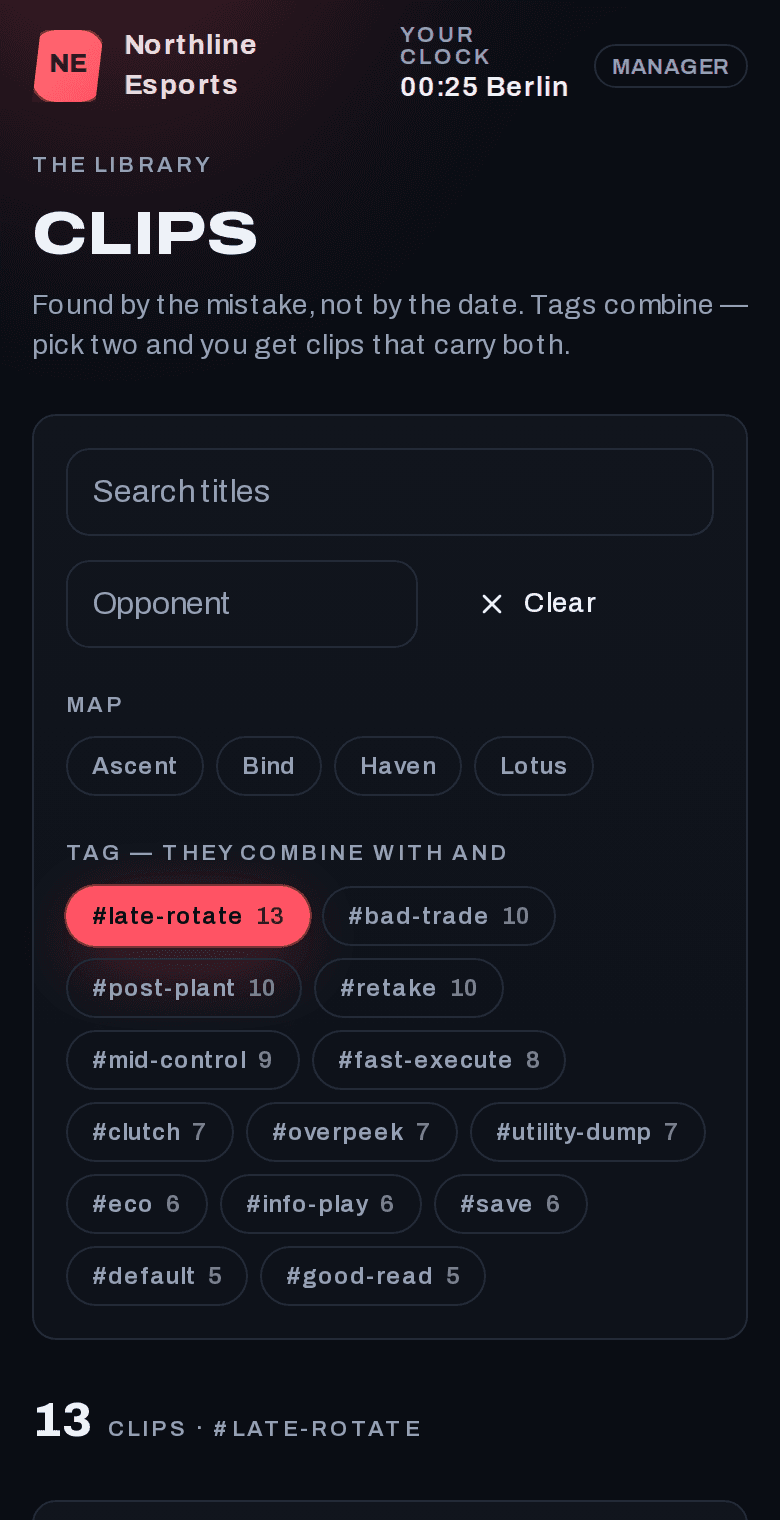
    /team/clips
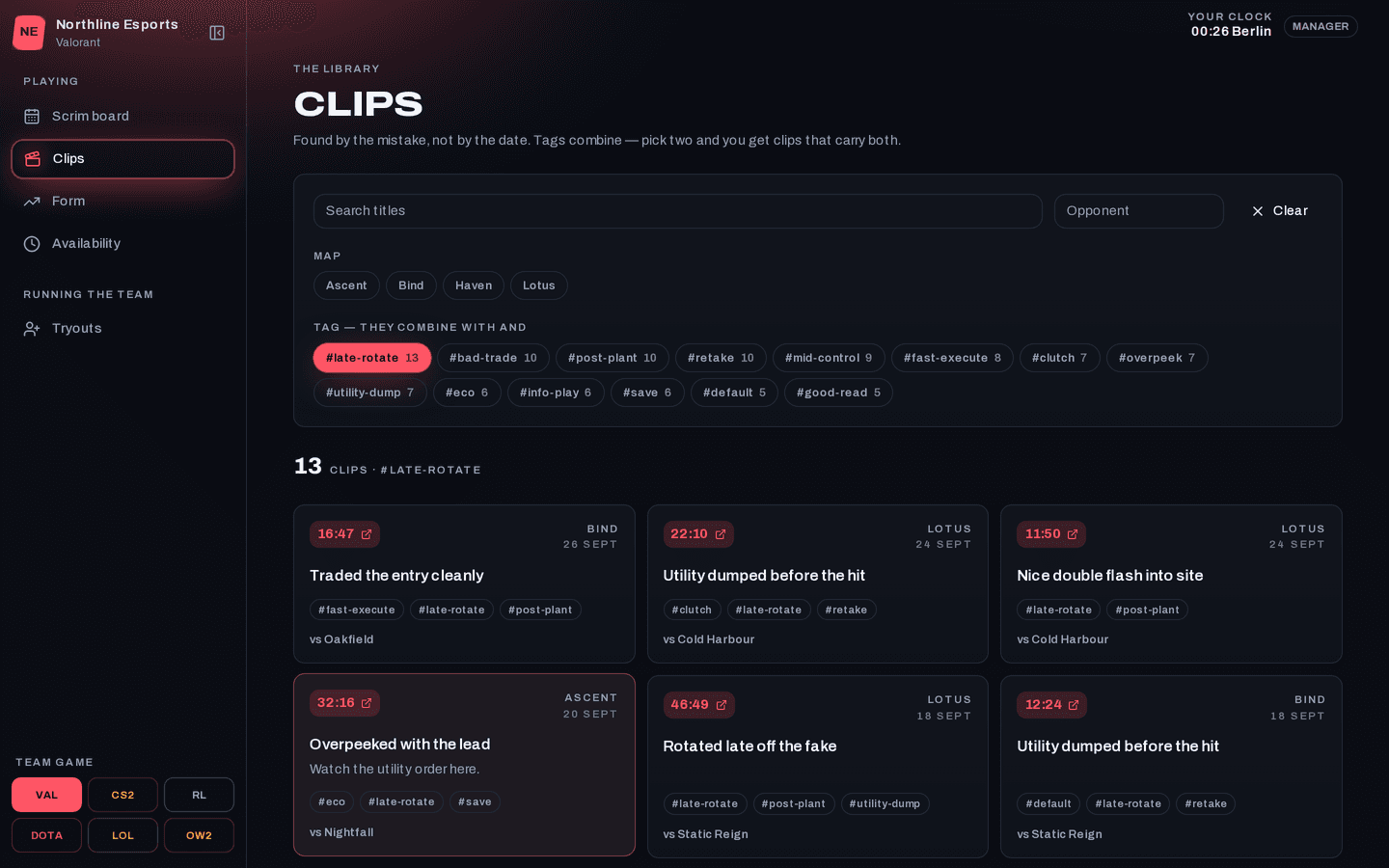
    Replay: The clip library
  • Who can make it

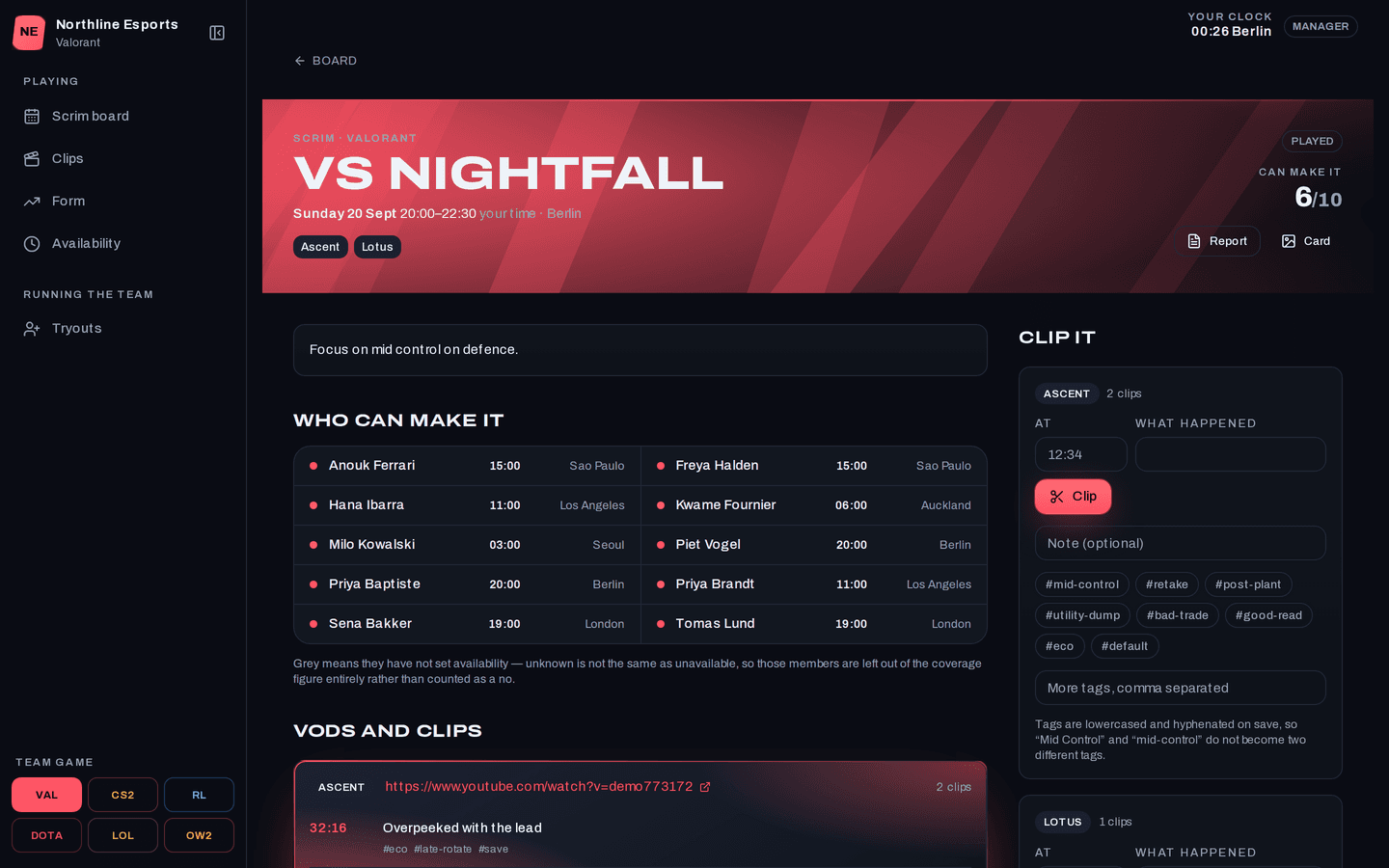
    A proposed scrim shows how many players can attend before it goes out. Players who haven't set their availability aren't counted either way.

    /team/scrims/[id]
    Replay: One scrim
  • Tagged clip library

    Clips are tagged by what happens in them, and stacking tags narrows the list down to the exact moment the coach wants to show.

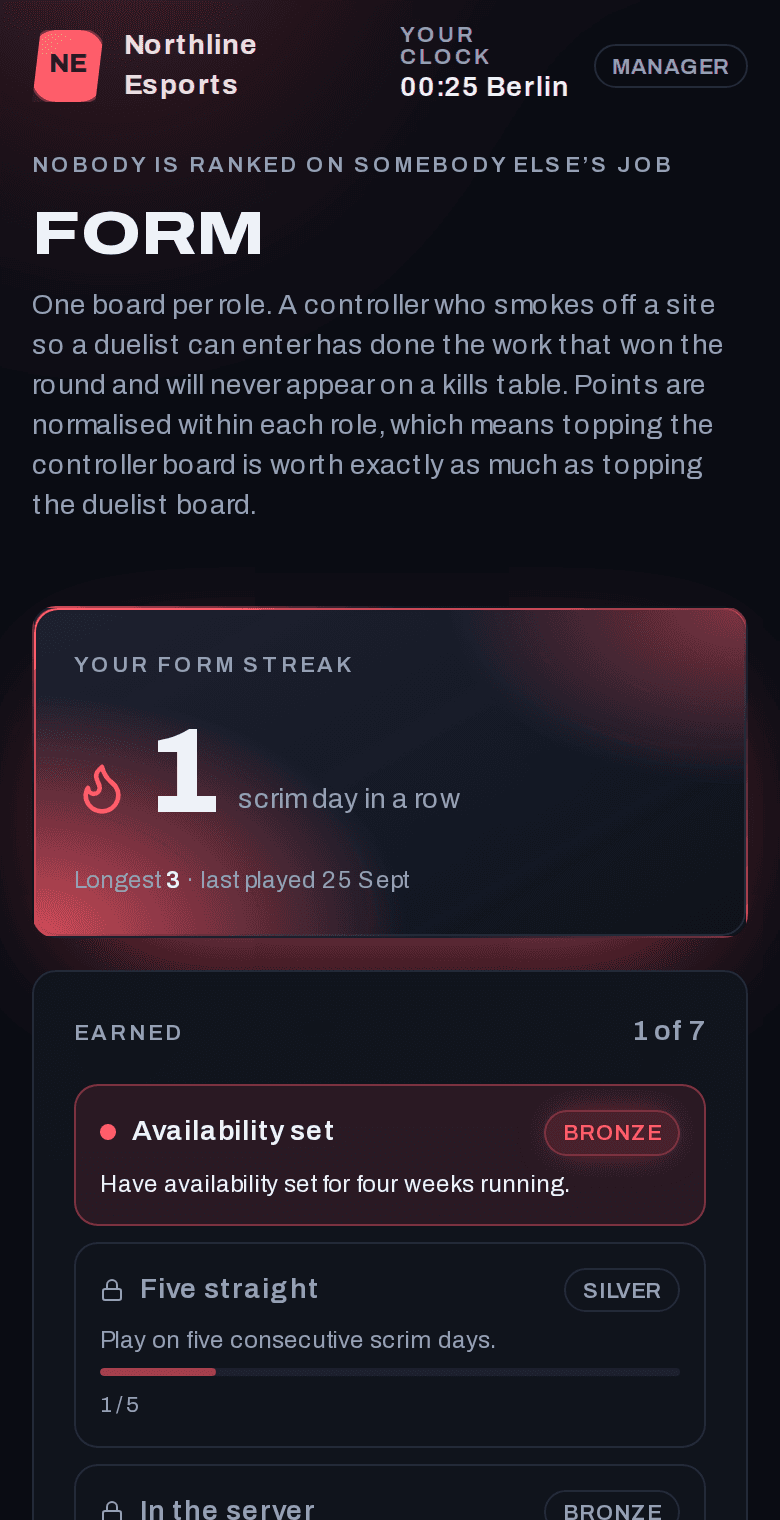
    /team/ladder
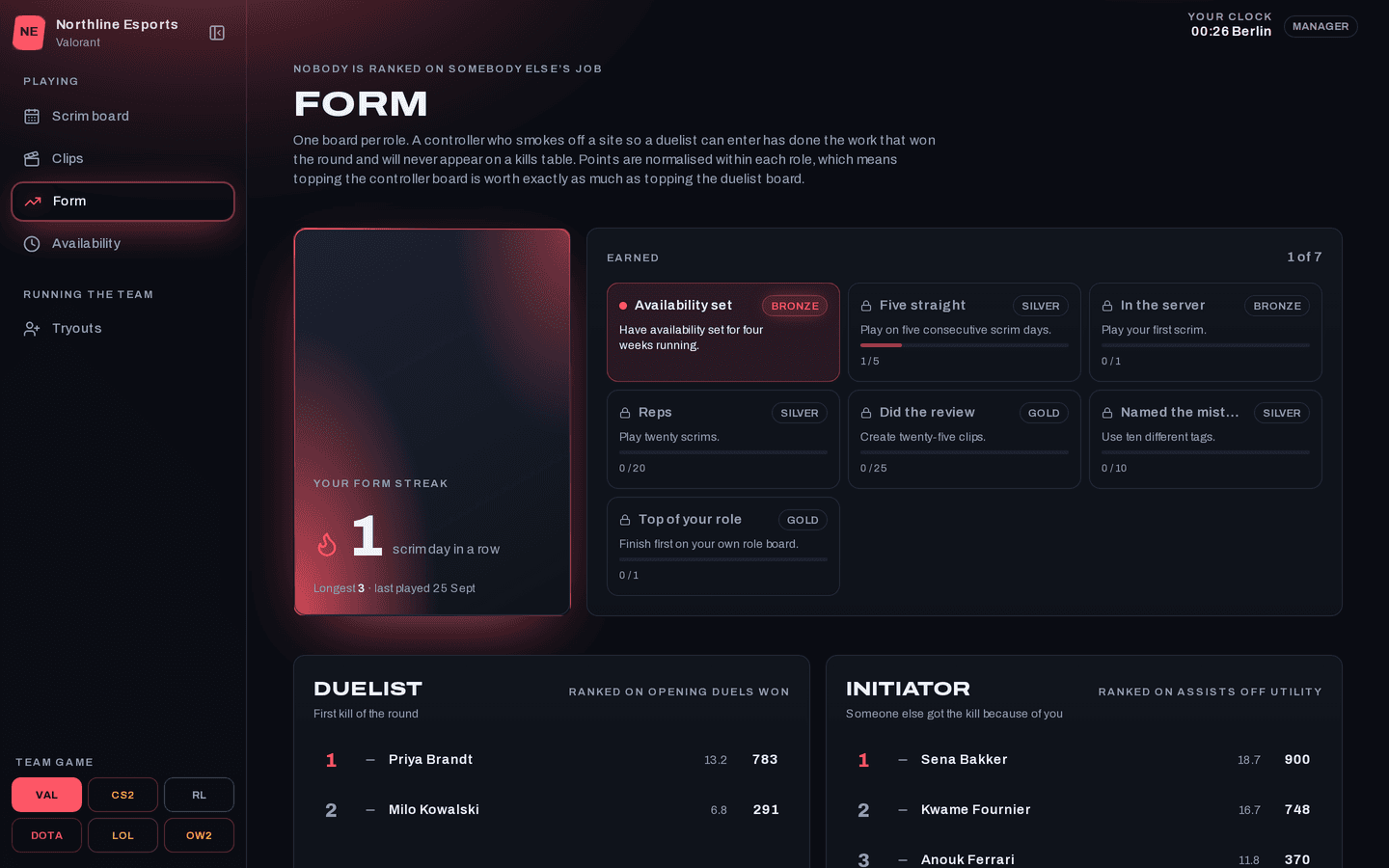
    Replay: Ladders by role
The problem

What problem does it solve?

It's Tuesday night and the team chat is forty messages deep trying to book a scrim. One player is converting from Central, another from Berlin, and someone got it wrong because their clocks changed last weekend. Meanwhile the coach has a folder of unlabelled VOD links and a nagging memory that this exact mistake has happened before.

How the demo handles it

The app stores scrim times as exact moments, collects availability in each player's local time, and does all the time-zone work in one tested module. Every proposed slot shows who can attend. Clip tags are tidied when saved so the same tag isn't split by spelling, and the filters live in the page address so a coach can hand the team a link. The whole app wears the colours of the game the team plays.

  • A ladder for each role

    Each role is ranked on the stat that matters for that role, so a support player is never judged on kills.

  • Public tryout form

    A link anyone can fill in. Applications land on the manager's list, where they won't get lost in a Discord channel.

  • Match cards

    An image made for each scrim result, ready to paste into Discord.
Try it yourself
/team/clips
Replay: The clip library, on a desktop
Replay: The clip library, on a phone
/team/ladder
Replay: Ladders by role, on a desktop
Replay: Ladders by role, on a phone
Design choices

Why is it built this way?

  • Scrim times are stored as exact moments

    A scrim is saved as one point in time and shown in each player's own zone. Only availability is stored in local time, and that conversion handles daylight saving.

  • Times are formatted on the server

    The browser only knows the device's time zone. Formatting on the server uses the zone on the player's profile, so a travelling laptop can't move a scrim.

  • No overall ladder

    There is one board per role, each scored within that role. An overall board would rank players on jobs that aren't theirs.

  • Missing availability isn't counted as a no

    Players who haven't filled in their availability are left out of the count, so the number stays honest while the team is still getting set up.

Screens

What does it look like on a computer and a phone?

Upcoming scrims, who has confirmed and who still hasn't answered, with every time in the reader's own zone.

/team
Replay: The scrim board, on a desktop
Replay: The scrim board, on a phone

What is it built with?

Common, well-documented tools, so any developer you hire later can pick it up and keep working on it. Hover over or tap any of them to see what it does.

Who uses it

Who would use Replay, and when?

  • Checks the slot, sees four of five players can make it, and sends the proposal without a single message asking who's free.

    A manager booking Thursday's scrimScenario

  • Filters the library to one tag and shares the link. The filters are in the address, so the whole team is looking at the same clips in review.

    A coach after a rough lossScenario

  • Still sees scrim times in the zone on their profile, even though their laptop has switched to local time.

    A player at a LAN in another countryScenario

FAQ

What do people ask about Replay?

  1. 01Can I try Replay before talking to anyone?

    Yes. The demo is a working app with sample data. Ask for access and we'll email you a sign-in link. Nothing you change there affects anyone.

  2. 02Is it cloud or local?

    Cloud. Your team signs in from anywhere, on a phone, a laptop or the shop computer.

  3. 03Is it premade, adapted or custom?

    Custom. We'd build yours from scratch, using this demo as the starting point for the conversation.

  4. 04What does it run on?

    Next.js 16, TypeScript, Supabase, PostgreSQL, Row-level security, Generated share cards, Magic-link sign-in.

  5. 05What problem is it solving?

    It's Tuesday night and the team chat is forty messages deep trying to book a scrim. One player is converting from Central, another from Berlin, and someone got it wrong because their clocks changed last weekend. Meanwhile the coach has a folder of unlabelled VOD links and a nagging memory that this exact mistake has happened before.

Want to try Replay?

It's a working app with sample data. Ask for access and we'll email you a sign-in link, usually within a business day.

Request the demo