DashForge
← All work

Collectors

A retro game catalogue that lives on your phone, ready at the next swap meet

Cartridge is for the retro game collector standing at a swap-meet table, holding a cartridge they might already own.

LocalPremade

/collection
Cartridge on a desktop: The shelf
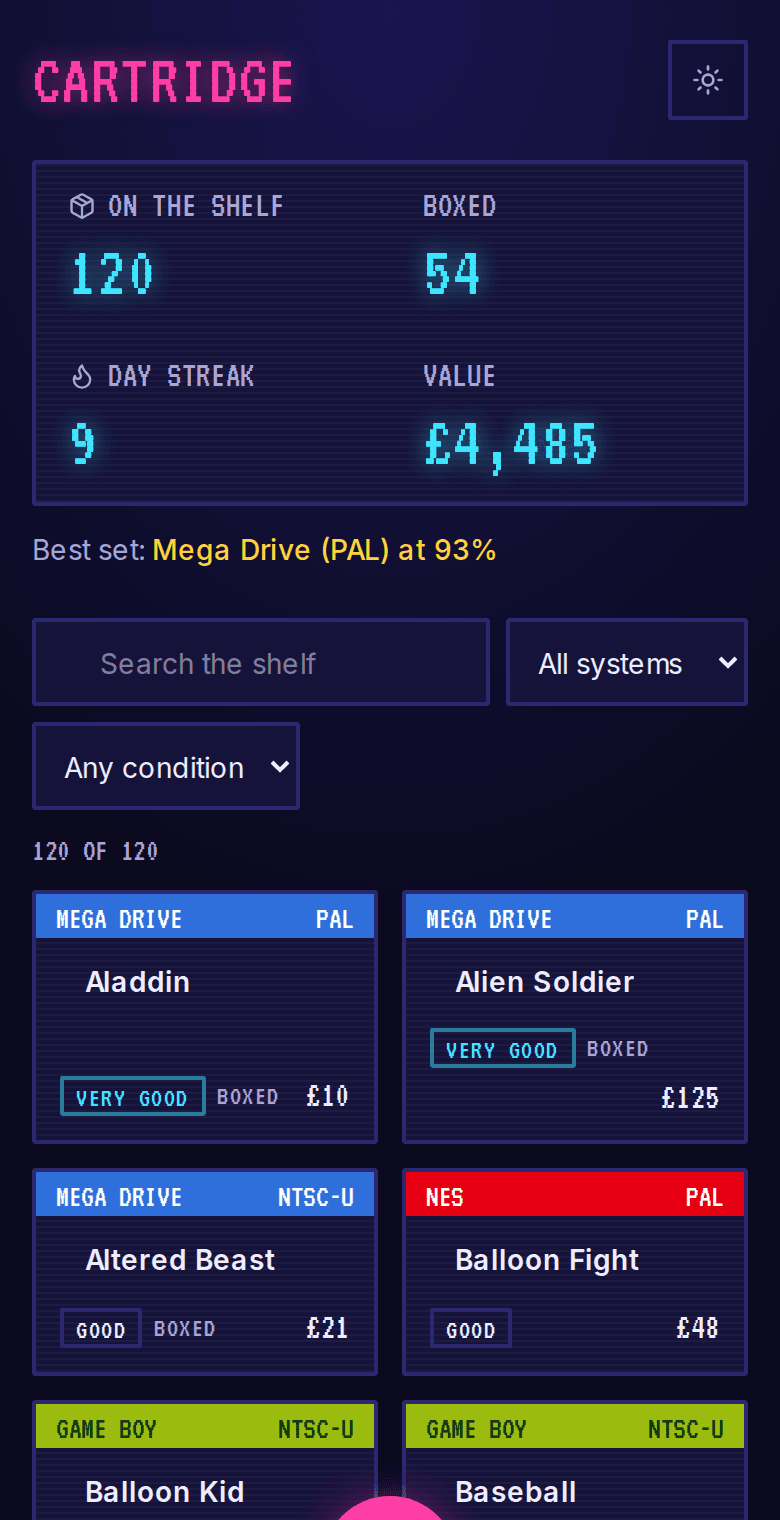
Cartridge on a phone: The shelf
About Cartridge

Cartridge is for the retro game collector standing at a swap-meet table, holding a cartridge they might already own. The spreadsheet at home can't help them there, and the hall usually has no signal anyway. The whole collection lives in the phone's own browser, with no server and no account, so it opens instantly wherever they are. They look a game up by barcode or title, note its condition and what they paid, and watch each console's library fill in.

Server
None

stored in the browser, no account

Adding a game
Barcode or title

from a built-in catalogue

Backup
One file

export and import any time

What it does

What does Cartridge do?

  • Adds to the home screen

    Opens like an app from its own icon, with no app store and no sign-in.

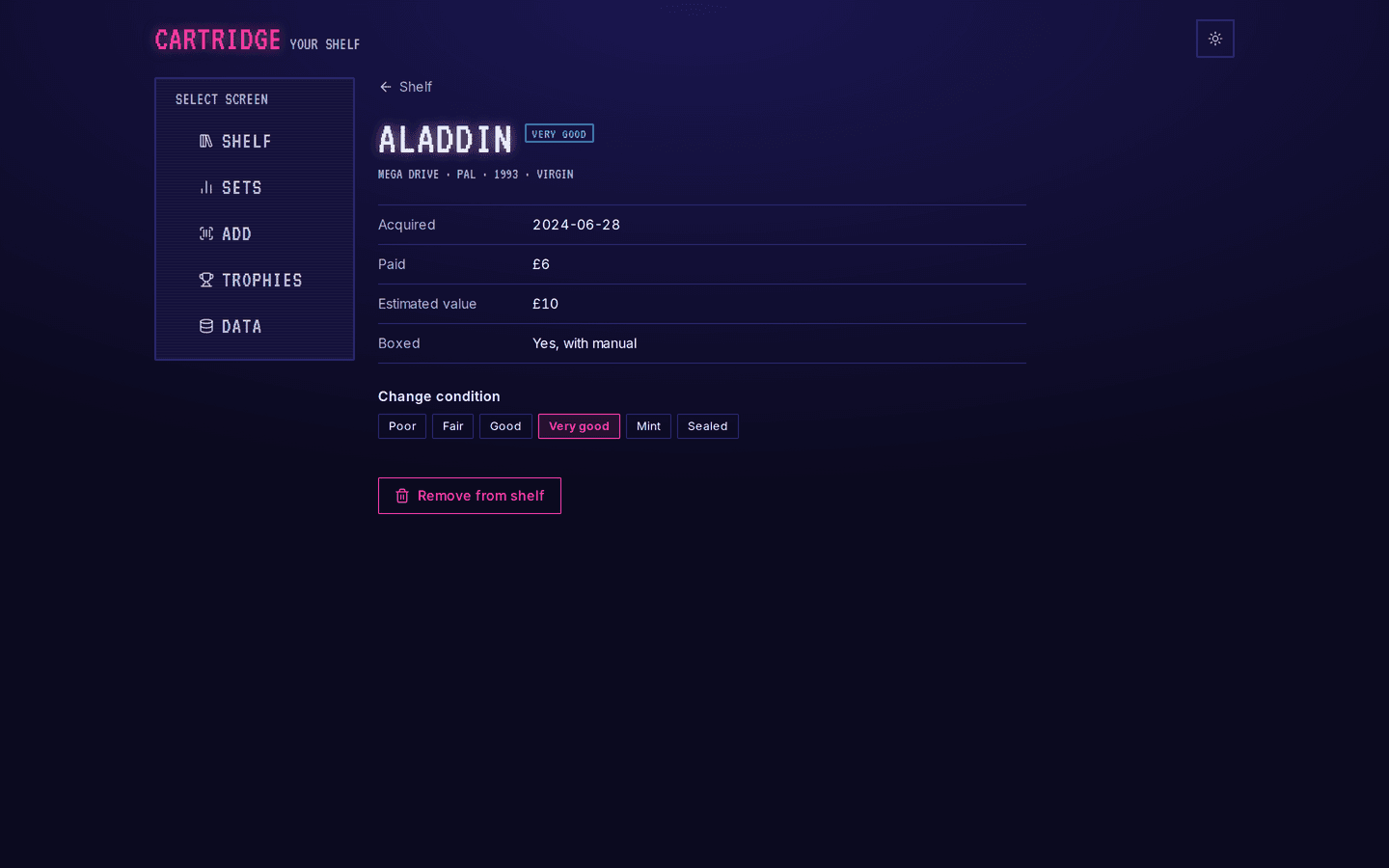
    /collection/[id]
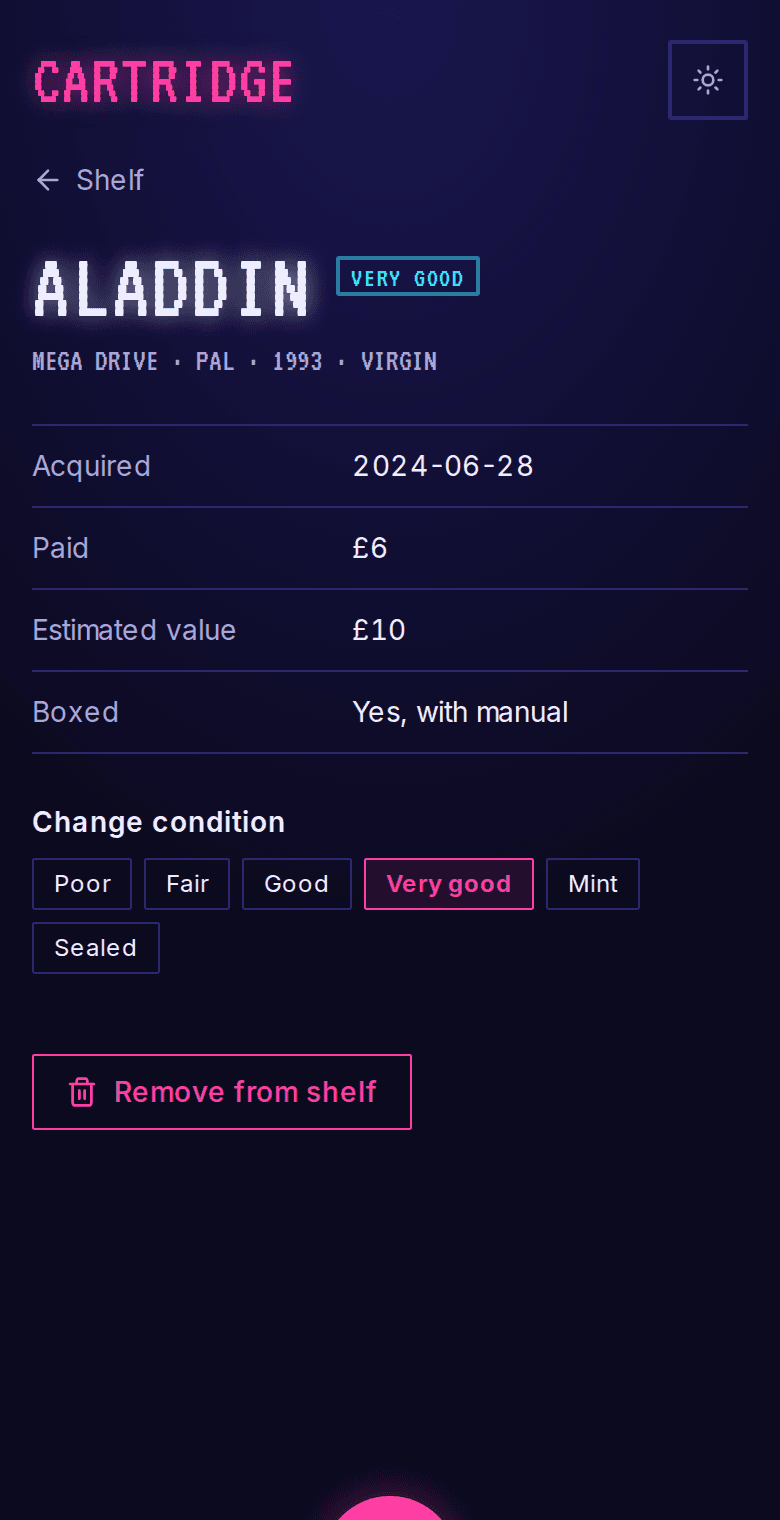
    Cartridge: One cartridge
  • Stored on the device

    The collection lives in the browser's own database. Nothing is sent anywhere, and it works in a basement with no bars.

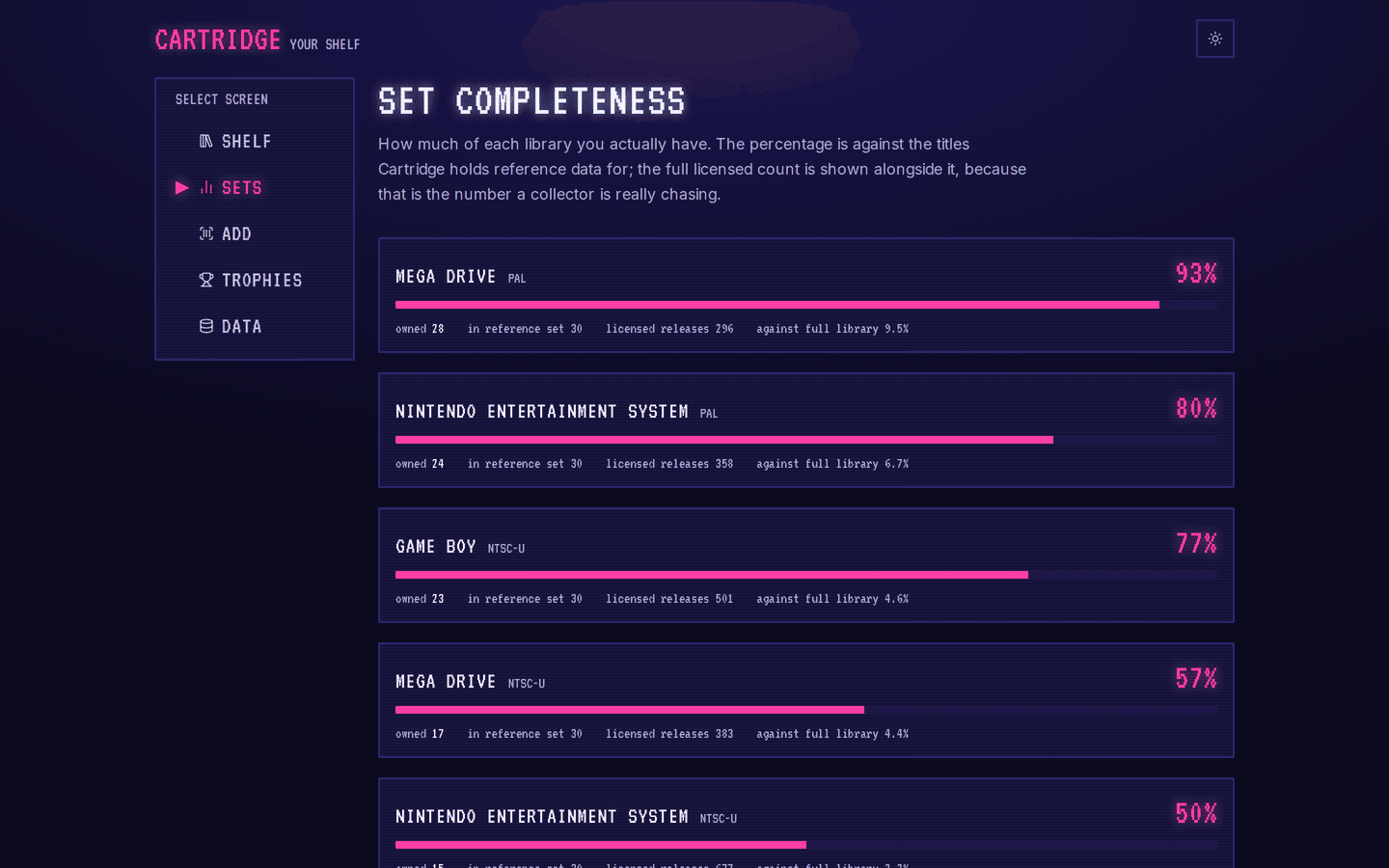
    /collection/sets
    Cartridge: How much of a library you have
  • Look up by barcode or title

    Type the barcode or search the built-in catalogue. Plenty of old carts have a peeling label, so title search is always one tap away.

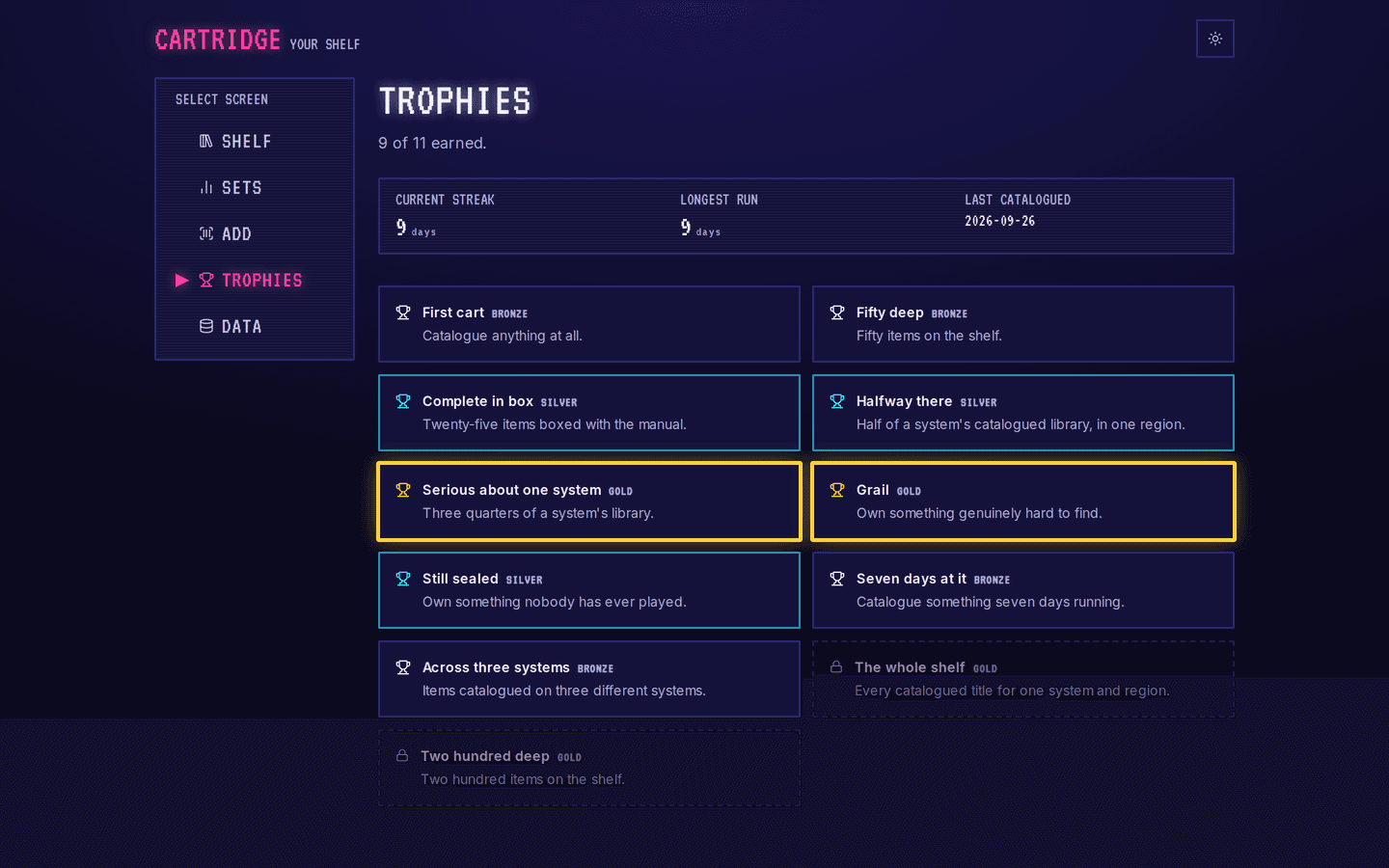
    /collection/achievements
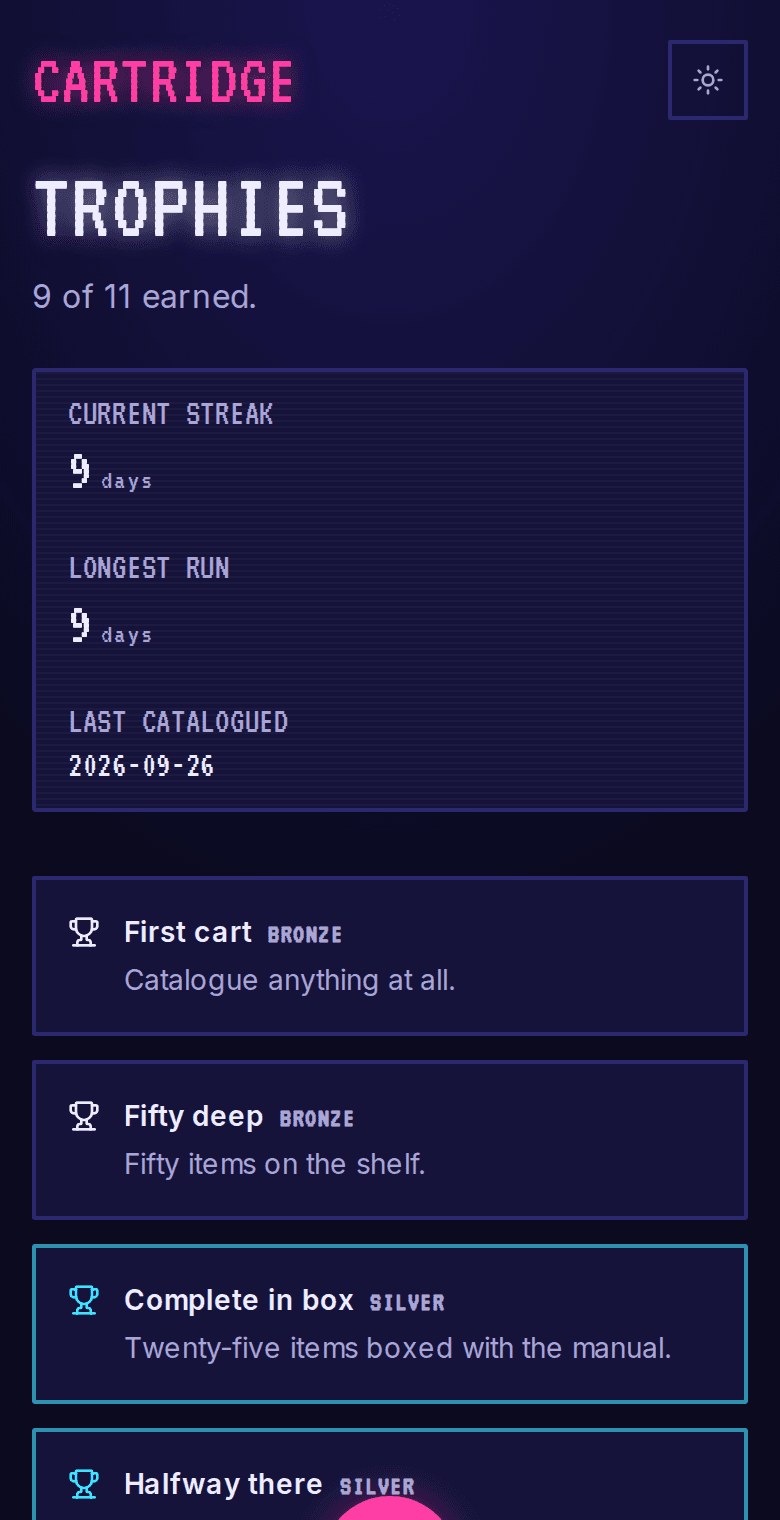
    Cartridge: Trophies
The problem

What problem does it solve?

There's a copy of a game on the table at the flea market for twenty dollars, and the collector is almost sure they already own it. The full list is in a spreadsheet on the computer at home, and the hall has one bar of signal. They buy it anyway. It's their second copy.

How the demo handles it

The collection lives on the phone, in the browser's own database, and the app adds to the home screen like any other. Each game can be found by barcode or by title from a built-in catalogue. Completeness per console turns a long list into something to chase, and the whole collection exports to a single file whenever you want a backup.

  • Condition and value

    For each game: its condition, whether it's boxed with the manual, what you paid and what it's worth now.

  • Set completeness

    How much of each console's library you own, by region, so you know exactly which gaps are left.

  • Backup file

    Export the whole collection to one file and bring it back on any device.
Try it yourself
/collection/[id]
Cartridge: One cartridge, on a desktop
Cartridge: One cartridge, on a phone
/collection/achievements
Cartridge: Trophies, on a desktop
Cartridge: Trophies, on a phone
Design choices

Why is it built this way?

  • There is no server

    Everything is stored in the browser's own database. The collection never leaves the device, and there is nothing to pay for each month or ever switch off.

  • Built to change safely

    The on-device database has a version number and upgrade steps from the first release, because there's no server copy to rebuild a collection from if an update goes wrong.

  • The demo loads like a backup

    Loading the demo collection uses the same code as restoring a backup file, so the restore path gets tested every time someone tries the demo.

  • Title search comes first

    Barcodes on thirty-year-old cartridges are often missing or unreadable, so searching by title is a normal way in, with no error message to get past first.

Screens

What does it look like on a computer and a phone?

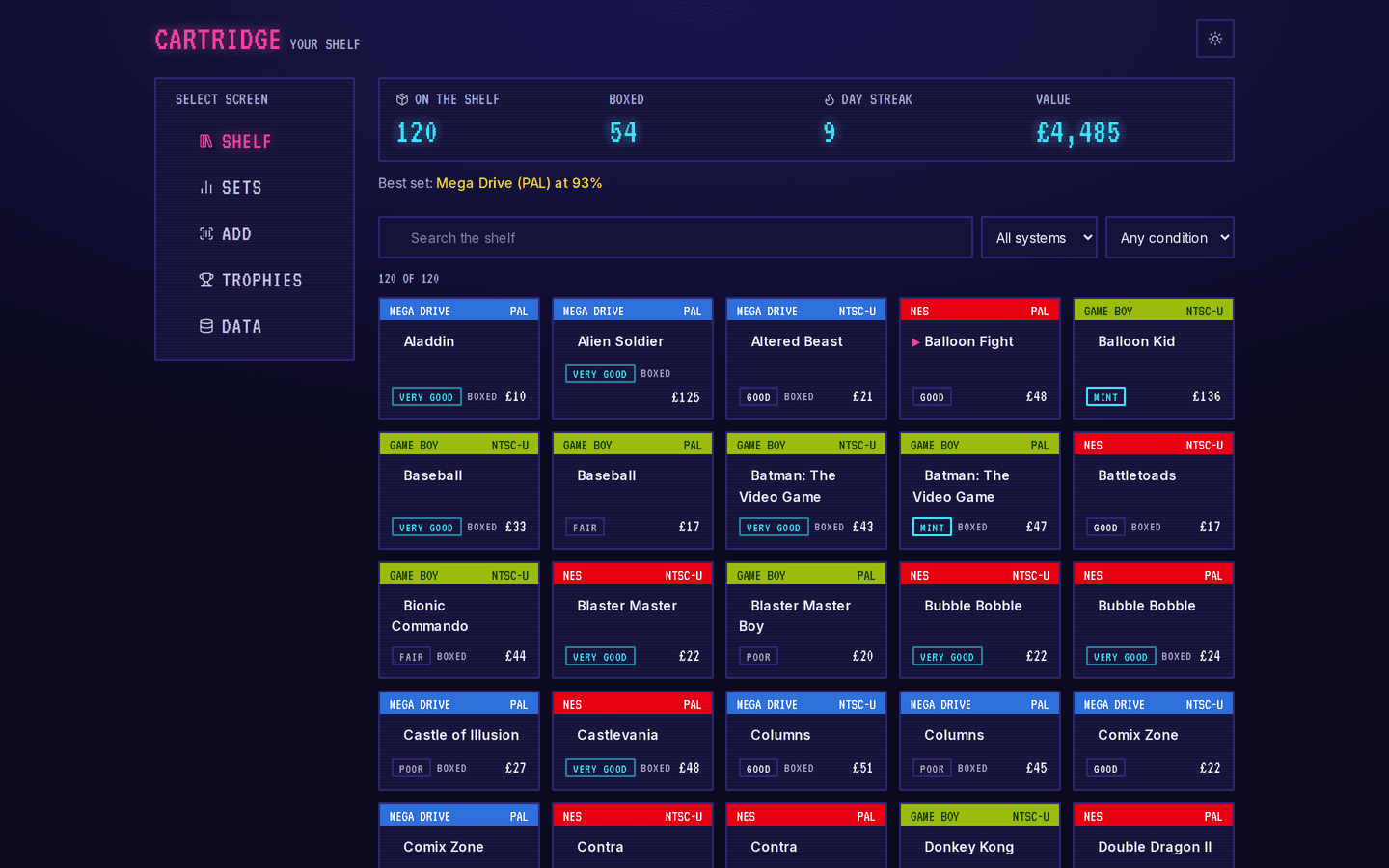
Every game as a box on a shelf, with totals across the top: games owned, how many are boxed, the day streak and the value.

/collection
Cartridge: The shelf, on a desktop
Cartridge: The shelf, on a phone

What is it built with?

Common, well-documented tools, so any developer you hire later can pick it up and keep working on it. Hover over or tap any of them to see what it does.

Who uses it

Who would use Cartridge, and when?

  • Searches the title on the cart in their hand and finds out, before paying, that it's already on the shelf at home.

    A collector at a Sunday swap meetScenario

  • Adds six new games at the kitchen table and watches the Mega Drive library tick up a few percent.

    Home from a buying tripScenario

  • Exports the collection to a file on the old phone and opens it on the new one in under a minute.

    Upgrading to a new phoneScenario

FAQ

What do people ask about Cartridge?

  1. 01Can I try Cartridge before talking to anyone?

    Yes. The demo is a working app with sample data. Ask for access and we'll email you a sign-in link. Nothing you change there affects anyone.

  2. 02Is it cloud or local?

    Local. Runs on one computer. No accounts, no internet and no monthly fee.

  3. 03Is it premade, adapted or custom?

    Premade. It works as it is, and we set it up with your name, your people and your data.

  4. 04What does it run on?

    Next.js 16, TypeScript, IndexedDB, Installable PWA.

  5. 05What problem is it solving?

    There's a copy of a game on the table at the flea market for twenty dollars, and the collector is almost sure they already own it. The full list is in a spreadsheet on the computer at home, and the hall has one bar of signal. They buy it anyway. It's their second copy.

Want to try Cartridge?

It's a working app with sample data. Ask for access and we'll email you a sign-in link, usually within a business day.

Request the demo