DashForge
← All work

Volunteer coordinators

Fair shift schedules for groups that run on volunteers

Shift is for the coordinator who rebuilds the volunteer schedule every month, with a spreadsheet open and a phone full of swap requests.

CloudAdapted

/schedule
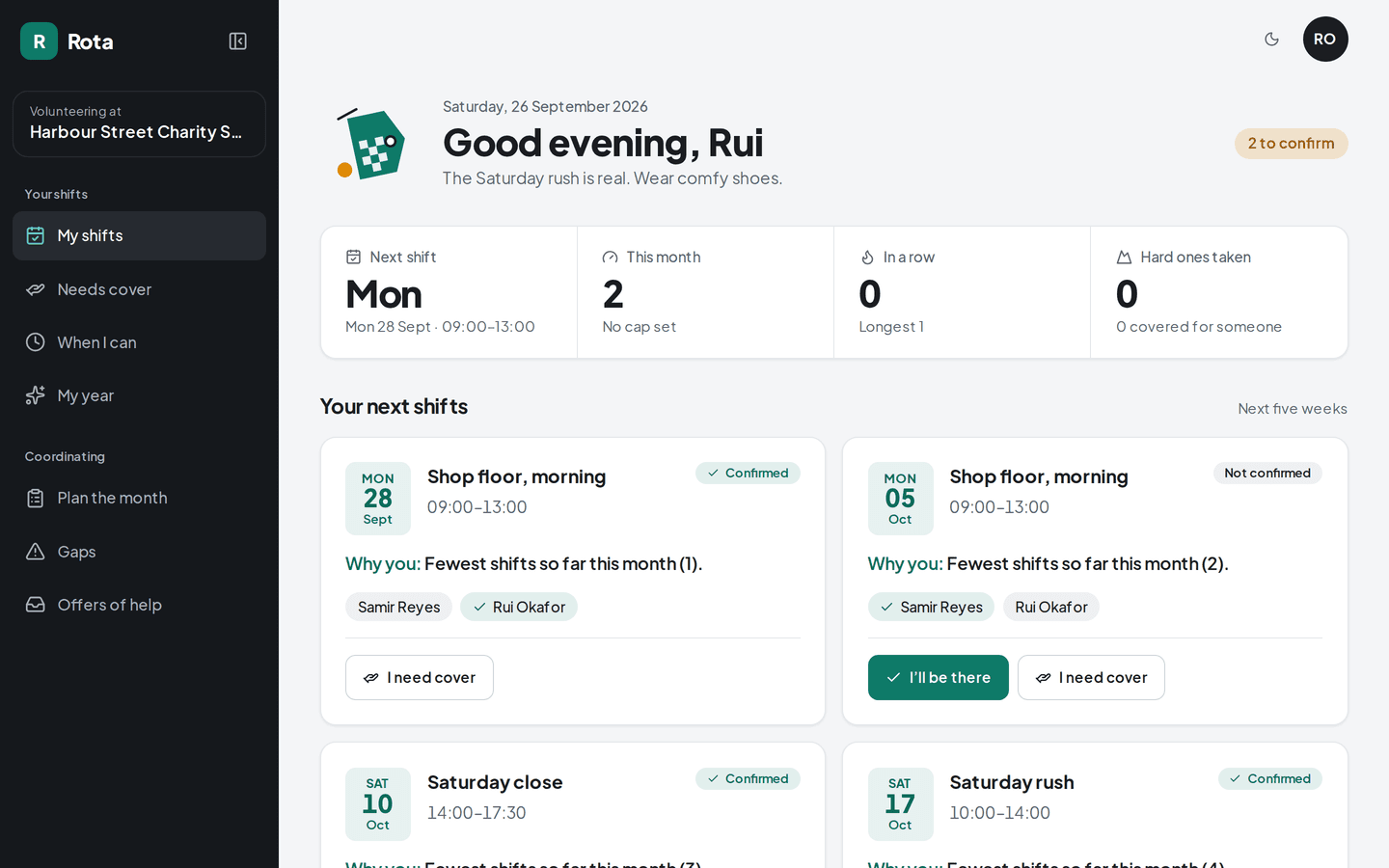
Shift on a desktop: Your next shifts
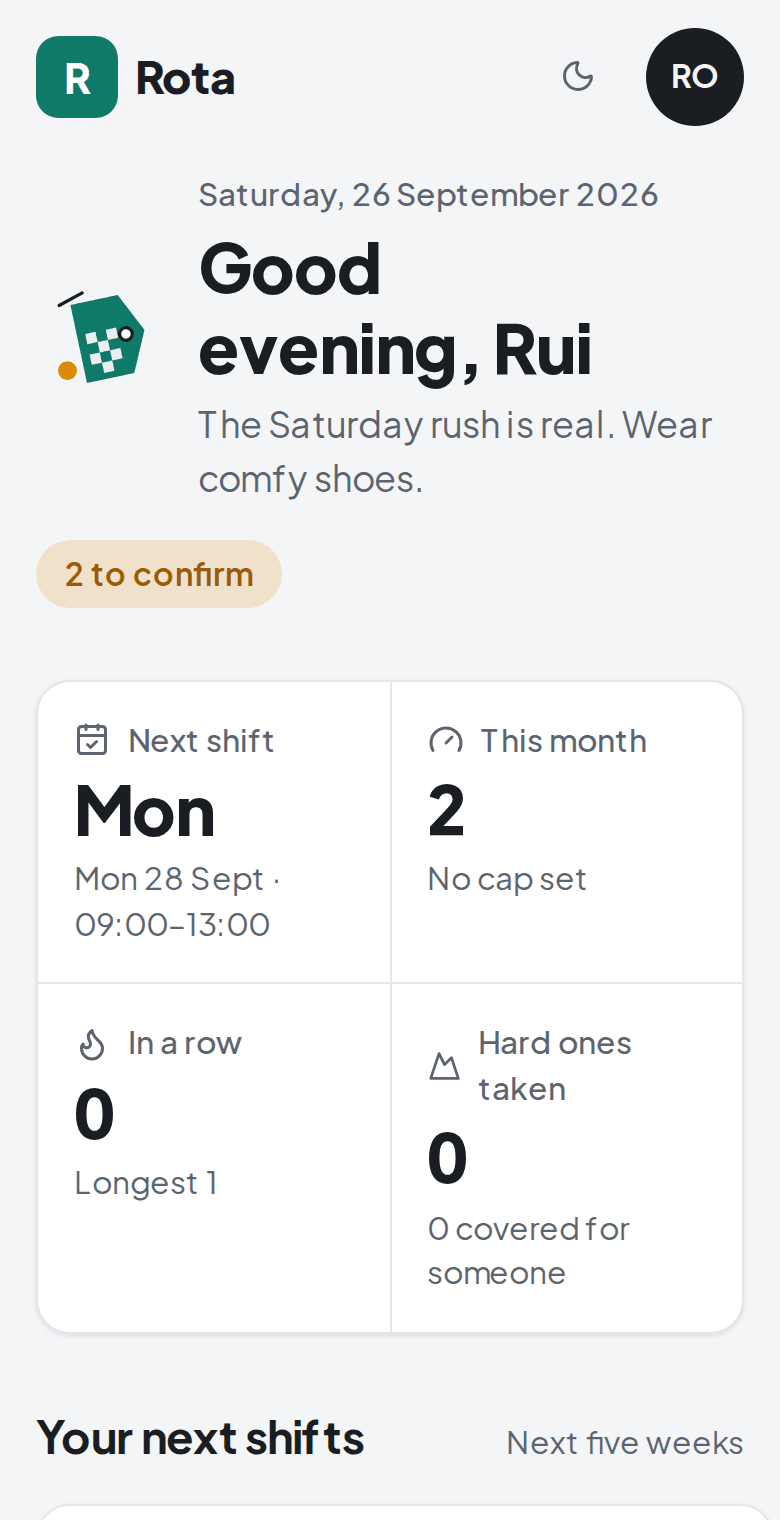
Shift on a phone: Your next shifts
About Shift

Shift is for the coordinator who rebuilds the volunteer schedule every month, with a spreadsheet open and a phone full of swap requests. The same few people end up covering the hard shifts, and nobody notices until one of them quits. Shift drafts the month from who has done what and writes the reason on every shift, so a volunteer can see why the Sunday is theirs. When someone can't make it, they offer the shift and another volunteer takes it, with no call to the coordinator.

Building a month
Draft first

published when the coordinator is happy

Every shift
Has a reason

and the volunteer can read it

Finding cover
Volunteer-led

no call to the coordinator

What it does

What does Shift do?

  • Draft first, publish after

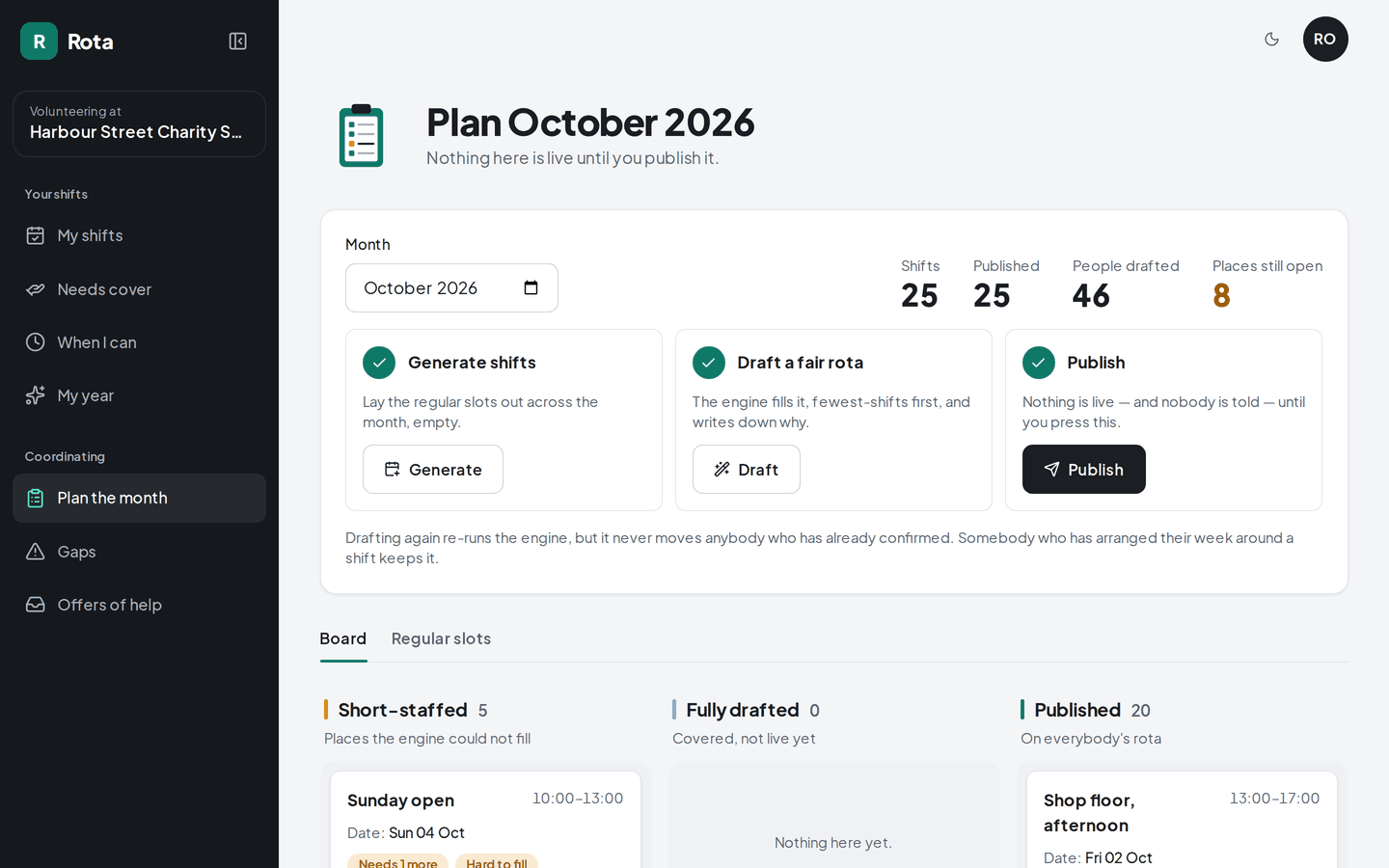
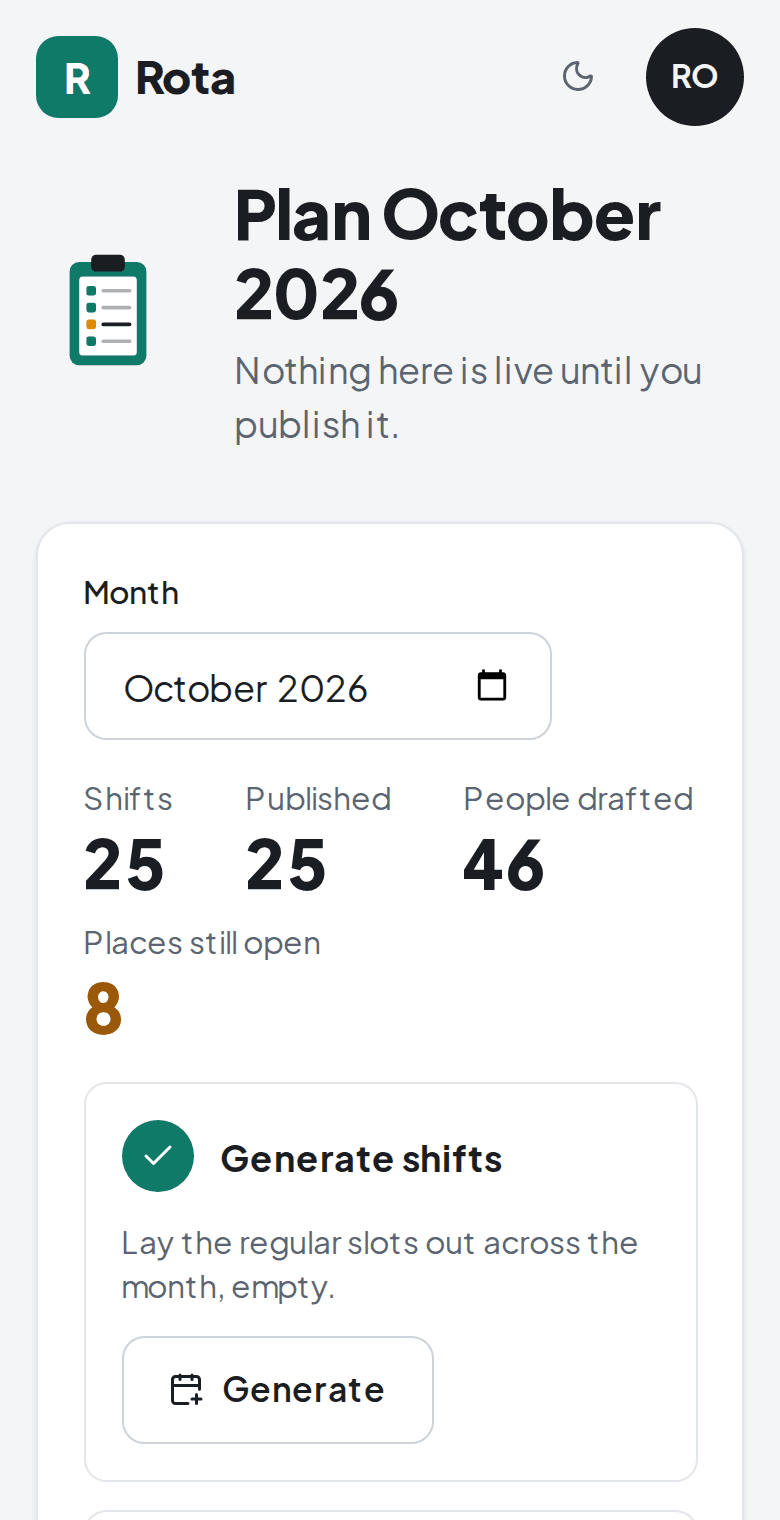
    The coordinator generates a month, moves what they know better, then publishes. Volunteers see nothing until then.

    /schedule/plan
    Shift: Drafting the month
  • A reason on every shift

    Each assignment says why, for example "fewest shifts this month", and the volunteer sees the same line the coordinator does.

    /schedule/swaps
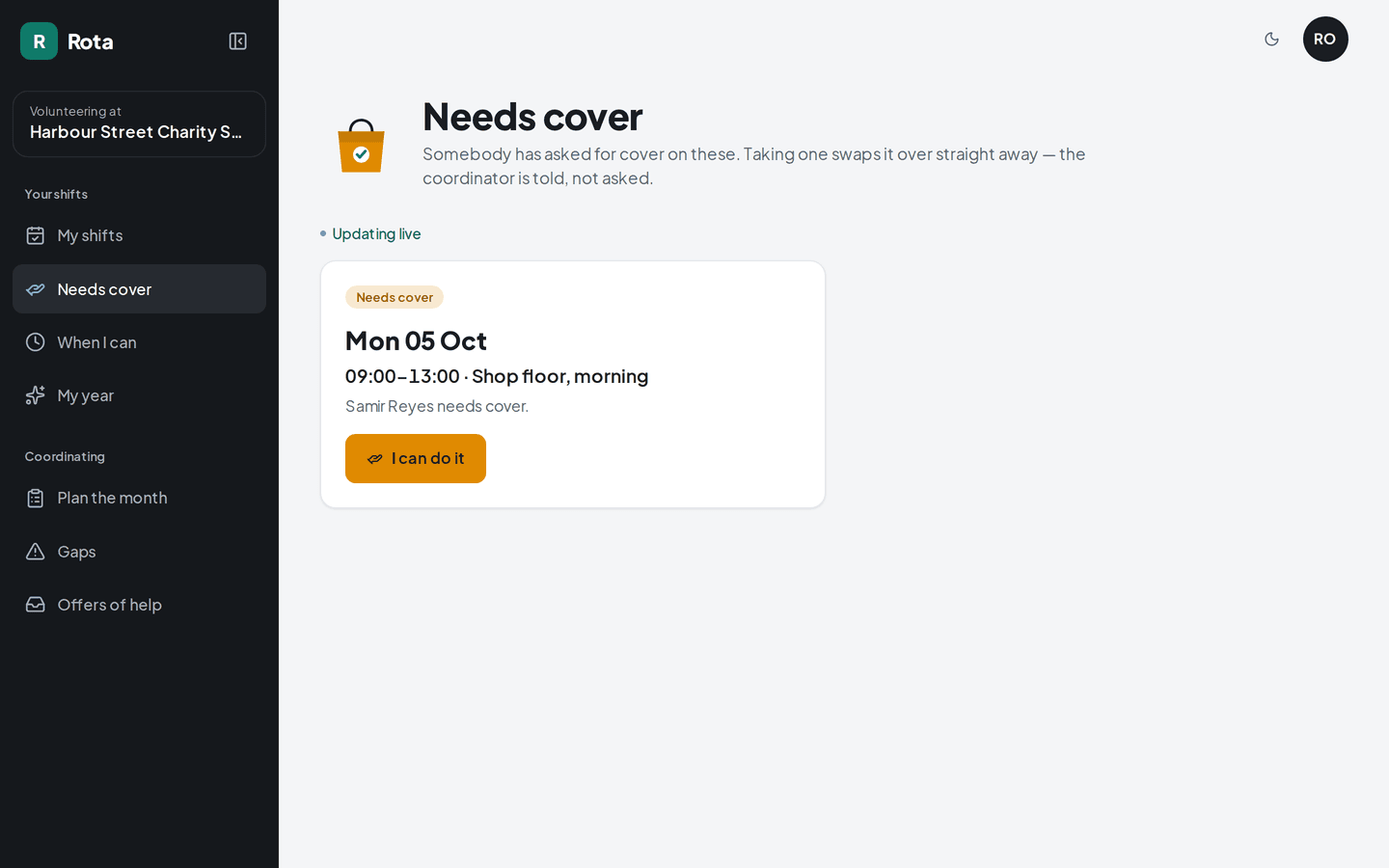
    Shift: Needs cover
  • Swaps between volunteers

    One volunteer offers a shift and another takes it. If two people tap at the same moment, only one of them gets it.

    /schedule/me
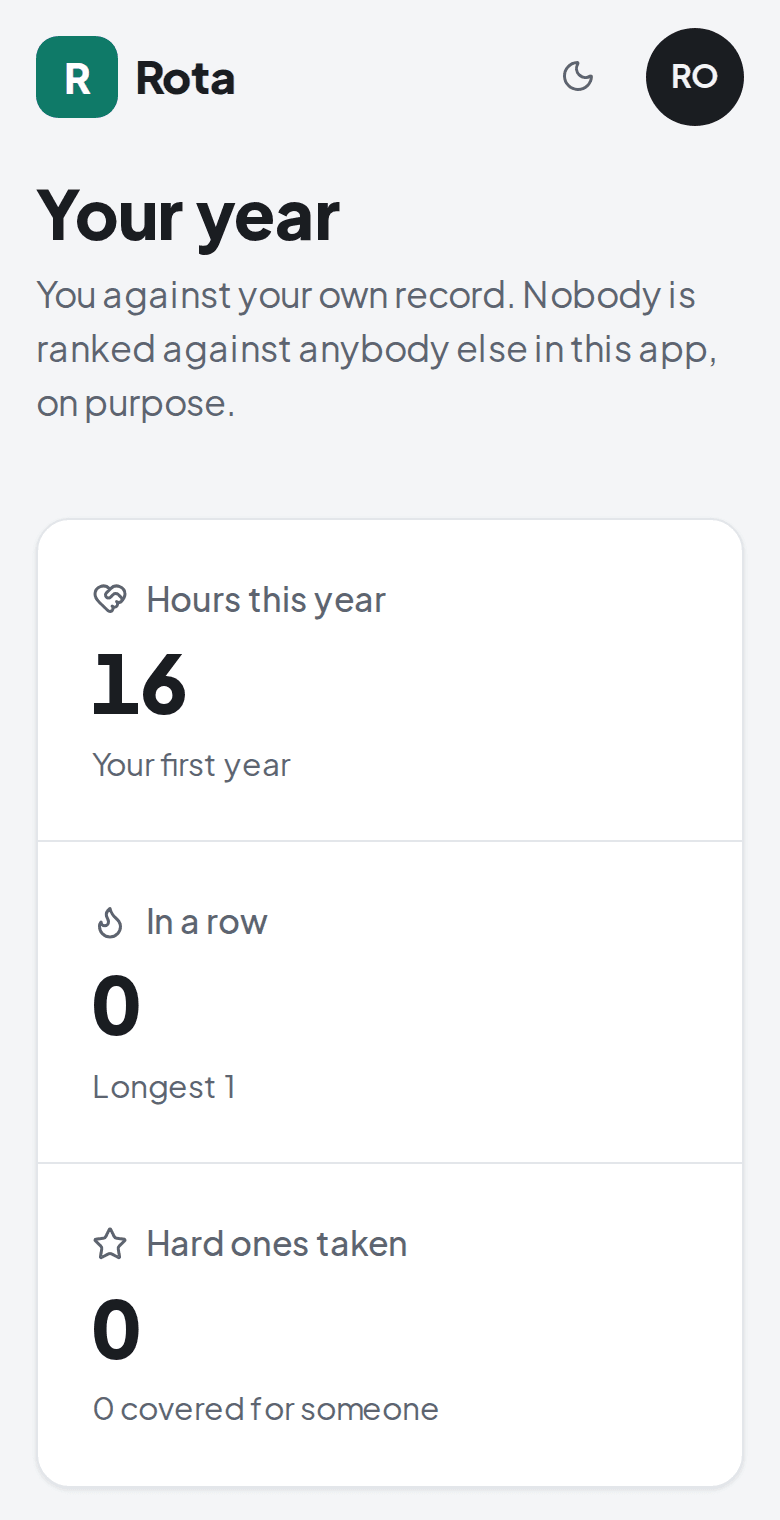
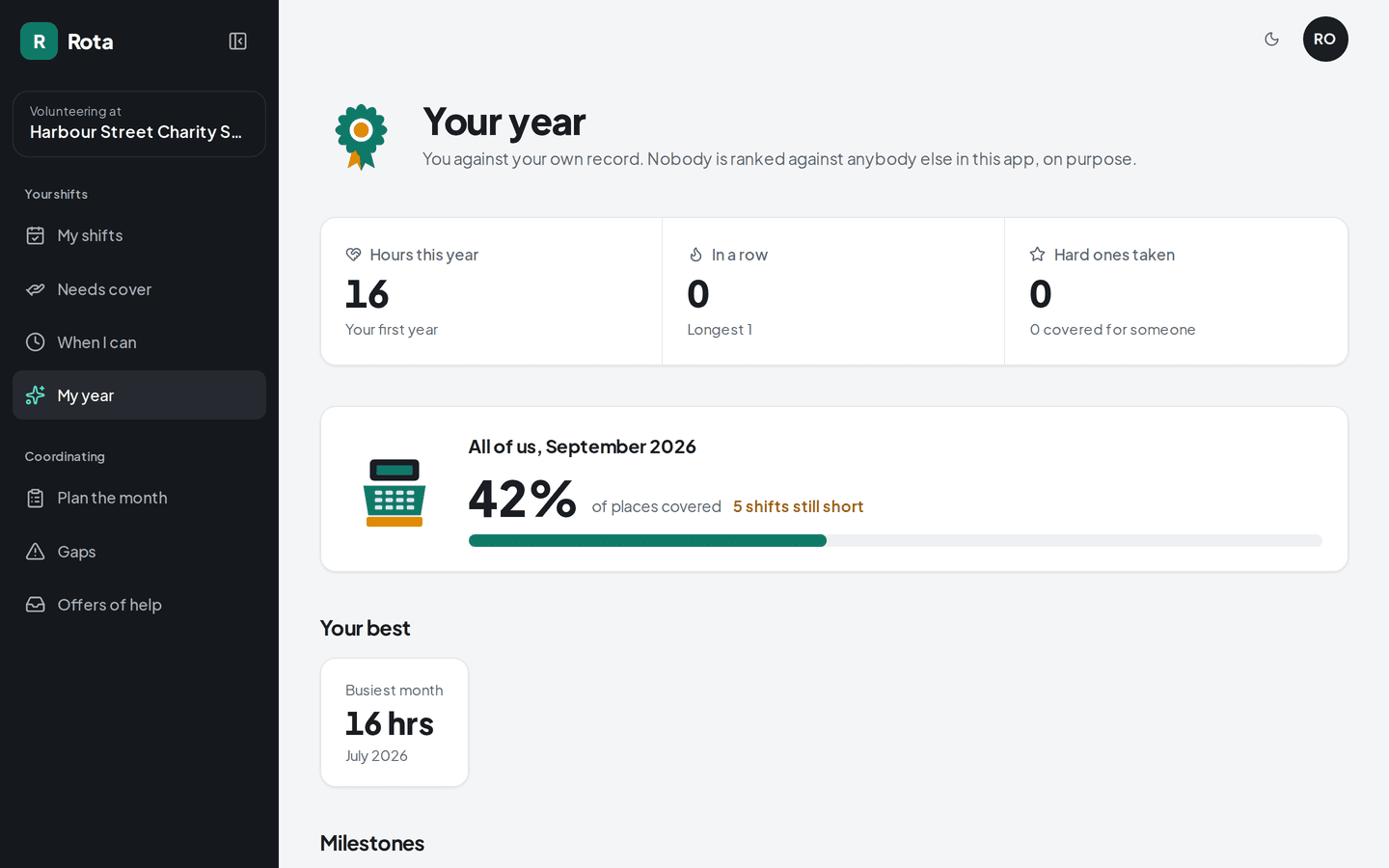
    Shift: Your own record
The problem

What problem does it solve?

It's the last week of the month and the coordinator is rebuilding next month's schedule in a spreadsheet, working from memory about who did what. Every swap after that comes to them by text. The shifts nobody wants drift towards the same few reliable people, and it only shows when one of them steps back.

How the demo handles it

Shift shares the month out by counting who has covered what, and writes that reason on each assignment. The coordinator adjusts the draft and publishes it. From then on, volunteers arrange cover among themselves, and the app sends only two kinds of reminder, so people keep reading them.

  • An open board with no login

    A public page lists the unfilled slots. Someone who hasn't signed up yet can ask for one, and the coordinator confirms it.

  • Two kinds of reminder

    One the day before your shift, and one when a shift is still empty 48 hours out. Nothing arrives before 8am or after 9pm.

  • One shared coverage figure

    The group sees how many of this month's shifts are covered. Volunteers are never ranked against each other.
Try it yourself
/schedule/plan
Shift: Drafting the month, on a desktop
Shift: Drafting the month, on a phone
/schedule/me
Shift: Your own record, on a desktop
Shift: Your own record, on a phone
Design choices

Why is it built this way?

  • Asking for cover keeps you on the shift

    A volunteer who offers a shift stays on it until someone takes it, so the schedule never has a gap while they wait for a reply.

  • Redrafting leaves confirmed shifts alone

    Once someone confirms a shift, a new draft won't move it. The engine only fills the slots that are still open.

  • No leaderboard

    A ranking would push away the volunteers who give two shifts a month, and most groups rely on them. Each volunteer sees their own record.

  • The public board shows no names

    A request from the open board goes to the coordinator to confirm, because the app can't check who typed the name. The board itself lists slots only.

Screens

What does it look like on a computer and a phone?

Each upcoming shift with the reason it's yours, and a button to say you'll be there.

/schedule
Shift: Your next shifts, on a desktop
Shift: Your next shifts, on a phone

What is it built with?

Common, well-documented tools, so any developer you hire later can pick it up and keep working on it. Hover over or tap any of them to see what it does.

Who uses it

Who would use Shift, and when?

  • Generates next month's draft, moves two shifts by hand and publishes it before lunch.

    The coordinator at the end of the monthScenario

  • Offers the shift from their phone. It stays theirs until somebody takes it, so the slot is never empty while they wait.

    A volunteer whose Saturday fell throughScenario

  • Two days out, the app emails only the volunteers who said they were free that day.

    A Sunday nobody has claimedScenario

FAQ

What do people ask about Shift?

  1. 01Can I try Shift before talking to anyone?

    Yes. The demo is a working app with sample data. Ask for access and we'll email you a sign-in link. Nothing you change there affects anyone.

  2. 02Is it cloud or local?

    Cloud. Your team signs in from anywhere, on a phone, a laptop or the shop computer.

  3. 03Is it premade, adapted or custom?

    Adapted. The core stays, and we change the screens and rules to fit how your team works.

  4. 04What does it run on?

    Next.js 16, TypeScript, Supabase, PostgreSQL, Row-level security, Resend, Scheduled jobs, Magic-link sign-in.

  5. 05What problem is it solving?

    It's the last week of the month and the coordinator is rebuilding next month's schedule in a spreadsheet, working from memory about who did what. Every swap after that comes to them by text. The shifts nobody wants drift towards the same few reliable people, and it only shows when one of them steps back.

Want to try Shift?

It's a working app with sample data. Ask for access and we'll email you a sign-in link, usually within a business day.

Request the demo