DashForge
← All work

Independent auto repair

Work orders, bays and parts for a two-bay garage, on the computer at the counter

Torque is for a two-bay repair shop where the day still runs on a paper day-book and a whiteboard behind the counter.

LocalAdapted

/shop
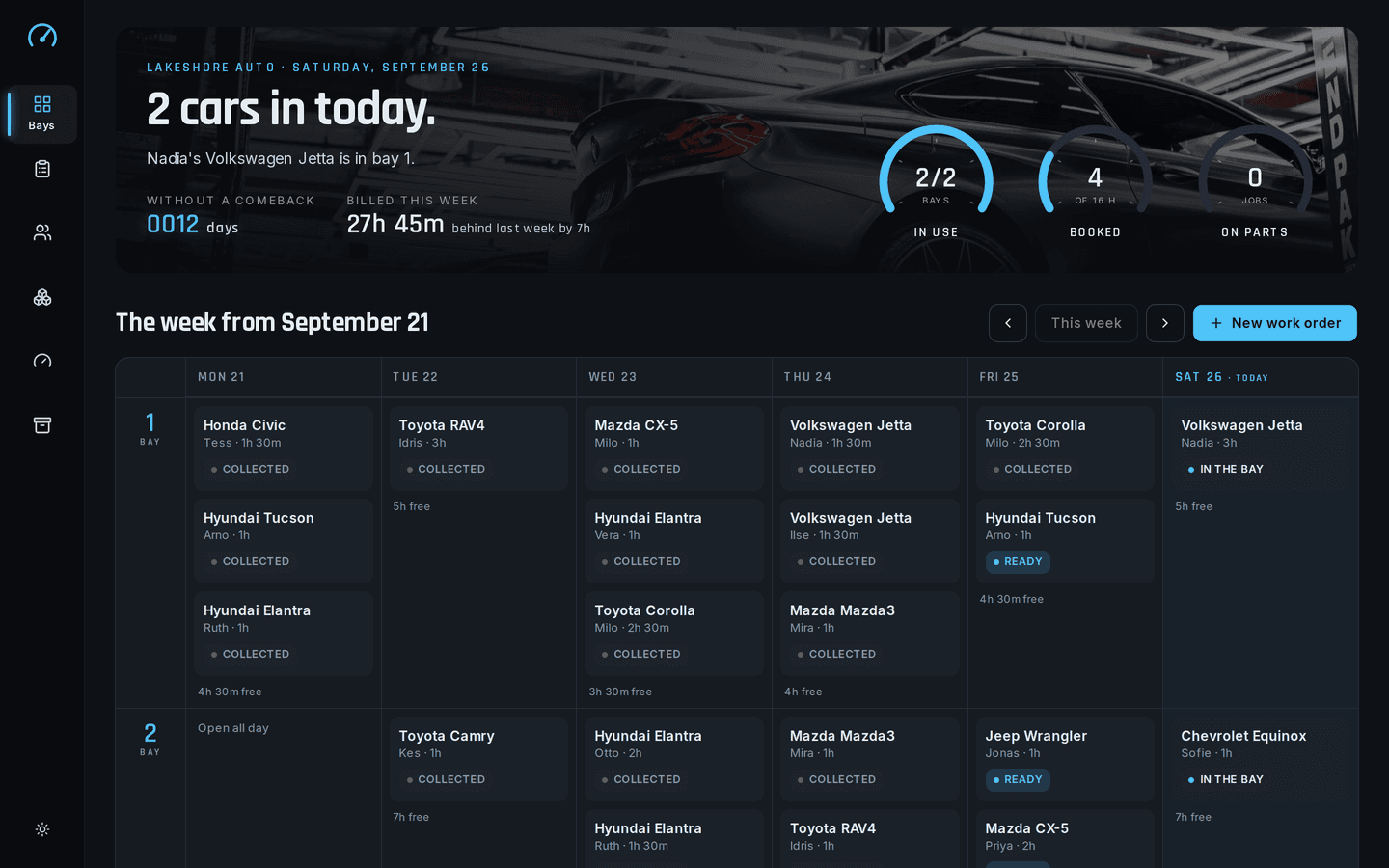
Torque on a desktop: The bay board
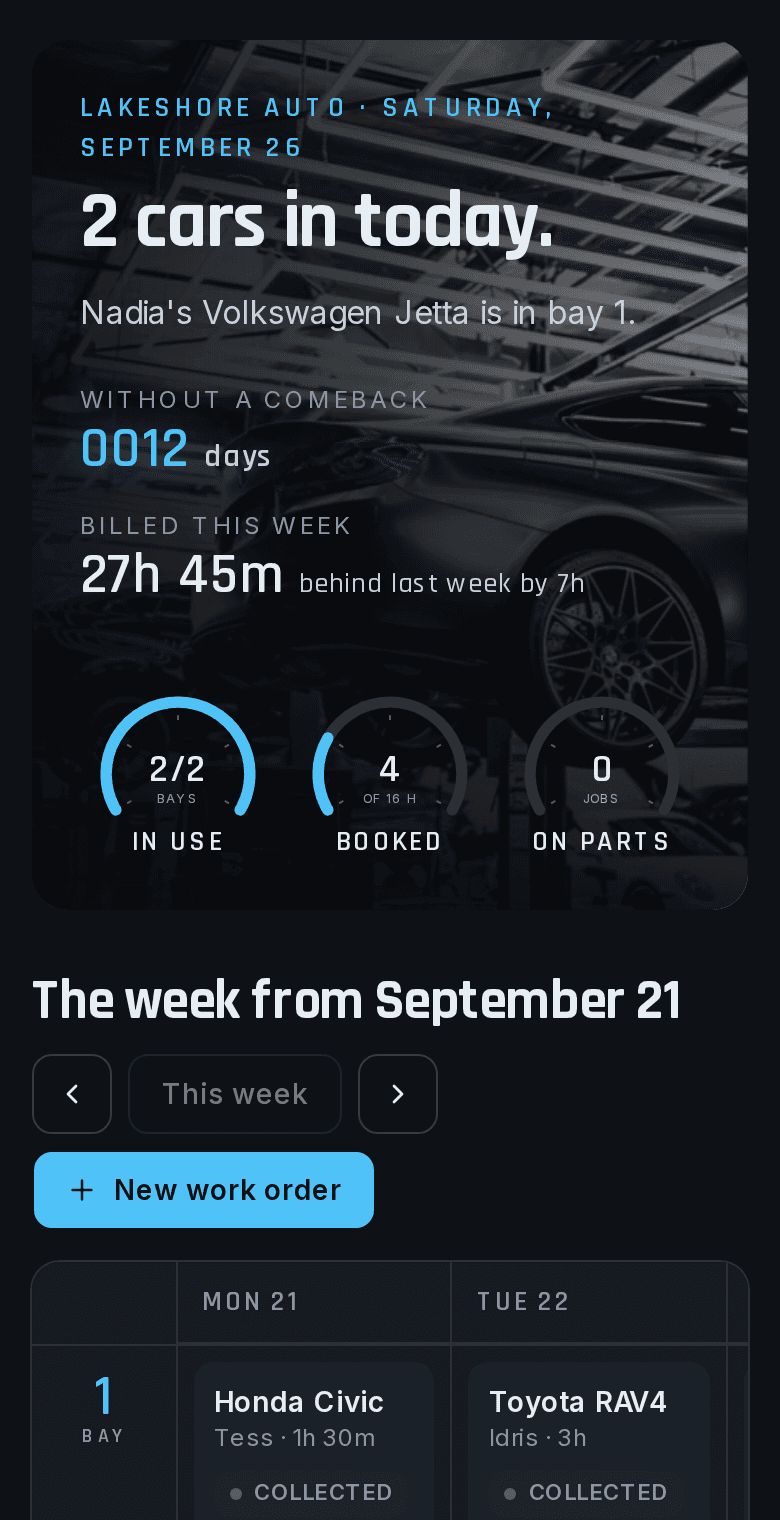
Torque on a phone: The bay board
About Torque

Torque is for a two-bay repair shop where the day still runs on a paper day-book and a whiteboard behind the counter. Online shop software wants a monthly fee for every user and a steady internet connection, which the back of a garage rarely has. Torque runs on the computer the shop already owns, with no logins and no network, and keeps every work order, customer and part in one file. At the end of the month, a backup is a copy of that file onto a USB stick.

Monthly cost
None

no users to pay for

Internet
Not needed

no network calls after loading

Backup
One file

copy it anywhere

What it does

What does Torque do?

  • Works with no internet

    Once it has loaded, the app makes no network calls at all, so a dropped connection changes nothing.

    /shop/orders/[id]
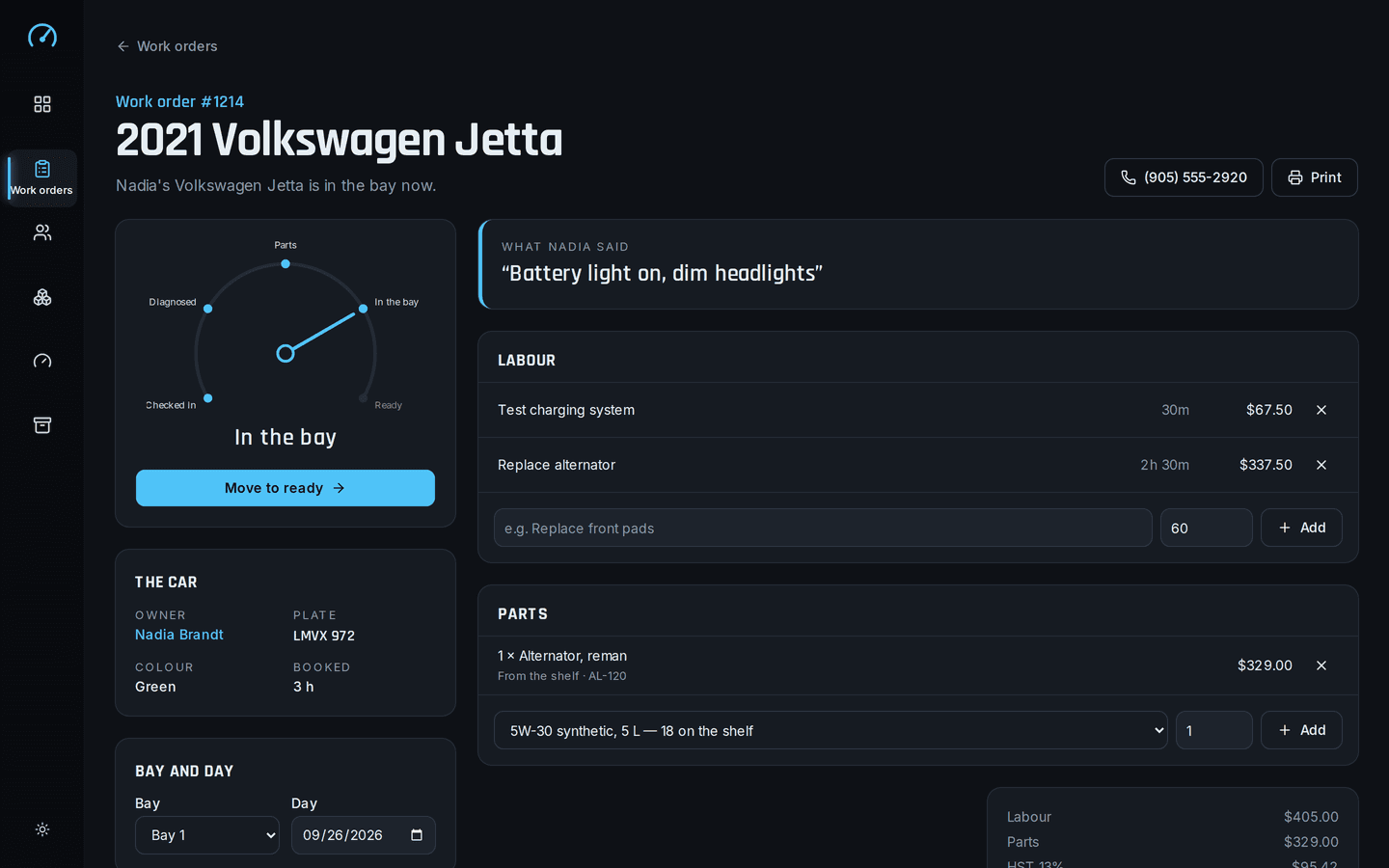
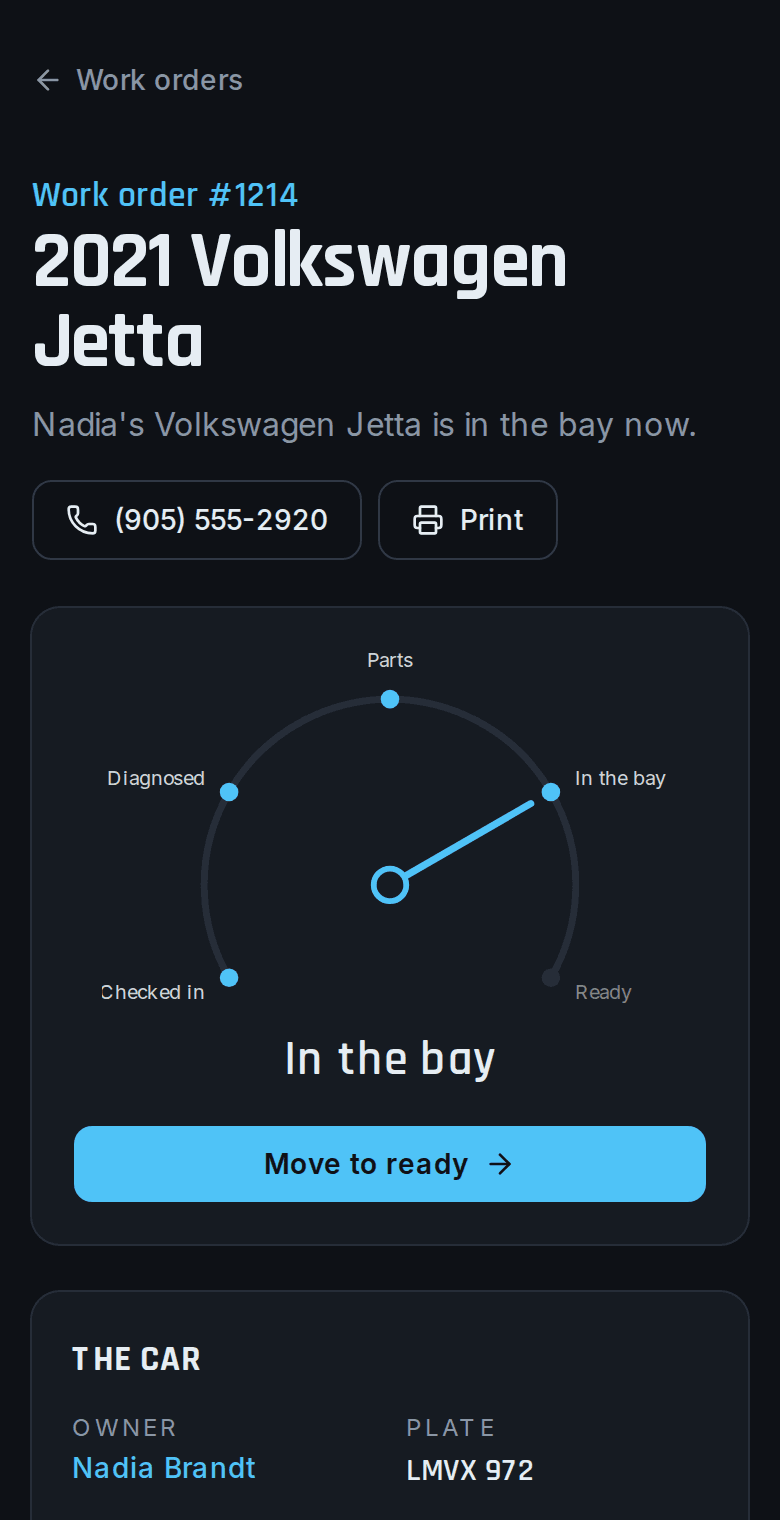
    Torque: One work order
  • One database file

    Every order, customer and part is in a single file on the shop's computer, where the owner can see it.

    /shop/month
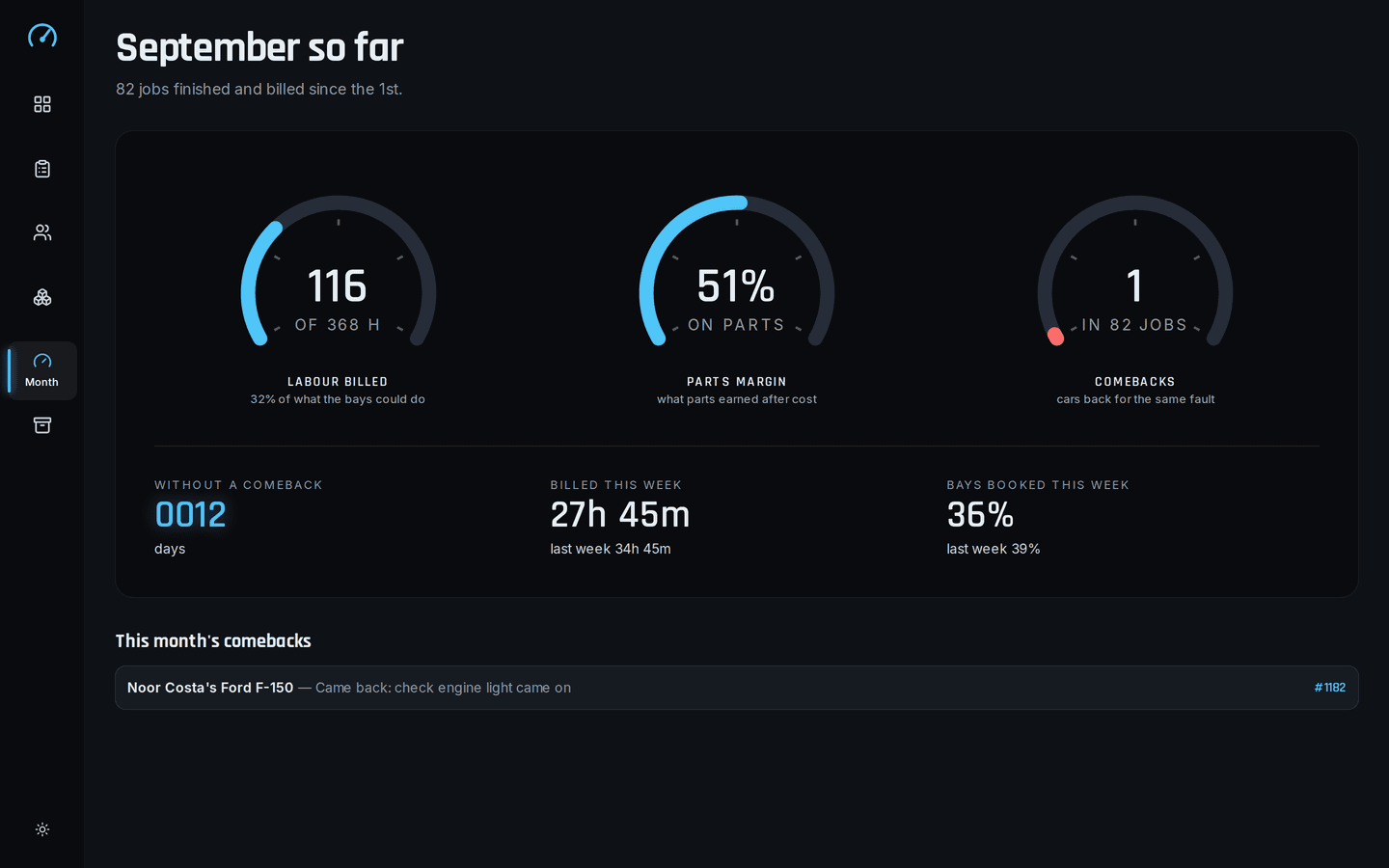
    Torque: The month
  • No logins

    Nobody needs an email address or a password, and there's no fee for adding the apprentice.

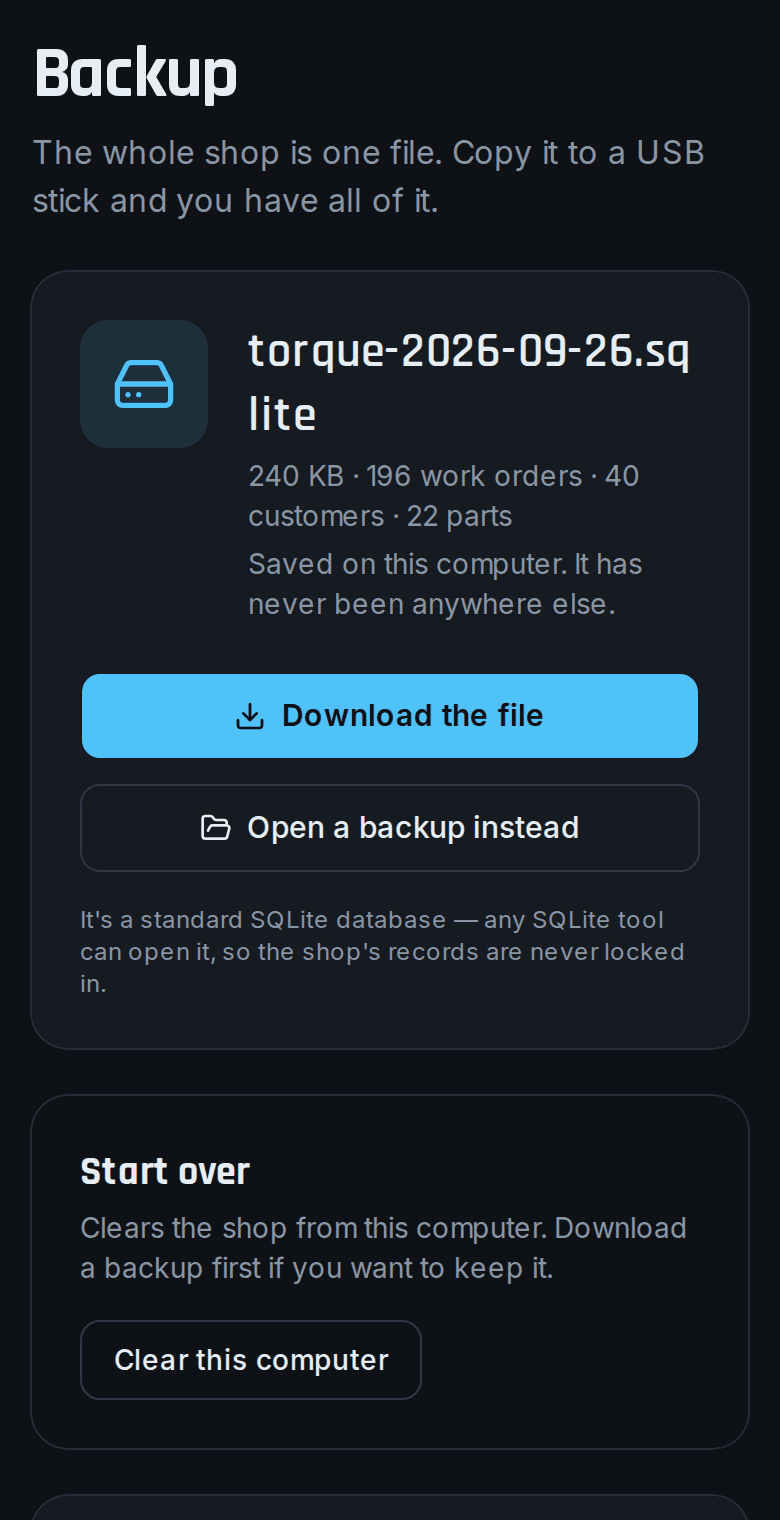
    /shop/backup
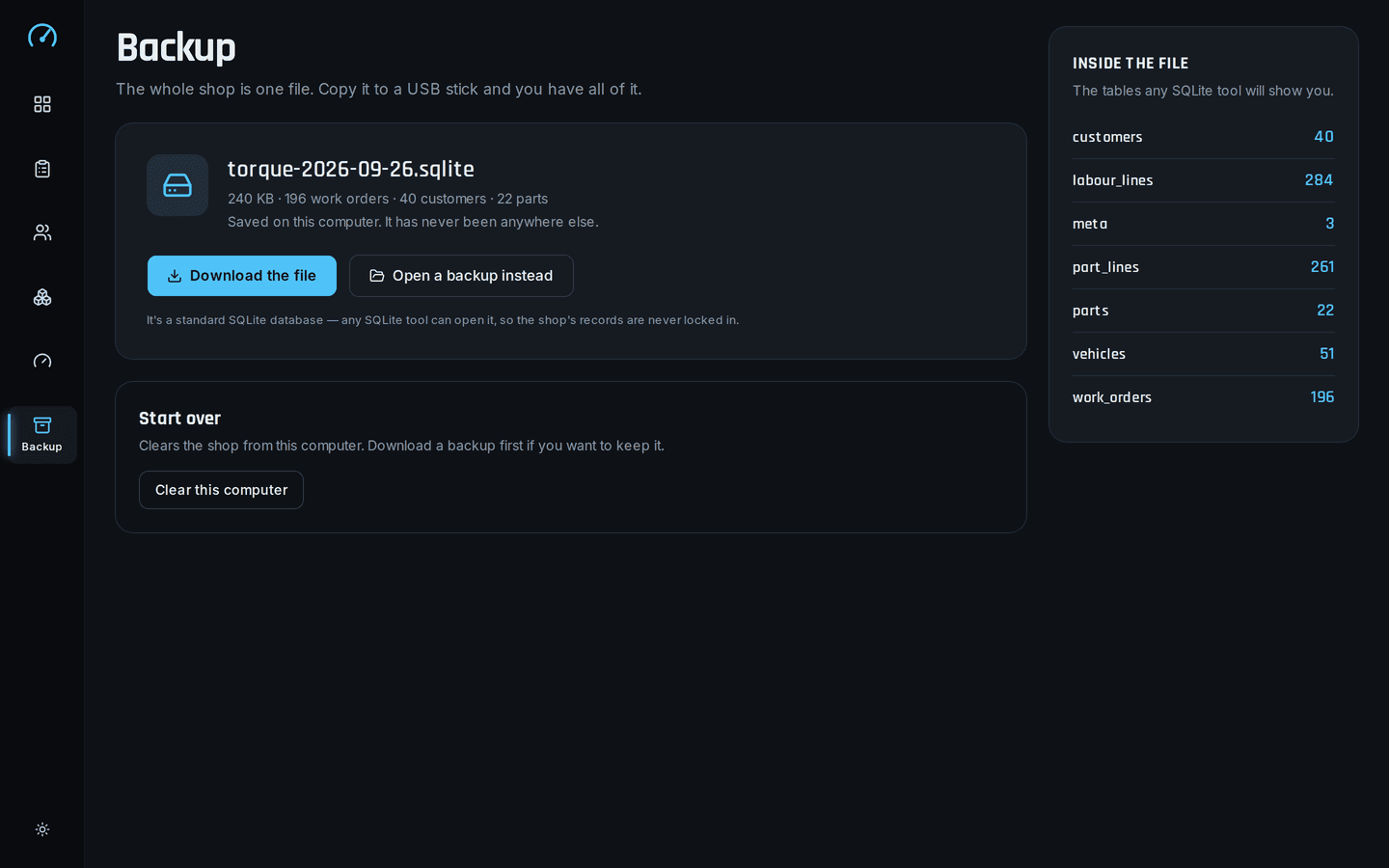
    Torque: Backup
The problem

What problem does it solve?

A customer is at the counter asking when their car will be ready, and the answer is somewhere in a paper day-book, a whiteboard and the mechanic's memory. The owner has looked at online shop software, but it wants a monthly fee for every login and an internet connection that drops every time the bay door comes down.

How the demo handles it

Torque runs entirely on the shop's own computer and saves everything in one SQLite file. It keeps working when the internet is down because it never used it in the first place, and making a backup means copying that file somewhere safe.

  • Work orders

    Check-in, parts, labour and pickup on one screen per job, from the moment the keys land on the counter.

  • Bay schedule

    The week across both bays, so you can tell a customer straight away whether next Thursday is free.

  • Printable work orders

    Each work order prints from the browser in the same layout every time, ready to hand over with the keys.
Try it yourself
/shop/orders/[id]
Torque: One work order, on a desktop
Torque: One work order, on a phone
/shop/backup
Torque: Backup, on a desktop
Torque: Backup, on a phone
Design choices

Why is it built this way?

  • It doesn't use the internet

    Garages often have poor reception, and online systems charge per user. Torque runs on one computer and needs neither a connection nor a subscription.

  • Set up on the shop's computer

    It runs on a computer the shop already has. Around Greater Sudbury we can install it in person.

  • A backup anyone can make

    The whole system is one standard SQLite file. Copy it anywhere, and any SQLite tool can open it, now or in twenty years.

Screens

What does it look like on a computer and a phone?

Today's gauges for bays in use, hours booked and jobs waiting on parts, with the week across both bays below.

/shop
Torque: The bay board, on a desktop
Torque: The bay board, on a phone

What is it built with?

Common, well-documented tools, so any developer you hire later can pick it up and keep working on it. Hover over or tap any of them to see what it does.

Who uses it

Who would use Torque, and when?

  • Opens a work order while the customer is still describing the noise, and books it into bay two for Thursday.

    The owner at the counterScenario

  • Adds the pads and the hour and a half of labour to the job from the same computer, with greasy hands and no password.

    The mechanic in the bayScenario

  • Copies one file to a USB stick and takes the whole business home in a pocket.

    Closing up on the last Friday of the monthScenario

FAQ

What do people ask about Torque?

  1. 01Can I try Torque before talking to anyone?

    Yes. The demo is a working app with sample data. Ask for access and we'll email you a sign-in link. Nothing you change there affects anyone.

  2. 02Is it cloud or local?

    Local. Runs on one computer. No accounts, no internet and no monthly fee.

  3. 03Is it premade, adapted or custom?

    Adapted. The core stays, and we change the screens and rules to fit how your team works.

  4. 04What does it run on?

    Next.js 16, TypeScript, SQLite, IndexedDB, Offline-first, Desktop application.

  5. 05What problem is it solving?

    A customer is at the counter asking when their car will be ready, and the answer is somewhere in a paper day-book, a whiteboard and the mechanic's memory. The owner has looked at online shop software, but it wants a monthly fee for every login and an internet connection that drops every time the bay door comes down.

Want to try Torque?

It's a working app with sample data. Ask for access and we'll email you a sign-in link, usually within a business day.

Request the demo