DashForge
← All work

Shared households & trips

Shared costs for trips and shared houses, settled in the fewest payments

Split is for the friend who booked the flat and paid for most of the dinners, and is now waiting to be paid back.

CloudPremade

/groups/[id]
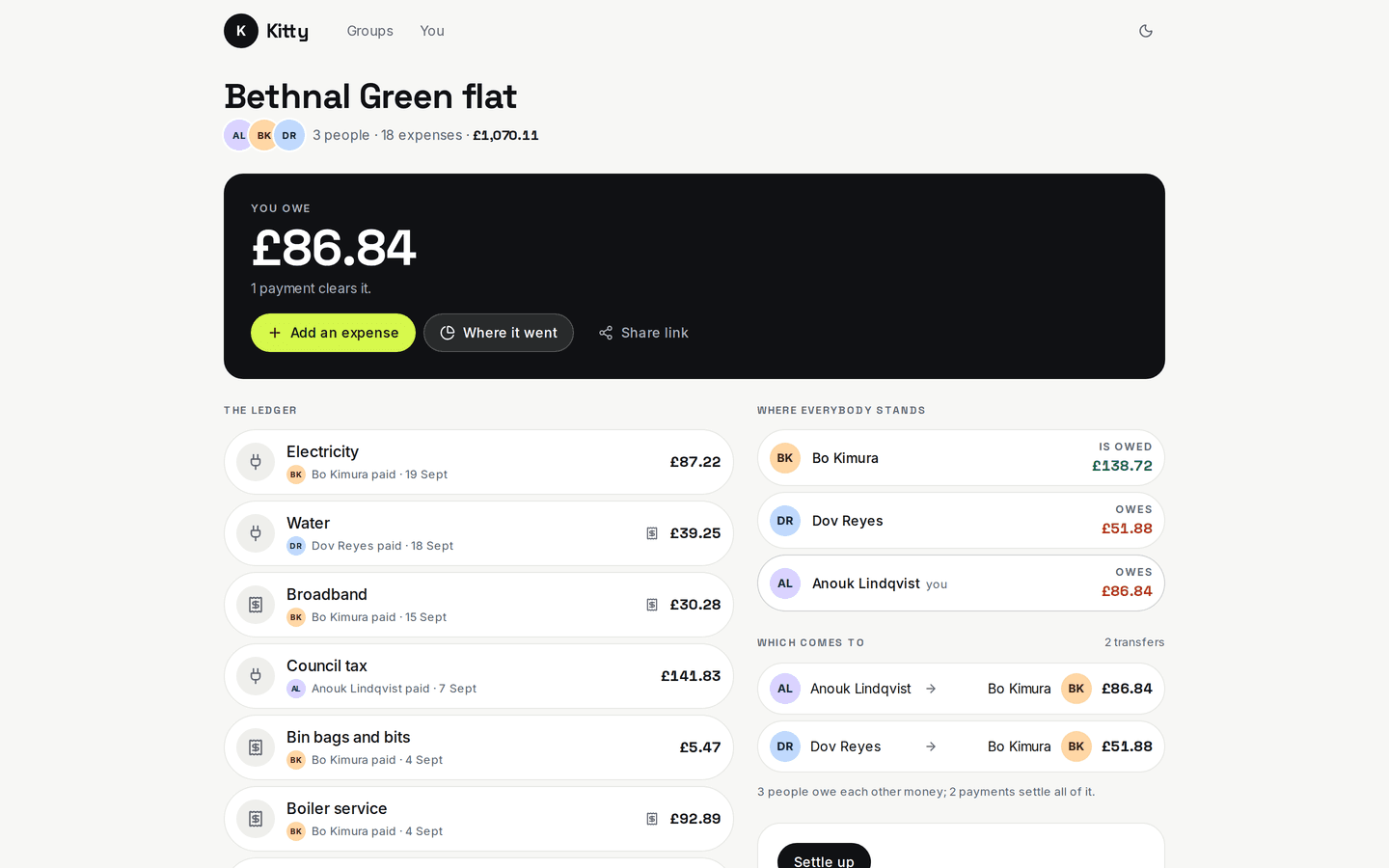
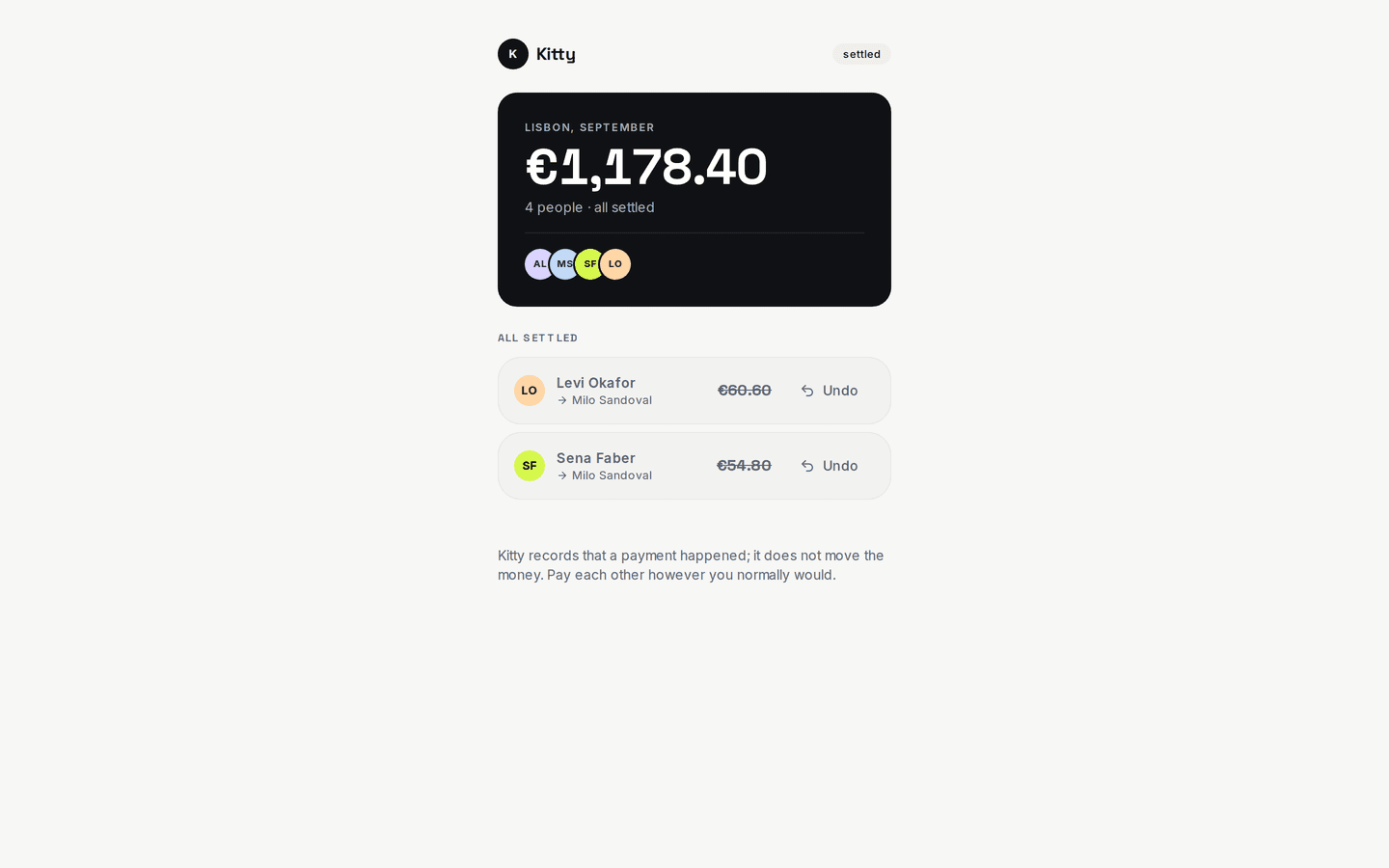
Split on a desktop: A group, settled
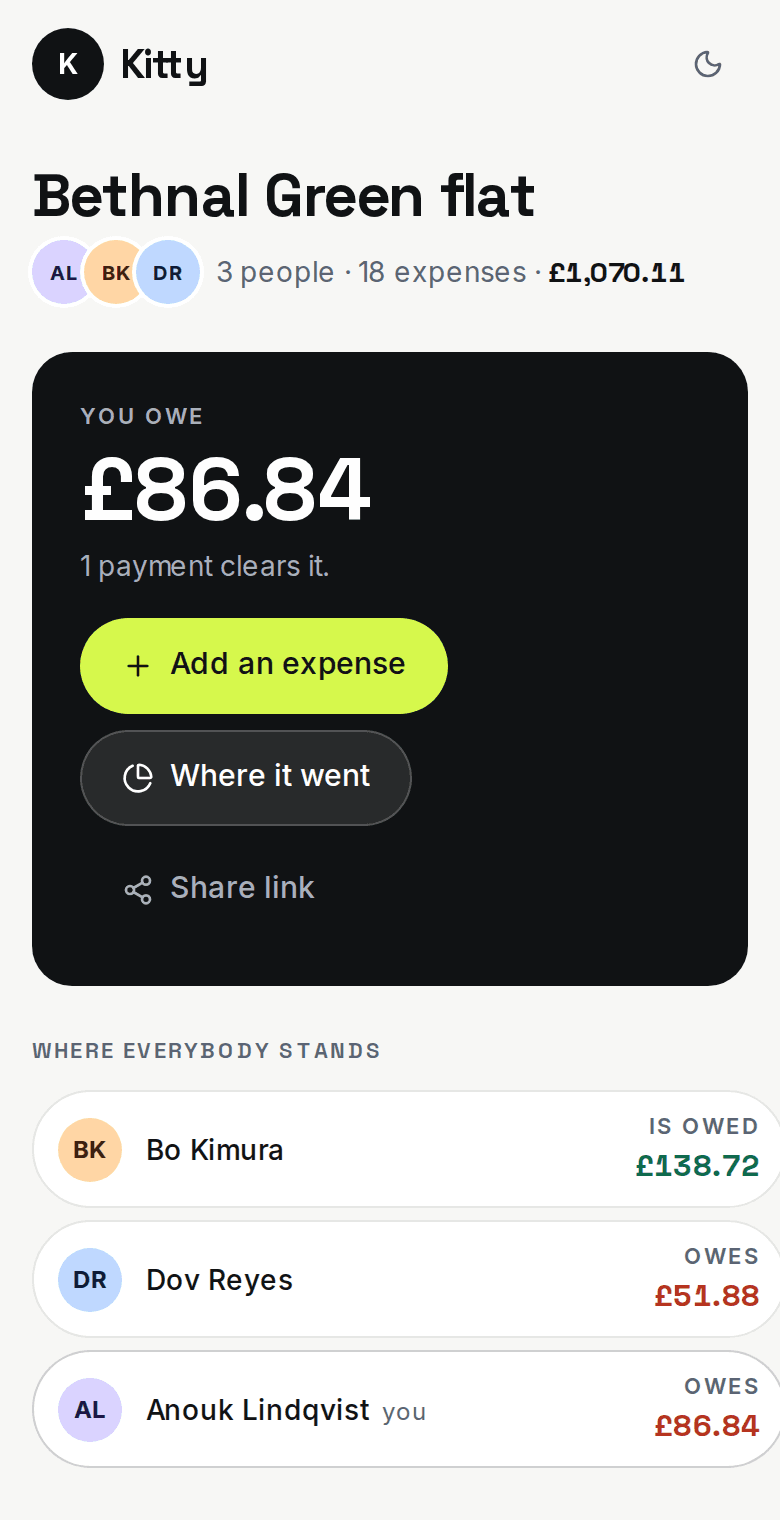
Split on a phone: A group, settled
About Split

Split is for the friend who booked the flat and paid for most of the dinners, and is now waiting to be paid back. A group's costs end up scattered across a chat and people's memories, and settling up takes more transfers than it needs to. Split keeps every expense in whole cents and works out the shortest list of payments that clears the group: the demo's four-person Lisbon trip has eleven expenses and settles in two. Anyone can open a link, see what they owe and mark it paid without making an account.

Settling up
Fewest payments

two for the demo's Lisbon trip

Money
Whole cents

totals checked on every load

Paying your share
No account

just a link

What it does

What does Split do?

  • Even, by share or exact

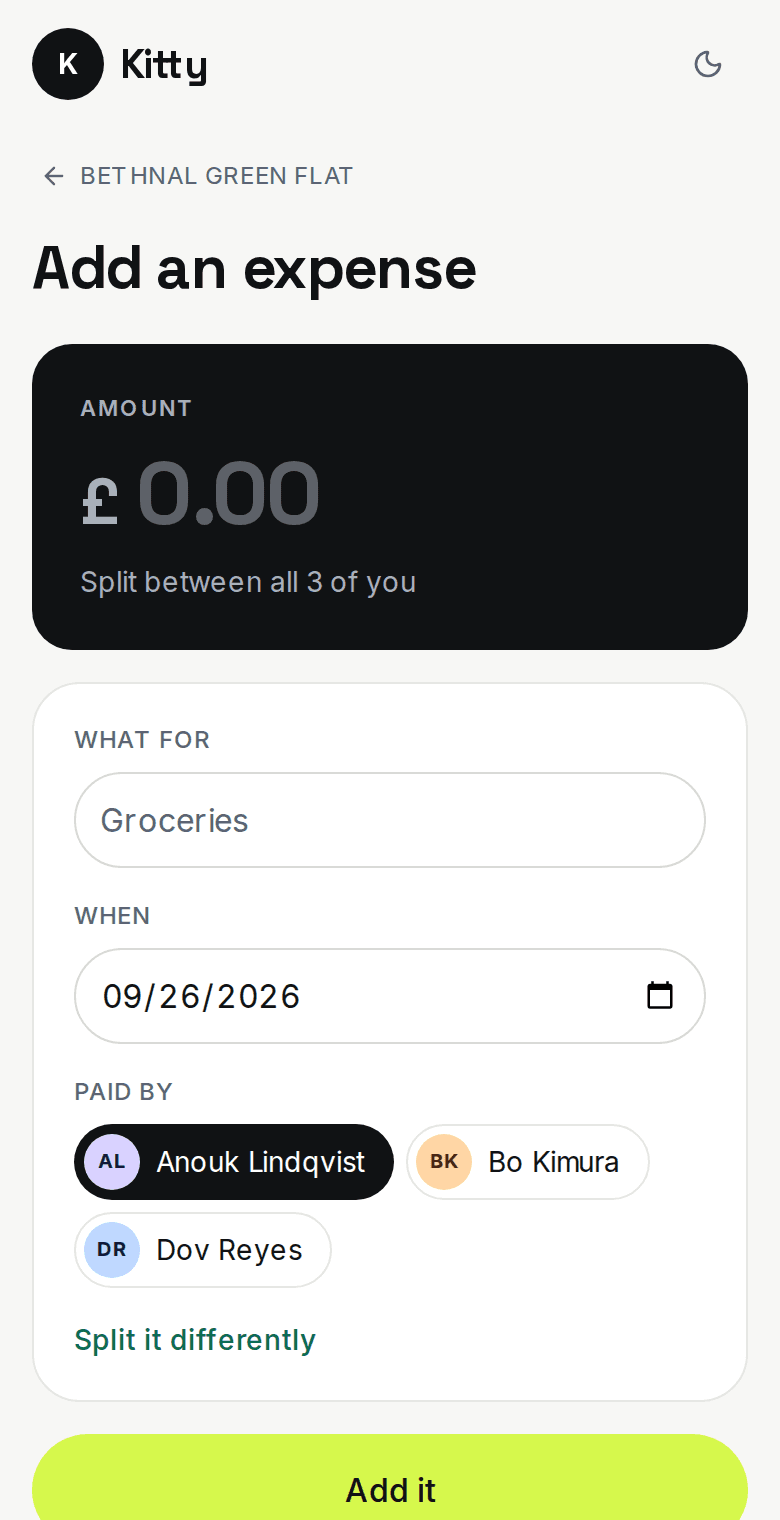
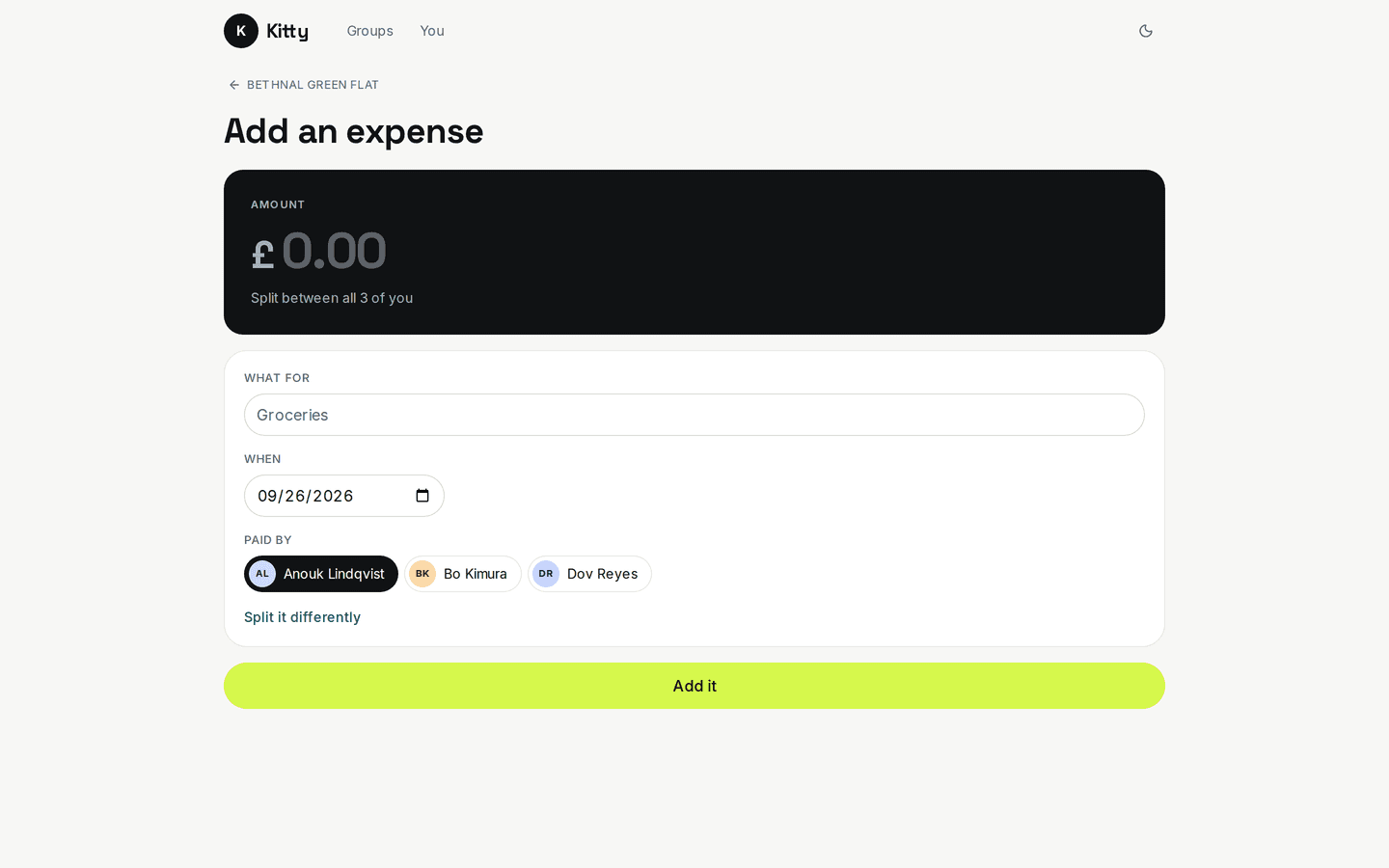
    Split an expense evenly, by shares or by exact amounts. If a cent is left over, the app names who gets it.

    /groups/[id]/add
    Split: Adding an expense
  • Who owes whom, then the payments

    The group screen shows every balance first, then the short list of payments that clears them all.

    /j/[slug]
    Split: The settle link
  • Settle from a link

    The friend who won't install anything opens a link, sees what they owe and marks it paid.

    /groups/[id]/spend
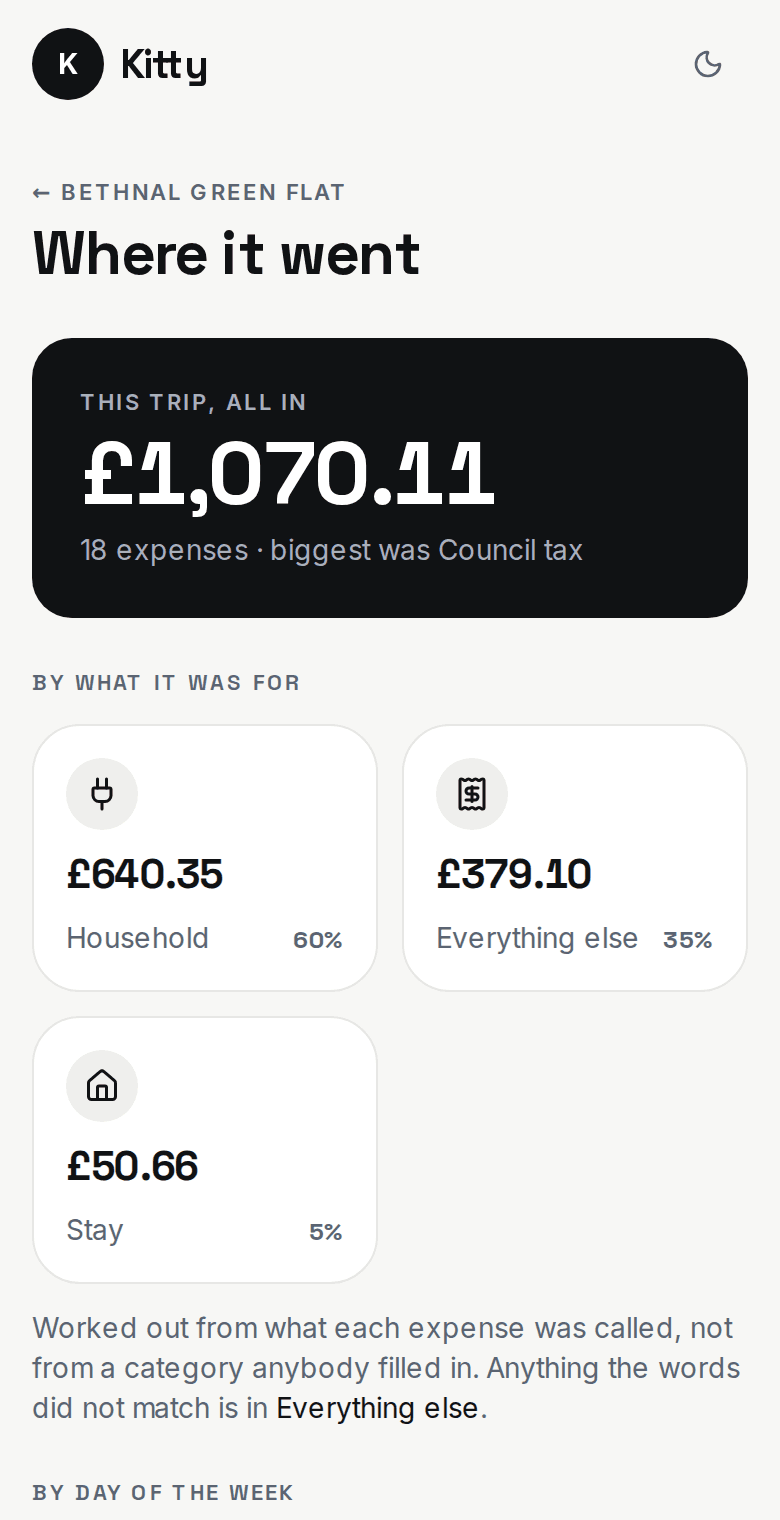
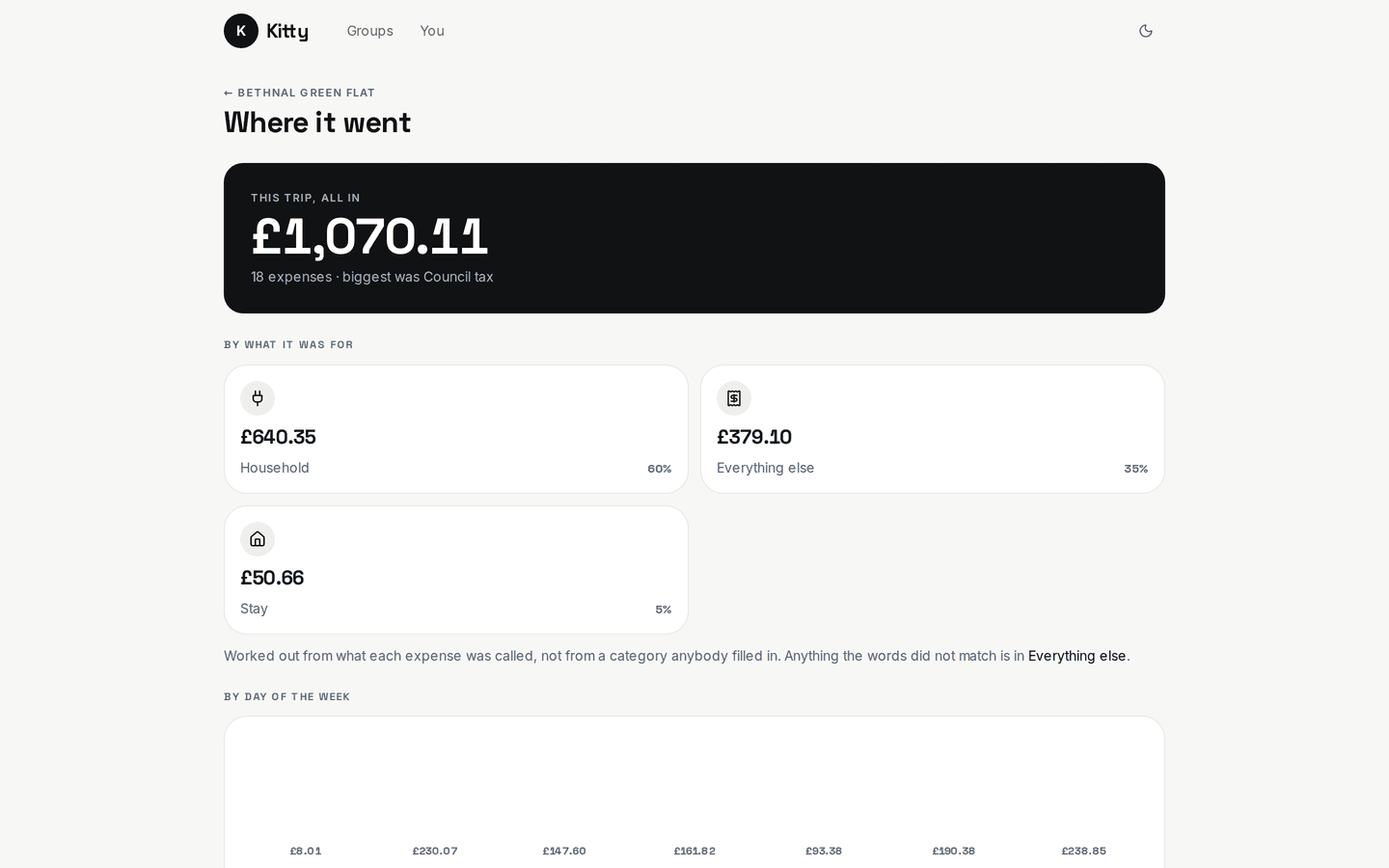
    Split: Where it went
The problem

What problem does it solve?

The trip is over and the costs are spread across a group chat, someone's notes app and four people's memories. Whoever paid the big bills waits to be paid back. When the group finally settles, people send each other money that could simply have cancelled out.

How the demo handles it

Split records every amount in whole cents and checks that each split adds up to its expense. It nets the group's balances and reduces them to the fewest payments. The full who-owes-whom list sits beside the short payment list, so anyone can follow how it was worked out.

  • Duplicate check

    When two people both add the same taxi, Split asks which one is real. It never merges them on its own.

  • More than one currency

    Each expense keeps the exchange rate from the day it was entered, so an old total never moves when the rate does.

  • Private receipts

    Receipt photos are visible to the group only, through links that expire.
Try it yourself
/groups/[id]/add
Split: Adding an expense, on a desktop
Split: Adding an expense, on a phone
/groups/[id]/spend
Split: Where it went, on a desktop
Split: Where it went, on a phone
Design choices

Why is it built this way?

  • The totals are checked every time

    Splits must add up to the expense, and a group's balances must add up to zero. If either fails, the screen shows an error where the figure would be.

  • Money is counted in whole cents

    Three people splitting $10 get 333, 333 and 334 cents, and the app shows who got the extra cent.

  • The payment list holds still

    Once a settlement is proposed it's saved as it is, so a late expense doesn't change payments people are already making.

  • It records payments only

    Split marks a payment as made. It never moves money, and the button says so.

Screens

What does it look like on a computer and a phone?

Everyone's balance, and below it the handful of payments that settles the group.

/groups/[id]
Split: A group, settled, on a desktop
Split: A group, settled, on a phone

What is it built with?

Common, well-documented tools, so any developer you hire later can pick it up and keep working on it. Hover over or tap any of them to see what it does.

Who uses it

Who would use Split, and when?

  • In the demo, eleven expenses come to exactly €294.60 each, and two payments settle everything.

    Four friends home from LisbonScenario

  • Rent, internet and power are split, and whoever paid the bill gets paid back.

    A shared house at the end of the monthScenario

  • Opens a link, sees what they owe and what it's made of, and marks it paid from the sofa.

    The friend without the appScenario

FAQ

What do people ask about Split?

  1. 01Can I try Split before talking to anyone?

    Yes. The demo is a working app with sample data. Ask for access and we'll email you a sign-in link. Nothing you change there affects anyone.

  2. 02Is it cloud or local?

    Cloud. Your team signs in from anywhere, on a phone, a laptop or the shop computer.

  3. 03Is it premade, adapted or custom?

    Premade. It works as it is, and we set it up with your name, your people and your data.

  4. 04What does it run on?

    Next.js 16, TypeScript, Supabase, PostgreSQL, Row-level security, Private file storage, Zod, Magic-link sign-in.

  5. 05What problem is it solving?

    The trip is over and the costs are spread across a group chat, someone's notes app and four people's memories. Whoever paid the big bills waits to be paid back. When the group finally settles, people send each other money that could simply have cancelled out.

Want to try Split?

It's a working app with sample data. Ask for access and we'll email you a sign-in link, usually within a business day.

Request the demo