DashForge
← All work

Landscaping & lawn care

Crew scheduling for a landscaping company, used on a phone outdoors

Crew is for the lead of a landscaping crew, standing in a driveway in full sun, gloves on, with seven stops still to go.

CloudPremade

/today
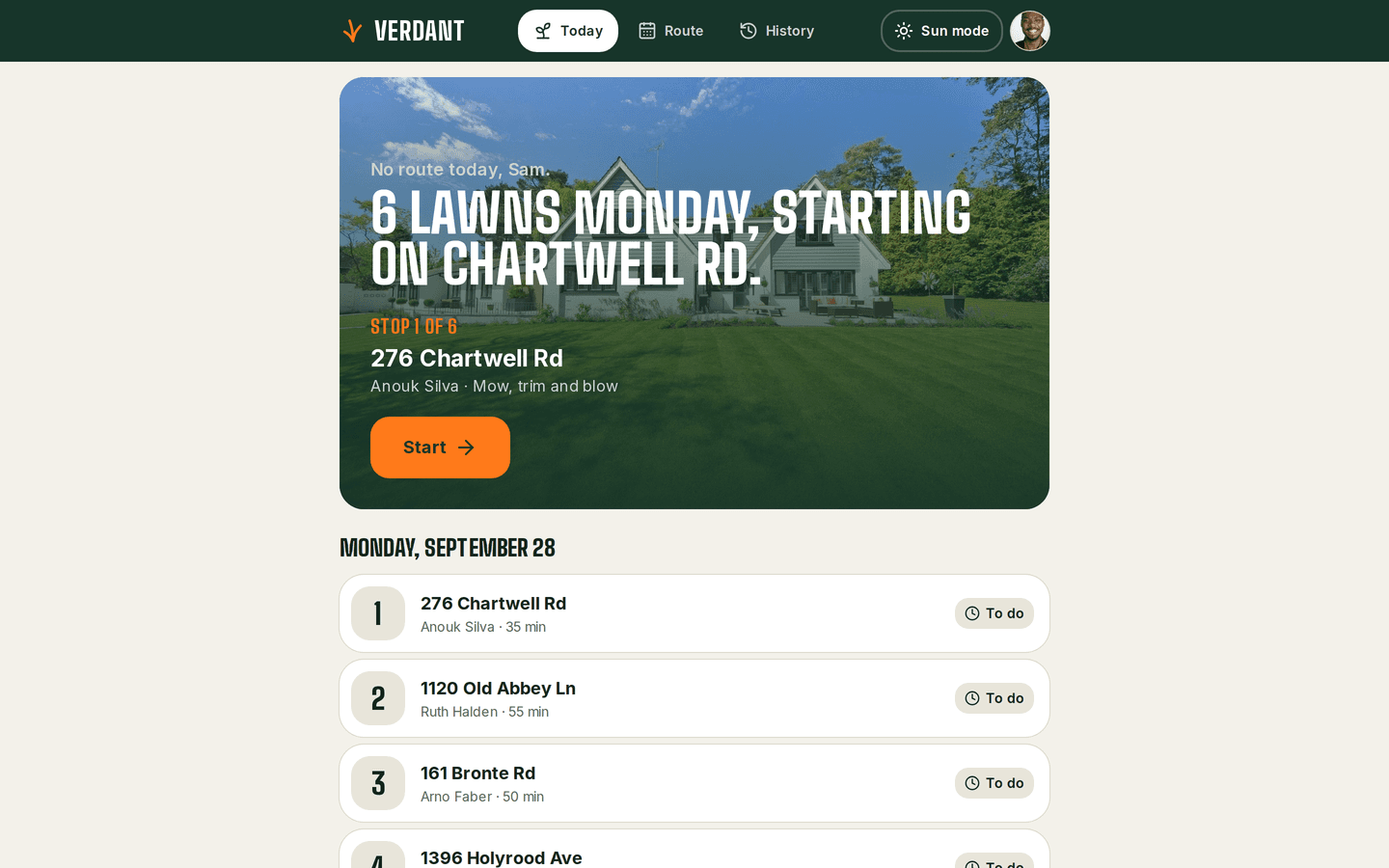
Crew on a desktop: A crew's Today
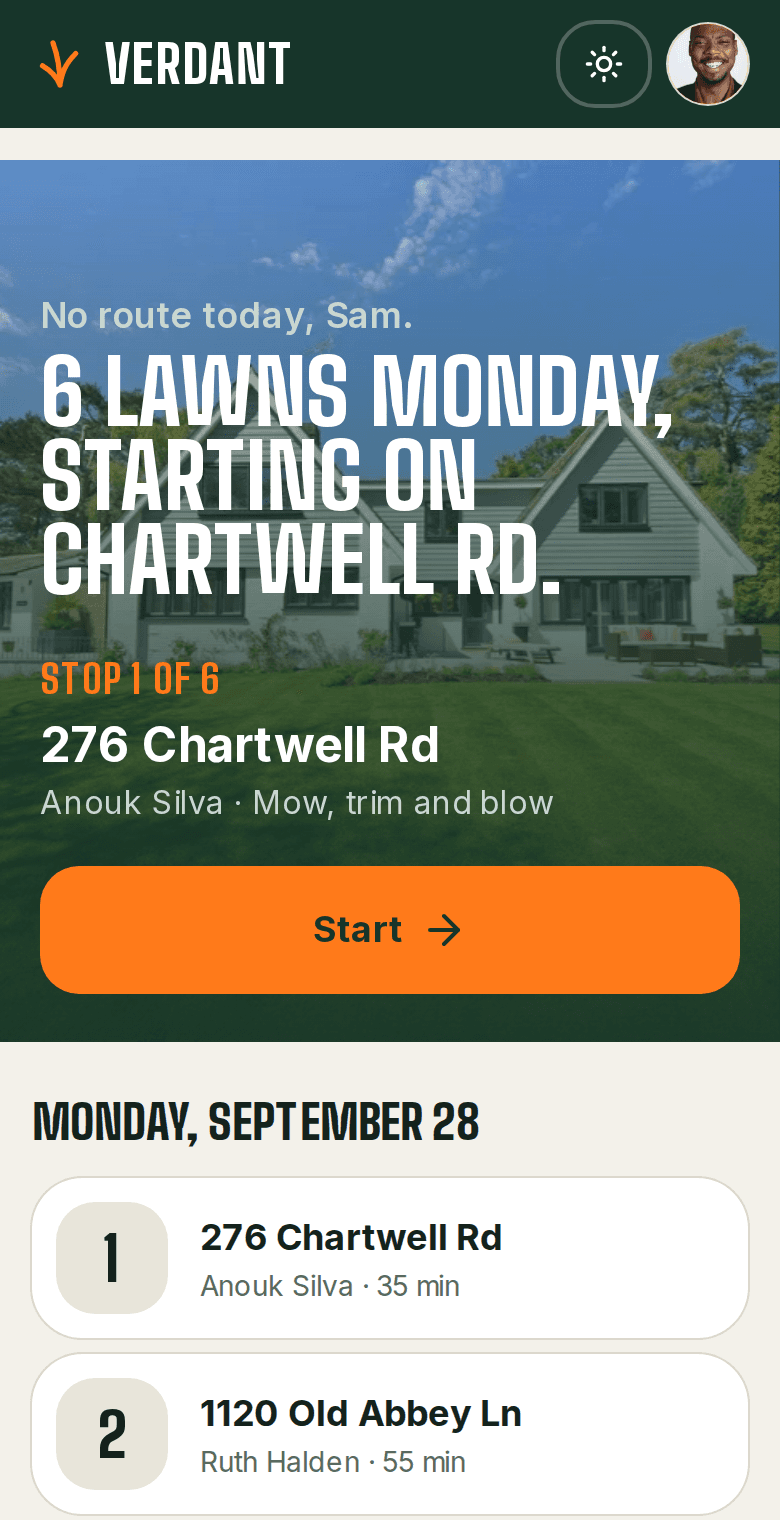
Crew on a phone: A crew's Today
About Crew

Crew is for the lead of a landscaping crew, standing in a driveway in full sun, gloves on, with seven stops still to go. Schedules usually arrive by group text and change by mid-morning, and when it rains the office rebuilds the week one phone call at a time. In the demo, the office plans the week across crews, and each crew opens its phone to today's stops in driving order, with buttons big enough for gloves. Every stop closes with an after-photo, so the office has dated proof of each visit.

Crew view
Today only

in driving order

Proof of work
A photo per stop

dated and attached to the visit

Rain day
One tap

moves the whole day

What it does

What does Crew do?

  • Made for outdoors

    Large buttons, high contrast, and a Sun mode for reading in full daylight.

    /stop/[id]
    Crew: A stop, closed with a photo
  • Today, in driving order

    Each crew sees today's stops in the order to drive them, and nothing else.

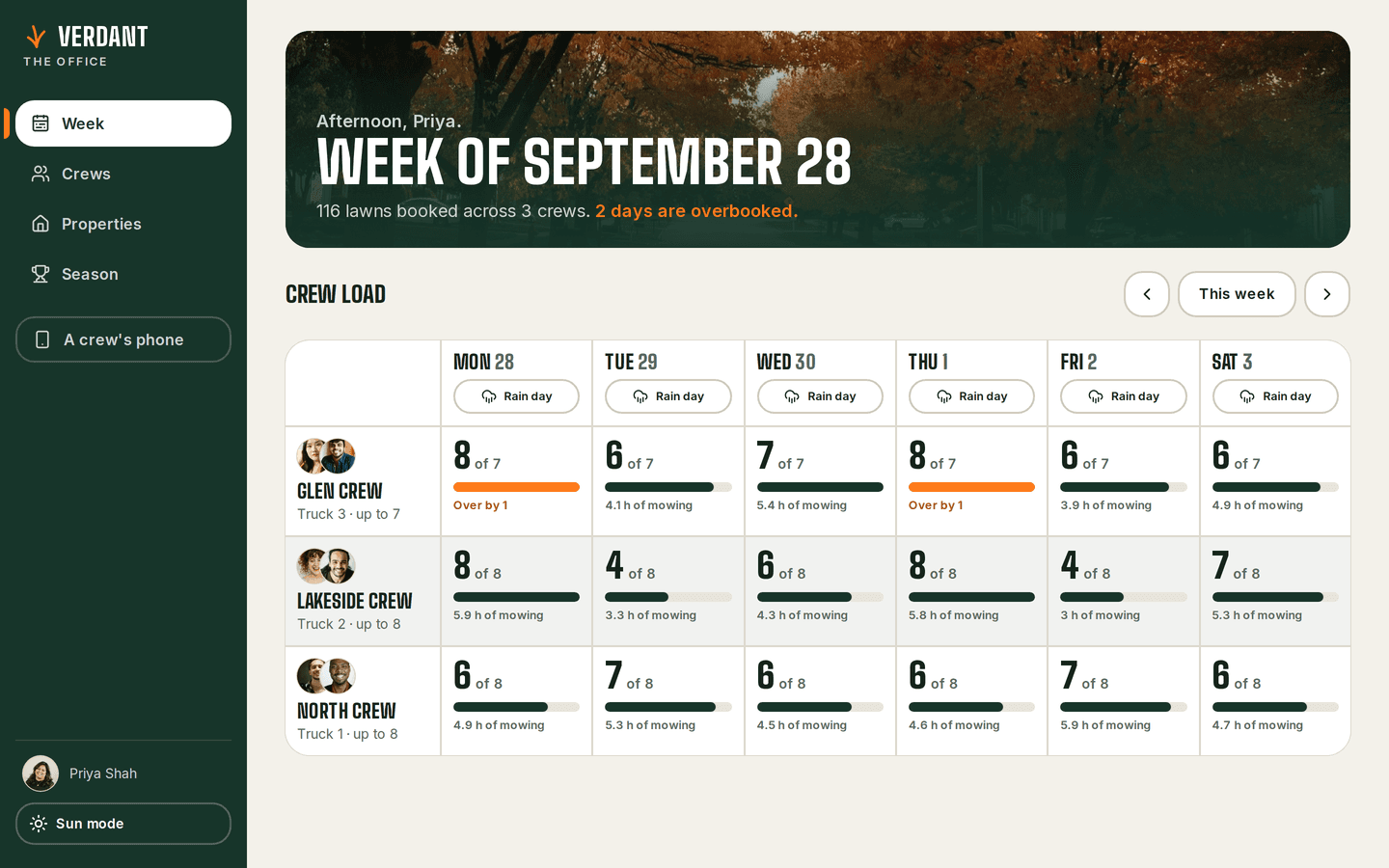
    /office
    Crew: The office's week
  • A photo to close each stop

    The after-photo uploads as soon as it's taken and is attached to the visit.

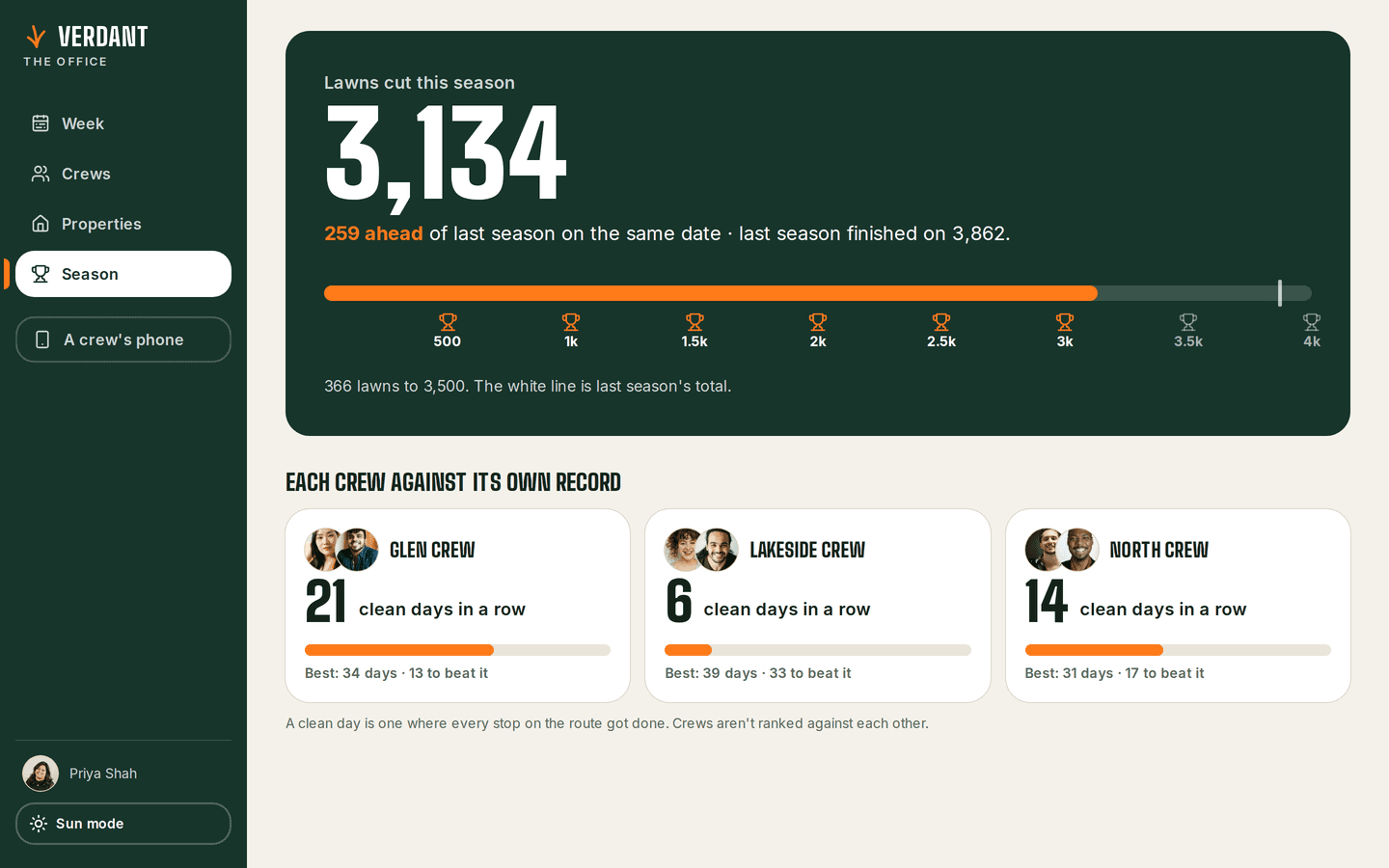
    /office/season
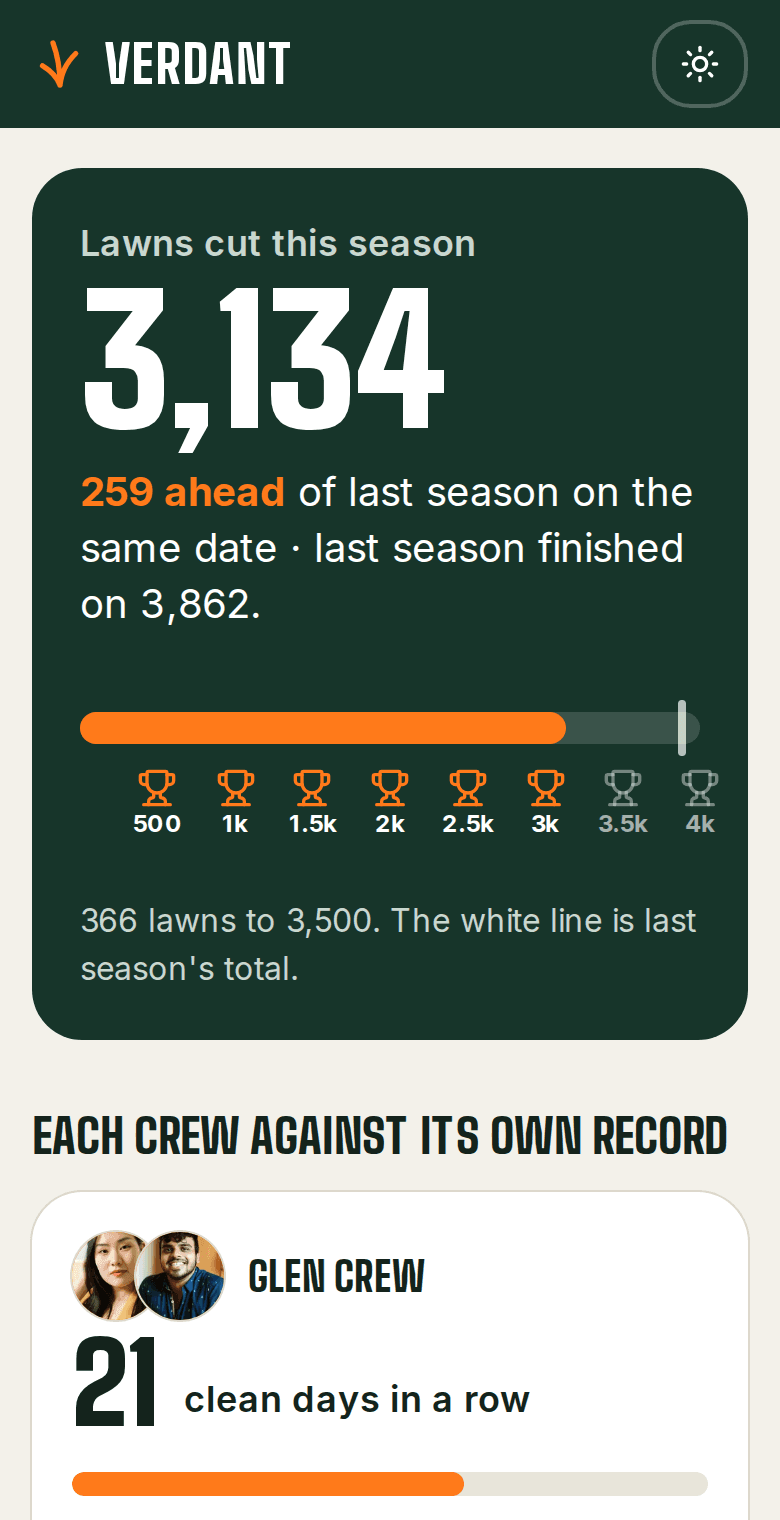
    Crew: The season
The problem

What problem does it solve?

The crew's schedule came by group text at 6am and changed by 10. When it rains, the office phones every crew and rebuilds the week by hand. If a client asks whether their lawn was cut on Tuesday, the answer is whatever the crew remembers.

How the demo handles it

Crew is one schedule with two views. The office plans the week on a large screen and sees each crew's load against what it can handle. A crew sees only today, in driving order, and closes each stop by taking a photo. A rain day moves in one tap, and every crew's list updates with it.

  • Rain days

    One tap moves a whole day, and every crew's list updates.

  • Crew load

    The office sees each crew's day against what that crew can handle.

  • Property history

    Every property on a map and in a list, searchable by address or client, with past visits and photos.

Try it yourself
/stop/[id]
Crew: A stop, closed with a photo, on a desktop
Crew: A stop, closed with a photo, on a phone
/office/season
Crew: The season, on a desktop
Crew: The season, on a phone
Design choices

Why is it built this way?

  • Two screens for two jobs

    The office plans a week on a large screen. A crew needs one day on a phone. Each gets a screen built for its job.

  • The record fills itself in

    Taking the photo is how a stop gets closed, so every finished visit has one.

  • The photo uploads first

    It's shrunk on the phone and uploaded the moment it's taken, so finishing a stop never waits on a weak signal.

Screens

What does it look like on a computer and a phone?

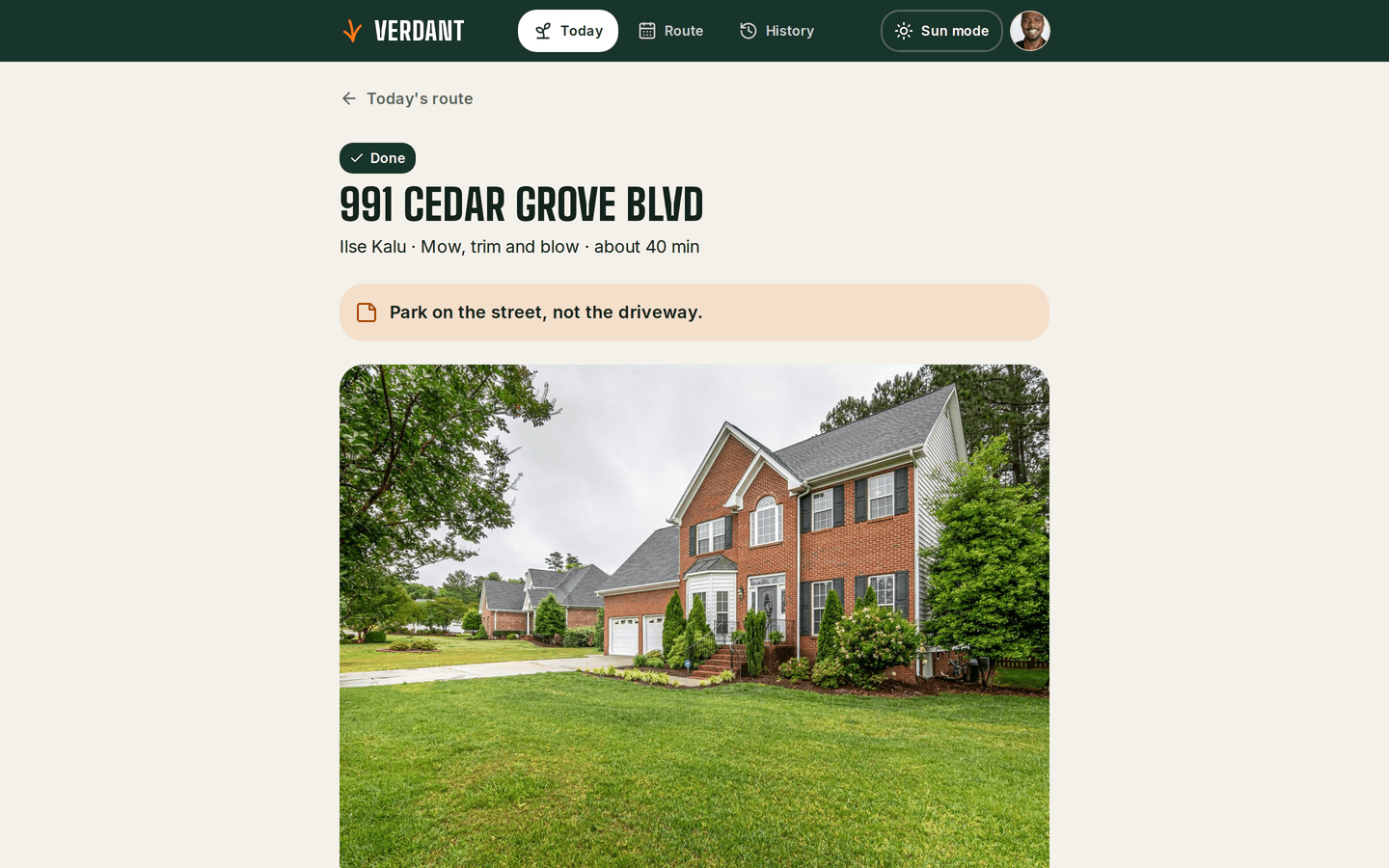
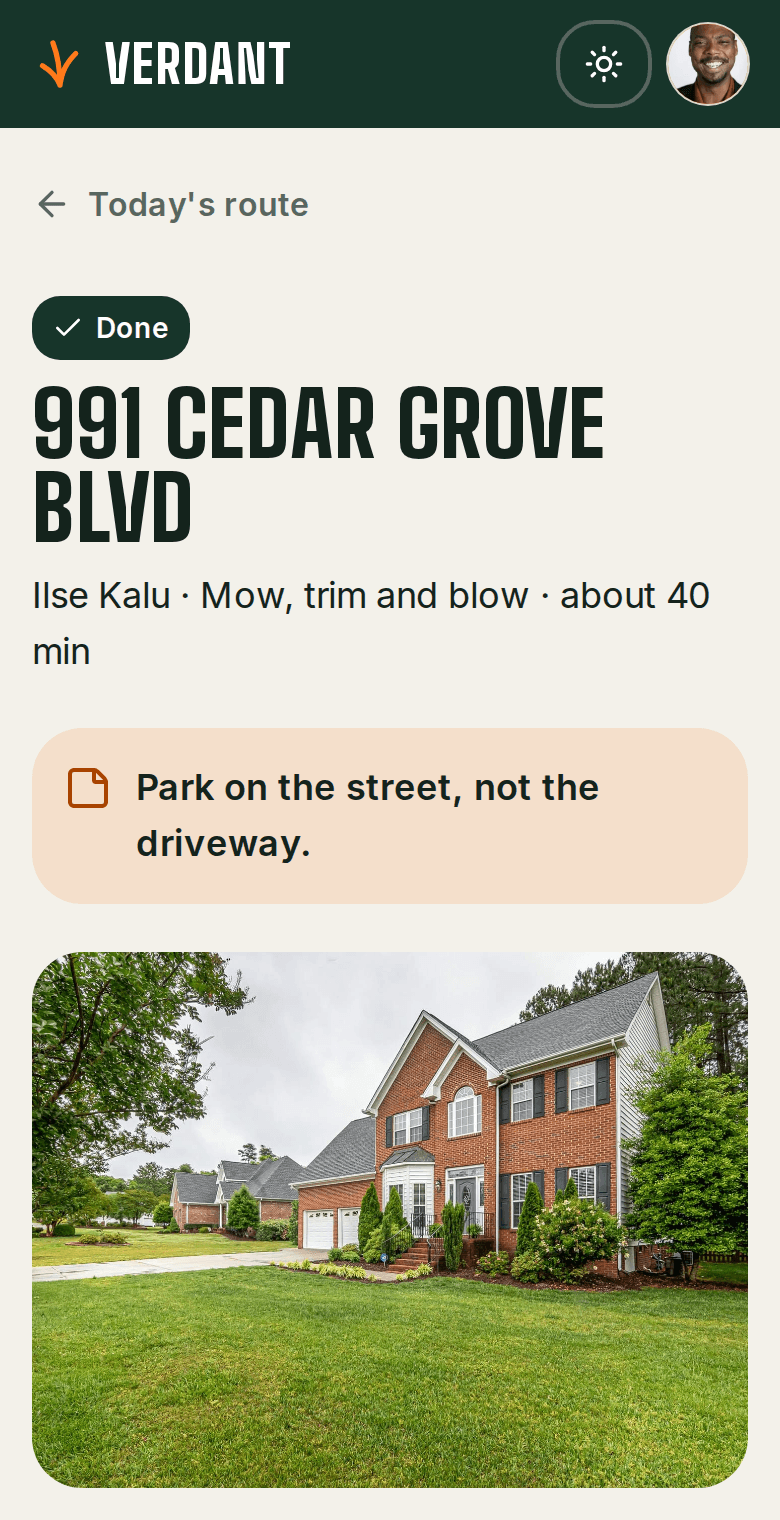
The first stop of the day with a large Start button, and the rest of the route below in driving order.

/today
Crew: A crew's Today, on a desktop
Crew: A crew's Today, on a phone

What is it built with?

Common, well-documented tools, so any developer you hire later can pick it up and keep working on it. Hover over or tap any of them to see what it does.

Who uses it

Who would use Crew, and when?

  • Opens the app to today's stops in driving order and taps Start without taking their gloves off.

    A crew lead at the first stopScenario

  • Moves the whole day in one tap, and nobody has to phone round the crews.

    The office on a rainy morningScenario

  • The dated photo on the visit shows the lawn was cut.

    A client asking about TuesdayScenario

FAQ

What do people ask about Crew?

  1. 01Can I try Crew before talking to anyone?

    Yes. The demo is a working app with sample data. Ask for access and we'll email you a sign-in link. Nothing you change there affects anyone.

  2. 02Is it cloud or local?

    Cloud. Your team signs in from anywhere, on a phone, a laptop or the shop computer.

  3. 03Is it premade, adapted or custom?

    Premade. It works as it is, and we set it up with your name, your people and your data.

  4. 04What does it run on?

    Next.js 16, TypeScript, Supabase, PostgreSQL, Row-level security, Private file storage, Mobile-first UI, Magic-link sign-in.

  5. 05What problem is it solving?

    The crew's schedule came by group text at 6am and changed by 10. When it rains, the office phones every crew and rebuilds the week by hand. If a client asks whether their lawn was cut on Tuesday, the answer is whatever the crew remembers.

Want to try Crew?

It's a working app with sample data. Ask for access and we'll email you a sign-in link, usually within a business day.

Request the demo